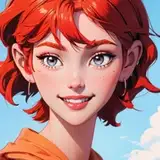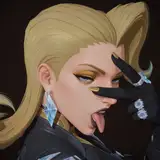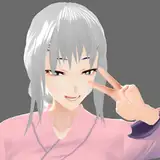
Game Released: Who's a Good Girl? - Ver 1.00 - Download Here!
Added 2022-04-16 01:28:08 +0000 UTCHere's the release version 0.99 of the interactive assistant teasing simulator: Who's a Good Girl?
Who's a Good Girl? - April 16th Build
>> Download from the Attachments in this post. <<
-----------------------
Hi Everyone!
After five weeks of hard work I bring you the Micro-Game: Who's a Good Girl?
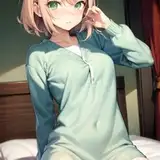
In this micro-game you play as the town mayor who compliments your ever reliable and lovely Town Assistant. An action that leads to more and more escalating events. ;)
In this NSFW micro-game you'll see the following kinks and tone:
- Consensual Interactions
- Softcore BDSM
- Foot Teasing , Tickling, and Rubbing
- Oral and Handjobs
- Gags and Blindfolds
- And lots and lots of compliments.
Other Features:
- Full Voice Audio for the Assistant
- Original Music Tracks
- Fun and Fluid Animations
Why is it version 1.00?
All voice over artist audio is now in the final product! :D
Linux Version Test
I'm currently testing to see if exporting a Linux version via windows is possible.
If you run on Windows, ignore this download. It's the same game, just for Linux OS.
I hope you enjoy your encounter with this very, very good girl!
- Caroo
Requirements:
Playable on a PC using a Windows OS.
The game will boot up Windowed.
You can change the resolution to your liking at any time in the options menu.
To Install It:
Download the zip file
You MUST unzip all the contents of the zipfile to any folder. The game cannot run from inside the zipped file.
Windows OS can unzip it by itself. You don't need to download any third party software like WINRAR.
You can run the demo by entering the unzipped folder and double clicking on the file named: Who's a Good Girl
Common Install Issues:
Delete all prior files from previous versions / public demo if you're installing to the same folder location.
If Windows Defender is preventing you from playing then right click on the entire game folder and let it run a "Quick" scan. It wont hassle you after that.
If you don't unzip the contents of the folder, you can't play the game.
If the game opens and then closes without a screen showing, that's typically a graphic driver issue, update your graphics cards drivers and restart your pc.
Unity games don't like being placed in folders deeply nested in multiple folders. This is due to long file directory names messing with Unity. 3 to 5 folders deep is fine. More and it gets wonky.
Upgrading from Demo to Supporter/Full Version FAQ:
Issue: You purchased and downloaded the supporter version on Patreon / Subscribe Star and it says you still have the demo version when you play it:
Fix 1: If using Windows. Go to your main hard drive and find the folder "Users". From there: (Users->You->AppData->LocalLow->Kangaroo Games) and then delete the bindmancer folder. (The demo's windows user save data has caused the issue.)
Fix 2: Don't install the full version in top of the demo version in the same folder.
Comments
HAHA! I am an evil genius! The program was blocked because it wasn't a local file!!! By the way, this game is adorable! Good luck on your future projects, you are awesome!
StarChild
2024-10-13 18:39:36 +0000 UTCOk. Don't forget to extract the entire folder. not just the exe. Another common problem is that the file is under too many nested folders. (folders within folders) One thing to try is to move the game folder containing the EXE to a location like your desktop or one folder down from one of your hard-drives.
Caroo
2024-10-04 17:45:31 +0000 UTCNo, I've extracted the .EXE, but the game just doesn't seem to want to open when I double click. The only games I can play are on Unity.
StarChild
2024-10-04 17:39:33 +0000 UTCNeeds to be on a windows playform. And you need to extract the entire zip to a folder. Are you opening up the file and double clicking the EXE without extracting it to a folder?
Caroo
2024-10-03 04:30:28 +0000 UTCI can't seem to boot up the game. Even when I click on the .exe file, it won't open.
StarChild
2024-10-03 00:15:57 +0000 UTCNo worries, if it just me that the end scene gallery is not working
Stocki
2024-05-19 05:46:00 +0000 UTCCurrently not and that is a great suggestion. My apologies for not having an end of scene gallery. I'll see what I can do.
Caroo
2024-05-19 05:20:13 +0000 UTCLove this! Is there a way to get access to all the scences? Once I completed it, closed the game and run it again and I have to do it from the beginning again :c
Stocki
2024-05-18 18:23:21 +0000 UTCI love this! The whole thing was sweet and super cute, and your animation just keeps getting better. Linux build ran great all the way through, by the way. Thanks again for taking the time to make it!
voidbastille
2022-04-17 20:53:13 +0000 UTCvery well done as always you're killing it ;)
Kriiks48
2022-04-17 03:12:20 +0000 UTCAppears to be running just fine on Ubuntu 20.04! Haven't played through the entire thing yet, but I'm able to change the resolution, read the text, hear the music and voice acting, and click past the first dialogue option. Thanks again for giving this a shot! I'll post an updated comment once I've gone through the entire game.
voidbastille
2022-04-17 02:29:10 +0000 UTCI've added a Linux build version. Let me know if you can unzip and play it. As I obviously can't test it on my Windows machine. :)
Caroo
2022-04-16 21:35:12 +0000 UTCSure! https://docs.unity3d.com/Manual/Buildsettings-linux.html
voidbastille
2022-04-16 02:33:38 +0000 UTCI did want to make one of those. Can you direct me to the documentation again?
Caroo
2022-04-16 01:35:02 +0000 UTCCan't wait to play this! Was the Linux build option from Unity successful?
voidbastille
2022-04-16 01:31:08 +0000 UTC