The Bindmancer - May 12th Build
Added 2022-12-05 16:18:57 +0000 UTC
Install instructions are at the bottom of this post.
For Linux Users: Experimental Linux Version at the Bottom of the Page
--------------------------------
What's New in the Build?
May 12th:
This update is a minor bug fixing update that addresses the following:
- Gallery now works in Title Screen. (Still need to unlock content)
- Puzzles are now "AZERTY" Layout friendly for keyboards. (ie: French Keyboards)
- Some visual fixes for the Bindmancer dungeon character sprite.
- Unlocking the Bindmancer golem peril Gallery Entry now unlocks properly.
- Created a spare dungeon room that'll be used as a last resort if the portal exit can't spawn anywhere else on the main dungeon. The player will need to use a portal teleport key to access it.
- Portal teleport keys can now only be used once all prisoners have been found.
- Freeing a prisoner via entrapping the bindmancer into a connected peril will now only unlock the requirement once the peril is complete. This will stop UI objects overlapping eachother.
May 5th:
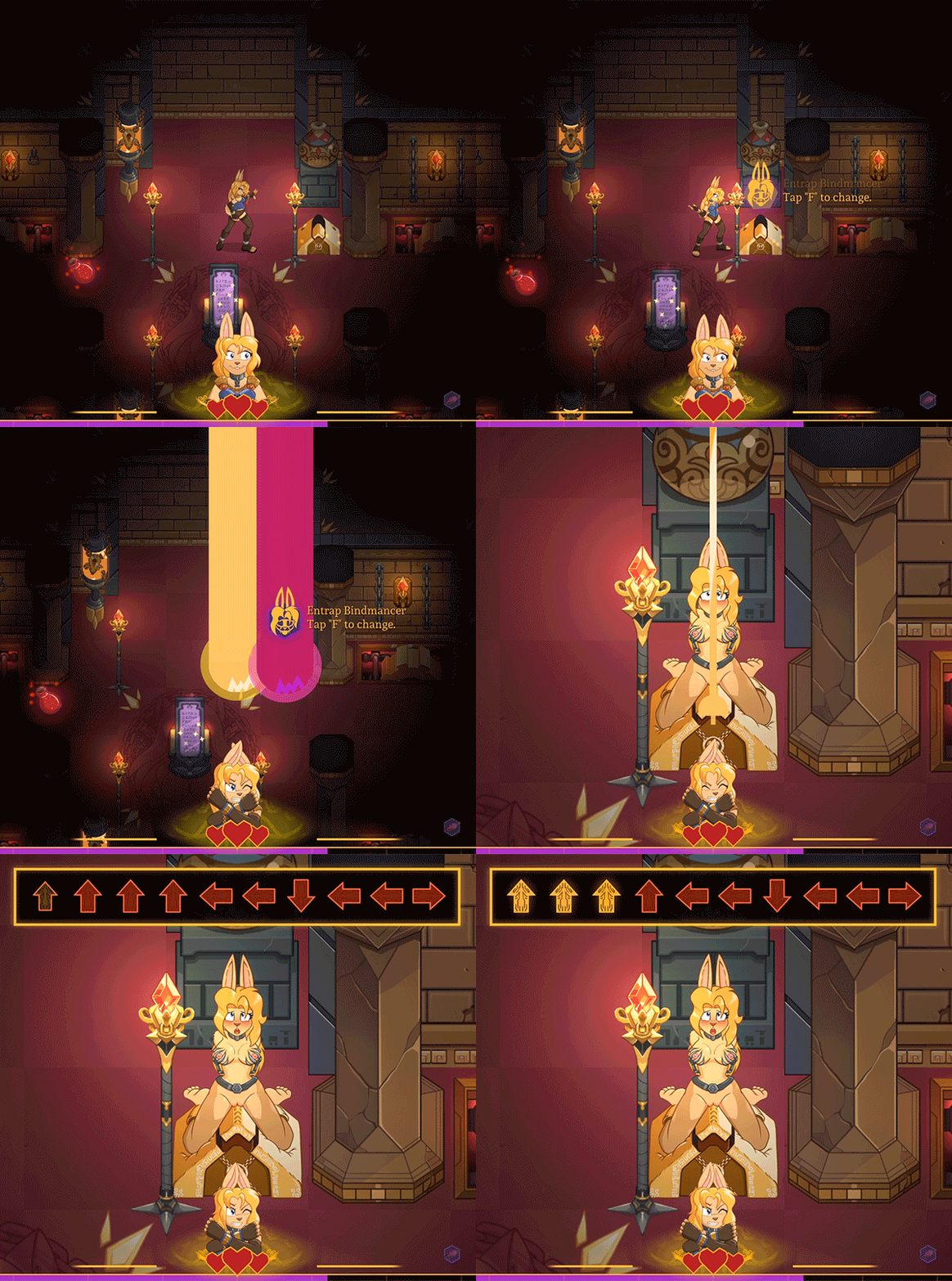
Punishment Exchange Gameplay
This update introduces the gameplay feature of being able to switch out a prisoner for the Bindmancer themselves to take on the punishment device. A "Good" option so to speak.
There's lot of animation love and "Alts" of the peril to experience. As well as other gameplay improvements such as:
- Choosing to spare or capture a defeated cultist is now a selected choice by pressing the "f" button to change the decision.
- Slimes now have a animation for when they get hit.
- Puzzles that use directional prompts now use arrows instead of key letters.
- A gallery entry for the Bindmancer Sybian Punishment animation has been added as well.
And more!
April 14th:
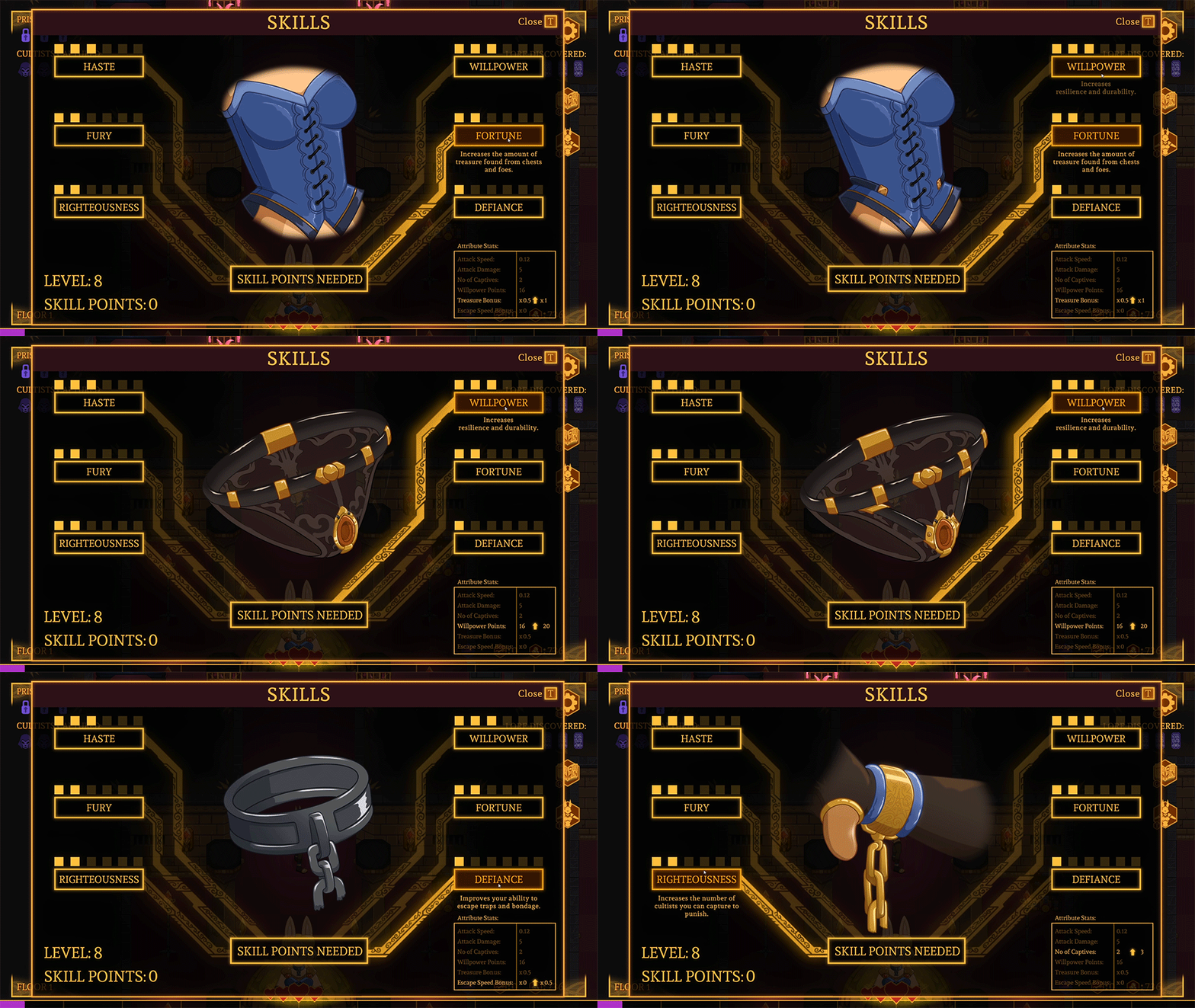
Completed Pass of XP, Level-up, and Skills Systems
- An xp, level up, and skills system is now implemented including associated UI. Including artwork of the Bindmancers clothing getting upgraded along with skills.
- Dungeon UI has been modified with new icons for the options, gallery, and skills menus.
- The restart level button has moved from the dungeon UI screen into the options menu.
March 30th:
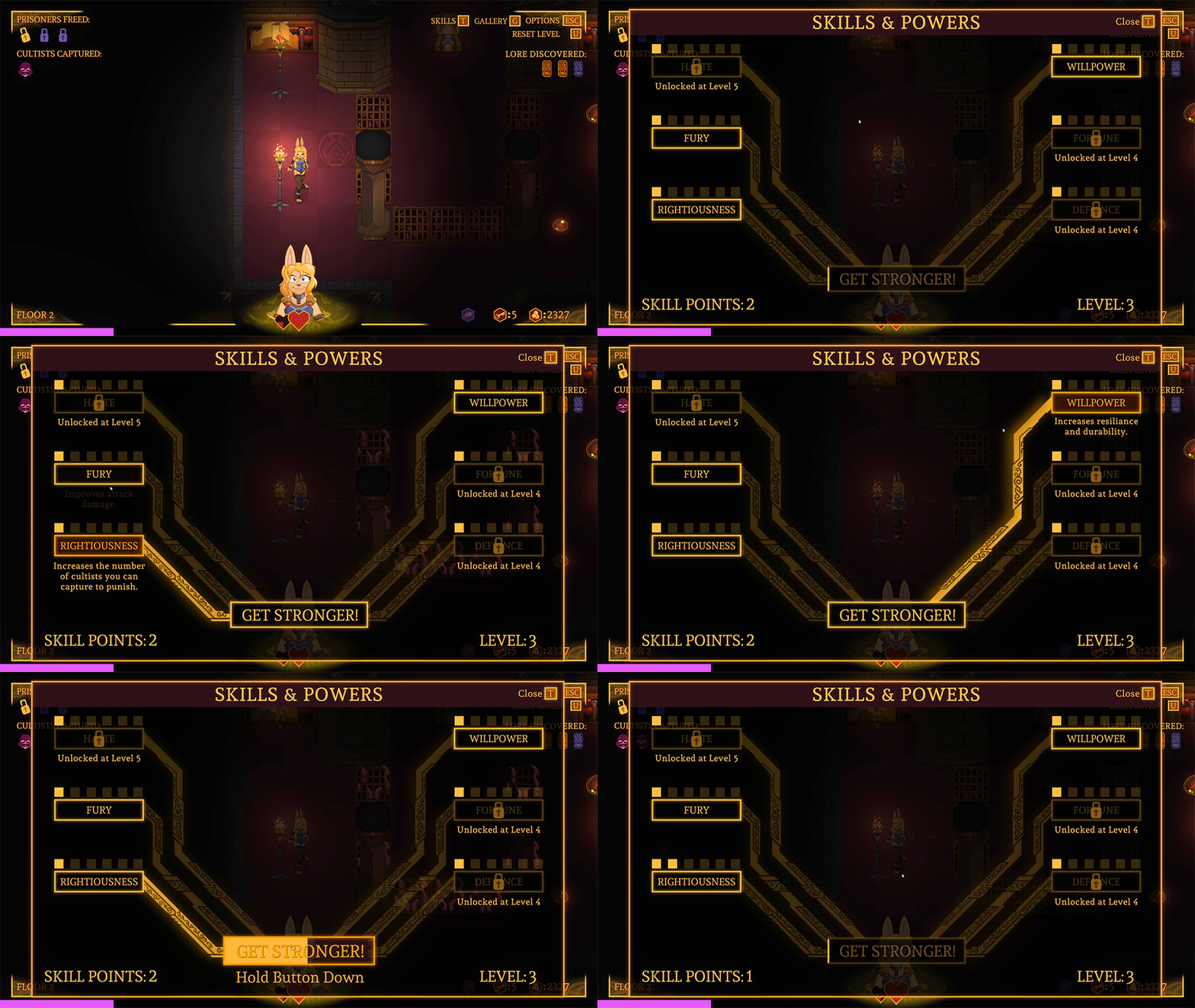
First Pass of XP, level-up, and skills systems
This update to the game adds in a brand new suite of systems surrounding player progression and rewarding gameplay. It includes:
- Earn XP by freeing prisoners and defeating enemies!
- Level up and gain skill points!
- Spend those skill points by improving your character!
Important Note: There's some key art missing for this system in the UI screen as it's still in production. Although the gameplay functionality is fully there.
So if you want a full experience I suggest you wait for an additional build slated to come out early to mid April.
It's highly suggested you start a new game to clean your game data.
--------------------------------------------
--------------------------------------------
Requirements & How to Install:
- Playable on a PC using a Windows OS.
- The game will boot up full screen and set to your monitors native resolution.
- You can now change the resolution in the options menu to an adjustable windowed mode where you can set it to your preference.
To Install it:
- Download the zip file
- You MUST unzip all the contents of the zipfile to any folder. The game cannot run from inside the zipped file.
- Windows can unzip it by itself. You don't need to download any third party software like WINRAR.
- You can run the demo by entering the unzipped folder and double clicking on the file named: The Bindmancer
Common Install Issues:
- Delete all prior files from previous versions / public demo if you're installing to the same folder location.
- If you don't unzip the contents of the folder, you can't play the game.
- If the game opens and then closes without a screen showing, that's typically a graphic driver issue, update your graphics cards drivers and restart your pc.
- Unity games don't like being placed in folders deeply nested in multiple folders. This is due to long file directory names messing with Unity. 3 to 5 folders deep is fine. More and it gets wonky.
- If controls don't respond = It's probably a controller you have plugged into or connected to your computer. Remove it to use Keyboard controls.
--------------------------------------------
Key Info for Linux Users:
You'll need to add an executable permissions to the file 'The Bindmancer - May 5th.x86_64' to get it to run. The following commands should do the trick:
cd /path/to/the/extracted/files
chmod 100 The Bindmancer 2023 May 5th.x86_64
./The Bindmancer 2023 May 5th.x86_64'