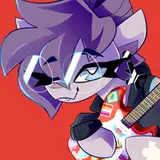
This image of a consenting role play scenario can be found in the April 2018 Dropboxes.
Standard: https://www.patreon.com/posts/dropbox-link-res-18003394
High: https://www.patreon.com/posts/dropbox-link-res-18003395
---
PSD file attached and in April 2018's High Res dropbox for Midnight.
It's one of the more complex files due to all the possible variants and the ways the characters overlap, but if all you want to do is mix and match Midnight's amount of wrapping or outfit/tape colours, the "Head" and "Bod" v1-v3 folders are what you need to toggle, and the colour-flats are labelled too so you can lock transparency and paintbrush/floodfill a new colour onto them.
That said, while the tape shading is done via multiply layers that will work regardless of what colour you make the tape, as seen in this preview image, Midnight's costume shadow layers are 'normal' flat layers as I colourdropped screenshots from the show for accuracy, so if you intend to change her outfit you will also need to change the shadow layers to be Multiply or Linear Burn (and maybe change their colour to be all one single tone).
Sorry if that's all a bit overwhelming! I'll be happy to help if you run into any problems!
If you don't have Photoshop, you can download https://www.gimp.org/ for free.
cummy
2018-07-23 23:18:45 +0000 UTC