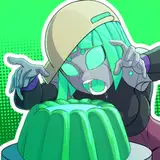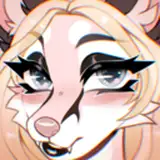
🐺 Aurora the wolf is here! 🐺
This avatar comes with a casual wear version, a cyberpunk version, and a good rank!
Community interaction, FREE extras, and avatar support always available in the discord server! Come join and hang out, and show everyone your edits/pics from in game if you'd like :)
Gogoloco pre-installed on both main Quest and PC packages .^^ These avatars are designed with functional mmd shapes! :D There is also complimentary face tracking (unified shapes) and a VRM file included for quest pro free in their own pre-built pack (easy uploading!!!) I am still learning them :3 any tips or input please feel free to message me anytime!
✨ Main Version ✨
Important
Do not redistribute, resell, share, upload for a friend or trade this package. Private use only. You may use free parts of this avatar for your own avatar if you credit the original creator. For paid parts you have to buy the license from the creator themselves or for nitro assets you have to boost their server. No public uploads. No sharing these files to other websites, you agree you are 18+ years of age if purchasing my products. By checking the agree to TOS box, you are agreeing to be bound by these terms.
CREDITS LIST
Avatar extras https://franadavrc.gumroad.com/
Avatar extra bits: (Some may not be applicable but check them out anyway!) : Body: sugs#9795, Mooshi, foxipaws, Misty , Wolfs Den 3D, Skuny0087, Astrafluff,
Waifu Bodysuit AIKA: https://aikavr.gumroad.com/l/waifubodysuit
Tech pants: https://crabman823.gumroad.com/
Shorts: https://saikura.gumroad.com/
Hairs: https://saikura.gumroad.com/ , https://nessy.store/
Bikini: https://payhip.com/MEEVA
Bodysuit: https://payhip.com/KOLD
Strap: https://payhip.com/KOLD
Cyber Jacket: https://crabman823.gumroad.com/
Collar tags: https://formularats.gumroad.com/
Straps: https://sillytilly.gumroad.com/
Backpack: https://payhip.com/KOLD
Horns: https://rusticii.gumroad.com/
Claws: https://heartmarksman.gumroad.com/
Gloves: https://payhip.com/KOLD
Hip Bag: https://devilmk.gumroad.com/
Jeans: https://zinpia.sellfy.store/
Straps set: https://beaniebaby.gumroad.com/
Star Harness: https://virtualthreads.gumroad.com/
Skirt: https://vinuzhka.gumroad.com/
Hoodie: https://doggystylevrc.gumroad.com/
Shirt: https://saikura.gumroad.com/
Torn top: https://charmedyy.gumroad.com/
Boots: https://holoexe.gumroad.com/
Leash: https://zinpia.sellfy.store/
Necklace: https://vinuzhka.gumroad.com/
Garter: https://miriaaamvr.gumroad.com/
Shader Base Set Up Help: Weedlee
Goat: https://evatec.gumroad.com/
Spray bottle: https://xelyo.gumroad.com
Worm: https://hugandlove.gumroad.com/
Sparkles: https://xxuebi.gumroad.com/
Ferret:https://novapie.gumroad.com/
Boba: https://gmsbox.gumroad.com/
Dual system: https://liindy.gumroad.com/
Setup: https://fluffs.gumroad.com/
HUGE thank you for testing help and pics to:
Viranyx : https://viranyx.gumroad.com/
Finn: https://kissmonster.gumroad.com/
Another huge thank you to Pinky for helping determine the cause of a mystery bug! <3
Pinky: https://youtube.com/@PxINKY?si=SuZ3byFCVfE4f_L0
If I'm missing any credits please let me know and I'll add them right away :)

DO NOT BRING POIYOMI INTO YOUR QUEST PROJECT!!! IT WILL INCREASE THE FILE SIZE! AND MAKE UPLOAD ISSUES!!! POIYOMI IS TO BE USED FOR PC ONLY!!!!
When uploading make sure you're matching the PC version to the QUEST version to prevent desyncing!
1 - Create a new unity project with SDK set properly, ensure it is set to the android platform and has VRCfury
2 - Import the QUEST unity package for your chosen avatar ^^
3 - ^^ Click the Aurora scene and upload from there!
HOW TO UPLOAD (PC)
1 - Create a new unity project (2022) with VRC Fury
*** FOR FACE TRACKING USERS PLEASE ENSURE YOU BRING IN ADJERRYS FACE TRACKING TEMPLATE *****AFTER******** IMPORTING AURORAS UNITY FILE **** (She uses some custom animations, if you have put adjerry in already check the server for a unity pack quick fix in the extras)
2 - Import poiyomis (Poiyomi Pro 8.2 Combo package or higher, you'll want to use the multi version packs if youre using anything above 8.2 )
3 - Import the unity package for your chosen avatar
4 - Add Adjerrys Face tracking templates to your project (for the facetracking packs)
5- ^^ Click the Aurora scene and upload from there!
DO NOT BRING POIYOMI INTO YOUR QUEST PROJECT!!! IT WILL INCREASE THE FILE SIZE! AND MAKE UPLOAD ISSUES!!! POIYOMI IS TO BE USED FOR PC ONLY!!!!
When uploading make sure you're matching the PC version to the QUEST version to prevent desyncing!
1 - Create a new unity project with SDK set properly, ensure it is set to the android platform and has VRCfury
2 - Import the QUEST unity package for your chosen avatar ^^
3 - ^^ Click the Aurora scene and upload from there!
Please note this avatar uses Poiyomi pro (for best results with animations etc.) but can function with poiyomi toon with re-assigning the shaders (holograms and status collar will not function without poiyomi pro). If you do not have poiyomi pro and are not planning to get it you will need to reassign your shaders to poiyomi toon (they'll turn pink on import without pro) If you require help with this process please open a support post in the server <3
HOW TO UPLOAD (PC)
1 - Create a new unity project (2022) with VRC Fury
*** FOR FACE TRACKING USERS PLEASE ENSURE YOU BRING IN ADJERRYS FACE TRACKING TEMPLATE *****AFTER******** IMPORTING AURORAS UNITY FILE **** (She uses some custom animations, if you have put adjerry in already check the server for a unity pack quick fix in the extras)
2 - Import poiyomis (Poiyomi Pro 8.2 Combo package or higher, you'll want to use the multi version packs if youre using anything above 8.2 )
3 - Import the unity package for your chosen avatar
4 - Add Adjerrys Face tracking templates to your project (for the facetracking packs)
5- ^^ Click the Aurora scene and upload from there!
The full version contains all of the body layers (heavy for some computers)
The Doberman, husky, and fox are separated versions for lighter use
These are provided just as a lil extra for those who may want to use them on the odd clothing item. ^^

This seems to occur in rare cases, it's likely a hiccup in importing