Another Keymesh thing: 3D patterns on 2D fabric
Added 2023-03-16 04:10:09 +0000 UTCI did another experiment with Keymesh! (First one here)
One of the possibilities that I was most excited about with this tool, is for patterned clothes! Clothes are floppy and change shape constantly, and in 2D animation that's great, IF there's no details.
But I love textiles! And I want to make characters that wear patterns.
In fact, Double King was actually going to wear a paisley cloak, and I tried several ways of adding the pattern in- but a flattened pattern didn't look all that good masked into his floppy robes, and I couldn't find a way of effectively distorting the pattern to fit his movements.
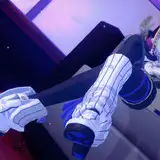
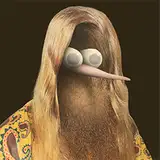
So! Here is me animating a character, with a suspiciously similar torso to Double King!
Having an image texture added a lot of constraints that I didn't have in the last test, because if I completely re-made the shape I would break the texture. In that sense it couldn't "morph" the way the last thing could, and so this time it was more like manipulating a puppet than a blob of clay.
3D is also very good at cloth simulation already, so you could argue moving it around manually frame-by-frame is redundant.
But! I like deciding how things should move, and even if my hand-made movements are less realistic than a physics simulation, they can be unrealistic in the SAME WAY as any 2D animation I want to pair it with.
One cool thing about this (which I demonstrate in the video) is that for a flat-colour 2D animation, I can export just the fabric pattern without any light and shadow data. But, if I'm shading the 2D animation, I can always export the 3D shadows separately to the pattern, and then composite the 3D shadows over the top in the same style as any 2D shading.
Anyway, there's that! It would still be pretty labor intensive to say, add paisley onto Double King's robe in every shot. But tinkering with the tool, and understanding what it can do, hopefully means I'll recognise when a good opportunity to use it comes up.
Comments
Wow I’m a fountain pen artist and just watching this actually improves me. The creativity and skill is just awesome.
The mind of a Tristan
2023-03-29 02:12:23 +0000 UTCI think it depends! This test was centered around the idea of a 3D element intermingling with 2D elements. So in that context, even if I was more confident with the 3D side of things, I'd probably be making a 2D rough animation to start with regardless. But also determining every detail first in 2D would probably be overkill in most cases. I think for a character like this example, where the clothes are 3D, I'd have 2D guides that show clearly where the character's body parts are so I can interact with them- but the secondary movement of the cloth I'd be better off making up in Blender as I went.
Felix Colgrave
2023-03-28 02:48:39 +0000 UTCYOOOOO
ChyraZumen
2023-03-26 16:43:27 +0000 UTCI still love that you add all the sound effects even when just showing off a process, makes it very fun to watch!
Mobius Nesbit
2023-03-20 15:17:11 +0000 UTCFascinating! That’s a great way to add extra detail and depth using 3D.
AlexKorobeiniki
2023-03-17 18:29:25 +0000 UTCThis is so cool!!!!
Lydia Armstrong
2023-03-16 12:37:18 +0000 UTCSo sweet. Been learning blender myself and it's awesome to see how you can use it to your own very unique advantages
The Mammoth
2023-03-16 11:28:16 +0000 UTCImpressive!
Dannie Lennard
2023-03-16 04:15:32 +0000 UTCThis is awesome. It does feel a bit excessive, but the process is so cool and the hand made feel really contrasts interestingly with the very viewport 3d lambert shader version you have in there in the middle. Really makes me want to mess with keymesh. I’m curious if you ever think you’ll get comfortable enough with this to not need to do the 2d pass beforehand? Or maybe if you will just feel comfortable with doing much more basic 2d roughs to reference
Christopher Rutledge
2023-03-16 04:15:28 +0000 UTCWhat a power play. Amazing.
Mike Schutmaat
2023-03-16 04:13:23 +0000 UTC