The password has been sent by email.
UPDATE 1: Fixed clipping in the XPS file affecting her hands and Armor 2. Let me know if you'd like any further refinements! At least the la
UPDATE 1: Fixed clipping in the XPS file affecting her hands and Armor 2.
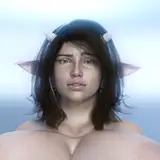
At least the last winner of the poll has ben done. She took longer than expected but comes with the two available skins on the original model file made by Vana3D.
DoA Style Ready Pose: In XPS format with all bones renamed.
MMD Ready Dance Pose: Optimized for MMD dancing with boobs physics! and bones converted expression morphs (Optional Clothes in other morphs). Plus easy configurable clothes change trough group morphs.
FBX and Blender 3.6.9 LTS: Included in MMD pose!
Optional Parts: In XPS, use Ctrl + A . (Shapekeys converted to Optional Faces). If you want her with face blush drag the texture in the "tex -- blush" over an XPS window or replace the face texture in the "tex" folder (keep a backup) In XPS don't set the shadow depth more than 10 or you will see ugly darker parts on her face. Both optional faces and bones can be used for multiple expressions.
Optional Parts in MMD: The material morphs are located in the "Other" group. Morph groups for the clothes has been configured to automatizate the changing of her body proportions and at the same time display or hide the neccesary clothes part. This model comes with two skins named as armor 1 and armor 2. Use the respective morph to display her in one skin or the other and with different clothes combinations. The parts of the armor 1 are set to be hidden while armor 2 are set to show.
To hide all the default clothes at once, use "Arm.1 ALL H"
To hide only specific parts of the default clothes, use individual morphs like "Arm.1 Top H" to hide the Top of armor 1, for example.
The armor 2 clothes version can be displayed easily:
First, use "Arm.1 ALL H" to hide the default armor clothes.
Then, apply "Arm.2 ALL S" to reveal the armor 2 clothes version in one step.
If you want to display only certain parts of the armor 2 clothes, use morphs that include "Arm.2" in the name. For example:
Use "Arm.2 Bottom S" to show the shorts of armor 2 with exposed Top and legs.
The "h" or "s" at the end of the morph names indicate their function:
"h" means the morph hides the clothing.
"s" means the morph shows the clothing.
All individual morphs for armor 1 "Arm.1 " clothes are designed to hide their respective items ("h" at the end), while individual morphs for armor 2 clothes are used to show them ("s" at the end).
Credits: Background by vecteezy.com
Credits: Model by vana3D.