Hi guuuys! Happy Tuesdaay!
It's finally hereee, a lengthy/through/chonky tutorial on how I film, edit, color correct and export my videos!
If you don't wanna watch the whole video, please click here to see the Video Menu where you will access all the sections of the video by subject.
If you have any remaining questions about editing please leave them down below. If you see someone asked your same question, please like that comment! : )
Things I mentioned:
• The camera I've used for YEARS on my channel was the Canon EOS m, but in December 2019 I upgraded to a Canon EOS M6 mark II (both cameras with a 22mm Lens)
• My tripod is Manfrotto 290 and this arm to get upper shots. The tiny tripod you saw is also from Manfrotto and is this one.
• I use DaVinci Resolve for editing, it's FREE
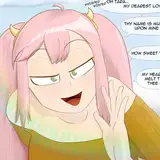
• I use an 2017 (refurbished) iPad Pro, 256GB, 10.5inch with an Apple Pencil + Procreate for my inserts.
• To create inserts you need to export all files as a png. with no background. The size should be 1920x1080 px. 72 pdi resolution.
People or stuff that has inspired my way of filming:
• This is an old one, but back in 2011 I watched this video The Selby did in collaboration with ZARA and I just loved the "vibe" of the video. It inspired me to film and edit in a documentary way.
• I love the simplicity of Korean vloggers: nice beautiful yet simple shots, most of the time with no background music. A couple of them are PlanD Ondo
• Here's something to point out: I realized I like real-raw shots and I want to show my audience how I am in real life. Example: I love Sueddu (another gorgeous Korean youtuber) but her videos seem too perfect sometimes. I've seen her behind the scenes and sometimes it takes her hours to film the perfect shot of her breakfast. Or she has to film a scene several times to "get it right". With time I've confirmed I like people to see my imperfect side: messy desk and/or me not saying the right word <--- as you edit and look for inspo, you'll realize what's the stuff you like and what you want for your videos
• On another side of editing, I love Annabelle's videos (CatCreature). I love particularly the way how she edits with music. I realized I love editing with no music most of the time, but when I use music, she's the inspiration/reference I look up to.
I hope this was useful for you ma loves! Even if you don't wanna start a youtube channel anytime soon, I think editing it's a great skill to know these days : )