Devlog: Camera shenanigans
Added 2025-12-21 09:03:11 +0000 UTCThese last weeks didn't give me any time to work on the code, but Christmas break is finally here, so I can get back to work. Where were we?
Dec 6
Oh God, it's coupled. It's so freaking coupled. Everywhere. All over. Everything depends on the camera working as two separate objects, so changing that breaks everything.
But that's okay. We're doing Test Driven Development here. We'll get it working better than before. It'll be worth the time investment. I won't give up.
Dec 7
I gave up. Trying to move the camera smoothly while translating Euclidean coordinates to spherical coordinates just won't work, not without so many auxiliary attributes that it completely undoes any improvement over just keeping the camera focus as a separate object.
But again, that's okay. So I designed a very efficient technique on my first try, I wouldn't call that a problem. And all the code clean-up that I did is still good, I just have to revert how the values are applied. All in all, even in failure this attempt yielded a positive result.
Currently, the camera manager works as follows:
Is the camera moving within a cut-scene? Then smoothly move towards that position linearly. Paradoxically, keeping both nodes separated makes getting the spherical coordinates from the Euclidean coordinates extremely easy. Just put the camera where you want it and aim it at the focus point - except we're doing it backwards.
The double-node technique parents the camera to the focus, meaning that the relative position of the camera (almost) doesn't change at all, it just follows the focus. The only parameter that changes in the camera node is how far from the focus it must be, and that's just its z axis.
So place focus, compute how far it is from the position where the camera should be, rotate focus towards that position, adjust camera distance, and we're good.
If no cut-scene is active, the focus may be on the player or between the player and their target (typically an enemy or a NPC). Now, who controls the camera itself?
It the player's doing it, check the right joystick or the mouse and change the focus rotation and the camera will follow. If there is a targeted enemy, the camera automatically handles itself so the player can concentrate on the battle.
But levels can also take control of the camera. That's the most important change in the manager: now any level can request specific positions when an area needs the camera to move in a specific way. Since the focus handles itself, there is no coupling in the code.
Some of the previous auxiliary methods, like shaking the camera, aligning sprites, or checking if an object is visible to the player, remain mostly unchanged. Now I just have to go over all of my code and make sure that every cut-scene is compatible with the new methods.
Additionally, I noticed a small potential improvement in the basic movement mechanics: the jump attack without a target is too unwieldy and causes issues with the geometry, while the basic attack with a target is too slow and inaccurate, so I could use the same button for both attacks and solve both issues. And I get an extra button I can use for something else. Added to the to-do list!
Dec 17
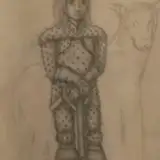
I'm still too burnt out to code, but I can draw cameos in the meantime:
 A particularly gloomy kobold from level 7 and a random palm reader murani from level 1