These last few days, I've seen some of you struggling with render, specifically values created by light. So today, I want to share my approach by using a reference, this way you can try as well, regardless of your drawing skills. If you dare to do this practice/exercise using this reference, I will personally give you 20 Skill Points on Discord!
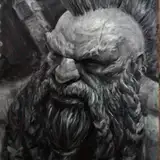
I often use statues because of the great composition of values they offer. This is the one I'll be using today: https://www.pinterest.com/pin/844493669050198/. Feel free to use any, as long as it shares clear value definitions and contrast. If you use the one I'll be trying out today, you can win 20 skill points! Specifics about the challenge will be shared at the end of the article.

In here, I just simply define the subject shape with line art. As I mentioned earlier, I've chosen a reference so you can practice as well, choosing one by your own or just maybe this one. Ideally, you will draw anything in the first place, but since this is about render, I don't want you to waste energy and time making a drawing out of imagination.

I don't draw this grid on top of my shapes. I guess how these red lines are positioned and then proceed with the next step, but I was not always this "precise". So, in case you don't feel confident enough, I recommend you add these on top of your drawing just as a guide for the next step.

With a hard brush, in a new layer on multiply blending mode on top of your shape, choose to define shadow shapes accordingly to the light position. In here, guides might help. If you want to go a bit further, try to position the light in different places and build a shadow based on that. This is an excellent exercise for building volumetric shading skills, allowing you to shadow any kind of shape without the need for a reference, when it's done for long periods of time. In this article, you can dive more, patreon.com/posts/46990776. This post is from last year and is accessed by the legendary luminary, but I'll keep it open for this week so you can have a look.

Depending on the shape volume, I tend to soften the edge of the shadow shape. This creates a great three-dimensional illusion that tricks the eye. I personally like to have a bit of both, hard and soft edges, especially for cloth. You can find more in this article: https://www.patreon.com/posts/how-to-draw-and-96899948

I've not written an article about ambient occlusion because it is a very short subject, but I often do it while rendering, and it is very effective. The ambient occlusion shadows are often small dark shapes where no light reaches. You can add them at this step of the process or even during the shape silhouette step, with line art. I'll recommend you to keep these in small spaces unless you are going for a comic style like Mike Mignola, in which black is not longer used for small spots but rather the whole shadow.

The highlight is often I tend to add the texture since the white grabs great attention. I use textured brushes mixed with soft ones in order to create a sense of volume. As the same as with ambient occlusion shadows, I kept highlights very small.

Last but not least, not often but from time to time, I add in a new layer in Color Burn blending mode, soft strokes right in between the edge of the shadow. This is because often light bounces back at shapes, making the darkest side of the shadow the closest one to the edge with the light. This light is called reflected light, and instead of adding a new light, I just simply make a bit darker some parts of the shadow, achieving this similar illusion.

About The Challenge
If you do it, drop it in the #sketch channel and win 20 Skill Points! Remember, if you win this month, we can have a 1-hour talk about anything you want, and you will be free to ask me anything you want during that month.
Here are some other articles that might help you understand how I render my illustrations:
Please check "Values" in the collection in search of more from past years:
Thank you for your support!
Ichaca Torres
2024-04-23 17:46:59 +0000 UTCRamon Nuñez
2024-03-06 14:11:03 +0000 UTCShannaya
2024-03-06 08:27:52 +0000 UTC