Hey everyone,
Here is the 'Cut' process video, file, and brief insights. These kinds of articles are often split into two parts: the concept, where I share the idea behind the piece, and the execution, where I explain the technical aspects of the illustration's development. I hope you find this useful, as always.
The initial idea of creating a hairdresser character came out of one particular reference I saved on Pinterest a few weeks ago. While exploring, if you find something intriguing but are still not sure what to do with it, just save it. Often, ideas take time to get cooked; in the meantime, just keep collecting resources. You currently can find this pic in our "Pinterest Reference Board".

I went into the rabbit hole of Pinterest recommendations below that picture. I was not sure what I was looking for, which is very normal when exploring. Then, I found one woman with swords and I thought it would be interesting to relate a hairdresser with a warrior, like a samurai, or something dangerous related to blades.
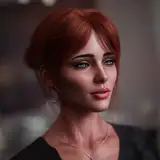
Eventually, I chose a geisha as I was aiming for a female character with as much information as I could, and the style geishas have is very rich in terms of shapes and patterns. I just needed to integrate barber and hairdresser work tools into the geisha idea.
Also, I picked a very simple and commonly known object to represent the hairdresser profession, the scissor, providing a new layer of information by building the geisha character resembling the scissor shape, not only in props like hair but also in the overall gesture.
Lastly, I searched for some references of barbers just to have some extra context about the environment in which they work. I saw some pictures in which the perspective was from the back of the people, showing their face in the mirror. This was a nice twist I thought would be interesting to have as a composition. I'm a big fan of mirrors in illustrations as they present a challenging way to show information but also very unusual and original.
The list looked like this:
Since both characters would be shown from behind in much of the composition, I started with shapes in which the geisha character would clearly show dangerous tools towards the viewer. Initially, it was a sword, but it would not be properly appreciated as it was too close to the corner of the canvas. Instead, I changed it for something more logical like the scissors themselves.
I created the geisha gesture inspired by the scissors, as I previously wrote. This particular shape was the most complex as it was supposed to be the main character in the composition. As for the other shapes like chair, secondary character, and mirror furniture, what I needed to keep an eye on was the perspective, something I often do with the perspective brush.
Lines helped me adjust the geisha's pose, which was a bit tricky. The best advice I can give regarding gesture and proportions is to avoid adding clothes at the beginning. Don't focus on perfect stroke execution either; these lines should act as guides, and they will mostly not be used in the final look. A good approach to these types of guide lines is to guess body proportions and poses with curved strokes or ovals to keep some kind of organic dynamism, but feel free to try straight lines as well. References might make your process quicker, though. Remember, our goal is setting right proportions and not getting distracted by fabric or any other prop.
After establishing the pose, you can then add clothes and predict how the fabric will behave. This might be obvious to you, but I often make this mistake without realizing it. I guess I tend to jump straight into adding clothes instead of first ensuring that the character's anatomy makes sense.
The second key takeaway from this process was the color treatment. If you see the process video, you will notice how the whole time I used almost black and white. Often, I add a little color just to set the mood, but not this time since the main subject of reference was a scissor. Right at the end of the execution, I tried something similar I did in the past illustration (Mannequin). I added saturation to certain parts of the shadows based on the base color. For instance, if the base color was white, I changed the shadow to lighter values and soft tones of blue and purple. If the base color was grey with a particular color, like red in this case, I chose to make the shadow similar to that red, perhaps a bit darker. For the darker base color, I kept desaturated tones in order not to oversaturate everything.
This last approach, along with tone corrections and some extra colorful gradients on top of everything, brought so much light to the composition quickly and efficiently. Lastly, if you want to try this approach, I suggest you choose one particular color for the shadow saturation. I noticed how easily it is to make a mess by adding cold and warm tones everywhere, so at the end, I chose blue for almost everything.
Conclusion
From this particular process, you can get three useful insights:
I hope this helps you, and thanks again for your support.