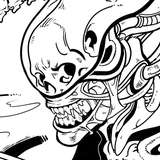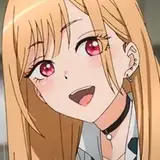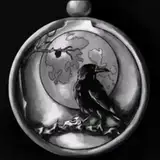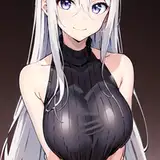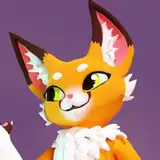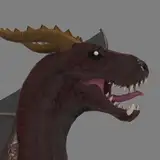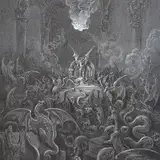
Hi patrons! I thought it would be fun to show you guys what I've been up to as far as print making goes. I think I've finally gotten to the point where I'm comfortable with the artwork I have for prints for an online store, so this past week I spent a little bit of time printing out some small batches of prints! I really don't know how much interest there is for prints, so for the time being I want to keep a manageable number on hand, so I think I'll only be having 10 of each design available when I open a store.
I know that really isn't a lot of stock, but especially for the initial opening of my store, I'd prefer to have a smaller amount of product on-hand in case I get super flooded with orders ;_;
As far as the rest of this post goes - most of it is just the materials I use/the process I do to make prints - so this is mainly directed to those who want to make their own prints at home and are curious about how I am doing my own! I don't think it's the most exciting subject if that's not something you're interested in, so just a heads up! If you haven't already seen it, I also made a most about my first run of test prints back in August.
As far as making the prints at home, it's been a really smooth process for me! I finally found a system that works well, what print size I want to make, and I have really enjoyed seeing my artwork printed out.
First and foremost, let's talk about tools! Printers, paper, cutters, ink, etc.!

As for the paper I've been using, it's still the Staples paper that I started out with! I liked this one from the start, and since then have tried a few other kinds, but this paper has a nice texture and a good weight - and on top of that, it's really affordable! I have been purchasing this paper off of Amazon, and it normally fluctuates between around $12-$18 USD. It comes in sheets of 8.5"x11" paper, so I do have to trim it down! I do this ahead of time and trim these sheets down to 5"x7", which I am able to use for Patreon prints as well as prints for my shop.

I initially tried to cut my prints down using an older craft paper trimmer, but it did a horrible job on this paper so I had to pick up a guillotine cutter! I saw that arleebean on Youtube used this one, so I picked myself up a Dahle cutter! I really like this one, and have had no troubles with it! Mine is the 12" version, as I didn't really expect to be cutting anything bigger.
As far as my printer goes - it's a Canon TS9120, which is no longer sold with retailers. I chose this printer because Emily Artful on Youtube used it (this is how I start making a lot of these decisions lmao). I really don't know a lot about printers, so I don't have any recommendations for alternatives, but I do know I'd like to switch to one of the Epson printers that use liquid ink instead of cartridges eventually.
For printer ink - my first time replacing ink, I did purchase XL cartridges of Canon brand ink, which was (painfully) around $120. This time around, I purchased a set of an off-brand called E-Z ink, which is what I'm currently trying out. I was able to get a set of XXL cartridges for around $35, which is an insane difference. So far I have noticed that the quality of the prints is slightly duller, but I've just been trying to work around that by playing with print settings/saturation. I don't have a final opinion on the ink, but I'm really hoping the quality holds up because I'd love to spend $35 on XXL cartridges compared to $120 on XL cartridges :')
The final piece of equipment I want to talk about is my scanner! I have an Epson Perfection V39 - it's a compact, lightweight scanner that is USB powered and connected, and it's worked really well for me! It scans in colors fairly accurately, and can scan up to 4800 dpi (although I scan files in at 600 dpi). I purchased mine from Best Buy for $99, which is well worth it imo!! (my printer has a built in scanner, but it's more so intended for documents, and the image quality is garbage so. big boy scanner was a necessity)
(in case anyone was curious - I also go ahead and format all of my prints using Photoshop! it makes it really easy to color correct anything and edit out any dust particles/cat hairs that comes through from the scanned image)
Aand I think that pretty much covers it for prints! If you guys have any questions on anything along the process, I'll do my best to answer them! If anyone is curious as to why I have been doing my prints from home instead of getting them printed by a third party company - the main reason is that it makes it a lot cheaper to do small batches of product!
Going through a printing company would mean I'd be financially far better off ordering more prints than I need, so it's very convenient for the time being to be able to print from home. This is the same reason I have decided to print my stickers from home! On top of that, it's a lot cheaper starting off this way, as I don't have to drop a bunch of money before I've made profits from selling previous items. Eventually I'll probably switch over to a printing company, but for the time being, printing at home works really well for me!
I hope this info was helpful to anyone who is curious about what items I use!! And thank you to those who are still reading this far!
♡ Chrissy
bluegreenfishey
2021-02-25 19:34:10 +0000 UTCtirameowsu
2021-02-24 06:55:44 +0000 UTCbluegreenfishey
2021-02-20 03:01:50 +0000 UTCtirameowsu
2021-02-04 21:21:48 +0000 UTCtirameowsu
2021-02-04 21:18:46 +0000 UTCVEE
2021-02-04 17:51:30 +0000 UTCtirameowsu
2021-02-04 04:05:15 +0000 UTCJann Hayashibara
2021-02-04 03:49:52 +0000 UTCJayde
2021-02-04 03:41:15 +0000 UTC