Hello all. I hope you liked the last video. Here's a follow up post and editing retrospective on the last 5 weeks making SWAT 4/Ready or Not bullshittery. And thank you all, as always, for supporting me with this lark.
The first thing to talk about is overall structure. For during the initial cutting, I've noticed that there's quite a large number of highlights left for a part 2. I've even made a quick timeline to chain some clips together in preparation for it.
This is what that looks like:

I prefer to chain clips together based on the same level where possible. I find that drastically changing colours in a clip compilation (particularly in the rapid-fire ones) can be a bit jarring. Therefore in this part 1, I decided to chain together most of the clips involving dark blues or greys. Most notably The Fairfax Residence with the serial killer. And Port Hokan with the human traffickers.

The dead giveaway to that is my main weapon seems to periodically change, if you look carefully. Identifying clips from different sessions. Chained together to seem like one.
Conversely, in part 2 I've chained many of the clips that took place on Mexico/American border themed maps. With that distinctive ranch/farm/Hacienda architecture.

The clips sit ready for a potential part 2, at your discretion, my Patrons.
----------------------------------
Furthermore, I would like to share with you all the experience...of PAAAIN. Because nothing quite beats the onerous, almost Sisyphean task, that is masking FINGERS!! GAHHH!

There was a sequence in here which involved a reference to a scene in The Silence of the Lambs. And I felt I need to mask it in to improve the joke. Masking is my usual process of cutting shapes out of a layer that exists at the very tippy-top of the entire composition. And whilst a wall might be a simple square that moves sideways, or a head might be a simple circle that floats, this involved hands that multiple wiggling digits.
It was a nightmare.

During this sort of challenge however, I've had much more success in making complex geometry out of a patchwork of masks working together. Snapping in and out of any given scene as and when they're needed. As opposed to one single shape that moves.
And whilst After Effects does have an auto-masking tool, in my opinion it's not very good.
In total, this comp involved 7 masks working together.
I figured it might be fun to count the number of masking points I've set in place (the squares) and multiply by how many times the whole mask is asked to move (keyframes on the timeline). After Effects interpolates its own motion between two points, of course. But I figured it would be fun to work out how many times I asked the whole layer to move.
The precise figure is unknown, as I started to lose count. But it's at least 5000. So at least 5000 individual requests for motion in any direction. Often frame-by-frame
 ----------------------------------
On this comp here, I figured I'd use the Pixel Polly effect that I frequently mention. Where I can make the text shatter into fragments and fly off the screen. Originally the text would just change into the word CRASHED. But I figured that was a bit boring.

But with After Effects, everything can be placed into pre-compositions. Essentially 'packed' down into a box. Adobe Premiere calls them Sequences. Photoshop calls them Smart Layers.
No, I don't know why they're all different.
The fun part is, you can apply effects onto these combined compositions. So I simply freeze framed the composition before the pixel polly could get underway properly. Making it look like the text shattered, like a plate.

----------------------------------
I'm continuing to use the Particle Simulator tools that come with After Effects. In this case, making Cyanide eat with his mouth full.

The particle tools are useful, as they let you create a spattering of little particles from a producer. And that producer can be altered to be in a specific direction, with changes in velocity, number of particles, whether they bounce or stick to the floor, etc. Whether they respect gravity. It's really quite handy.
Heck, the particles can even be other precompositions entirely.

Two major downsides however is that you have far less control over precisely where those particles go or when they spawn. They're a broad brush, which means any precision is best achieved moving layers individually.
Also it matters not whether your PC is a water-cooled beast or a two decade old pile of junk, quickly rendering lots of particles when you want to preview a scene is time consuming. It's almost always wiser to do the particles at the end. That generally makes them fiddly to use.
----------------------------------
I mention before that the auto tracking for SWAT 4 and RoN was unsatisfactory. There appeared to be very few easy points of tracking. And in some cases literal camouflage. Sometimes getting it to simply track a helmet was a nightmare.

Note Digby's helmet here, for example. The weird and wobbly line. Asking the tracking the handle that introduced all the jitter and weirdness. So usually it was best to step in and manually improve it. This was true for most of the bullshittery.
----------------------------------

In this scene here, I'm showcasing the Twitch highlight where an innocent NPC was killed by over-penetration from my pistol bullet at Port Hoken. But I came to the realisation that Youtube might get a bit uppity if it interpreted the naked legs of the girl as pornographic. Algorithms being what they are.
Therefore Gaussian blur to the rescue.

I put in an adjustment layer for all of the footage, putting a Gaussian blur to conceal everything. Then made a little blobby mask to follow her bum. Meaning when the effect kicks in, the circle will be the only thing affected by the Adjustment layer.
Then I included a little exception for the gun in the foreground to keep it crystal clear as it moves near the blurred area.. Hopefully it'll keep the Youtube bots at bay.

----------------------------------
On this level I had another minor complication. My audio editing can sometimes leave little gaps in the timeline. These gaps were to hide unnecessary audio. Such as a subscriber alert. Or maybe one of the guys just went 'errrrrr', or other sound that would only distract from the joke.
This sort of problem is fairly routine.

Usually I just shimmy a little bit of quiet audio from 5-6 seconds before or after to cover the gap. And nobody even notices. But in this case there was a lot of talking in this specific area of the map, with very specific ambience sounds of a busy daytime city. So I couldn't get a satisfying sample.

It's at this point that I quickly pop into singleplayer, stand in that one place and record some background ambience for 5 seconds. Patch that in and voila. A rapid process that takes 5 minutes tops.
But amusingly, this map is called Checkin' In. And it was entirely removed in version 1.0, to be replaced with a hotel map that has made a rather drastic change to the daytime city ambience. Perhaps you can spot it?

So I simply went to Youtube to find some New York City ambience and patched that over the whole sequences. Adding my own custom ambience so nobody notices there's even a cut. Marked here in purple.
 ----------------------------------
Lastly, lets talk about the IED explosion sequence. That was fun. A moment in the livestream when Jinx failed to notice a tripwire attached to the door, killing both of us whilst I stare in confused disappointment.
 This clip actually existed before. I couldn't resist doing a cheeky little edit on the night, mostly to show the other guys - https://www.dropbox.com/scl/fi/m9p6z15ky4ndvh4cbel4z/Jinx-no.mp4?rlkey=4kn5mdkzncydwwslcokt6qzvm&st=83ntv5zg&dl=0
But it was a rushed job, with static images and stock effects that were really low frame rate. And it was over lit with a simple white solid that would expand with a feathered edge.

So I decided to give it a second shot with more time.
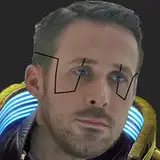
I went into Ready or Not. Found the gearing up screen. Where the game would give me a side profile of your character looking surly off into the distance. Something properly animated and blinking.

Flipped it, zoomed it, then slowed it down by 400%. Make sure I freeze the clip when the character blinks. Then masked around it the same way I did with Clarice Starling

Then a fireball. The previous one was just a stock explosion effect freeze framed. With the contrast jacked up so high that it looked funky. This one here in fact.

But this time I made a sphere with a moving surface, tinted it orange, gave it a glow. Then added the SABER effect to give it a spherical fiery surface. (looks a bit rubbish in gif form though).

That SABER effect is the same one you see me use for things like the Helldivers lightning towers. It generates a customised wobbly core of fire, lightning, gas, etc. In this case with a spherical shape to make it look like part of the fireball.
Then a took a fire stock effect

Bent it around spherical to place it around the fireball.

Then I upscale it to 600% and make it fly into the frame.

Next up, a bit of debris. There are plenty of stock effects available on the internet, such as concrete blocks or wood. Exploding and flying around.

I would freeze frame those, upscale them, give them a slight blur. Then pan those in alongside the fireball. Slightly offset to make it look more realistic.

Sparks too were added too. From a welding stock effect.

Freezing those and upping their brightness dramatically to look like the opening parts of a blast wave.

And then my final trick, particles again. But with a TWIST. For whilst the explosion wave did originally feature particles that were simple geometric shapes. I felt it wasn't overly convincing.
So instead I'd freeze-frame some of the stock effects, cut masks to isolate a couple of neat looking pieces. Then use those as particles, feeding them into the particle generator. Some of those were then offset to appear first in the frame.
I decided to manually keyframe in a couple to be in the foreground. Such as one that pings off the soldiers helmet.

And so the final effect looks much better, I reckon. Editing is fun :D

Now that the project is complete, I'm going to try to work through a few more optional QA issues in preparation for its public release this week. Mostly things that would be nice-to-haves before it leaves my hands forever.
That being said...I'm very much burnt out. I'll need a short break for the rest of the week after this workload before I start picking up the next project. Do some bungalow maintenance, plant some potatoes, maybe go fishing? Bear with me on that front. I'll get back to you soon.
The link to the latest video for those who might not have caught it on Friday - https://youtu.be/_n20RCe-76w
Thank you all.
Hammarkids
2025-03-31 06:59:39 +0000 UTCSrApathy
2025-03-30 21:52:54 +0000 UTCDingens
2025-03-30 19:57:37 +0000 UTC