Good evening my exceedingly patient Patrons. Hope you're doing well. And once again thank you for letting me do this. This particular project, it has been a uniquely complicated one. The likes of which I probably won't go for again.
Cartoons are very hard.
It's been 16 weeks of effort and the spreadsheet says 83.87% complete. But I'm very deep in the quality assurance phase now. There's a folder on my PC, within which I'm stacking the uncompressed versions of each scene, from A1 to H11.

I'm expecting roughly 152 files in the end. It contains 81 files. Meaning 53% full. Scenes are being added one at a time and are mostly considered complete. Awaiting the final end to end render.

Let me tell you about the challenges of quality assurance. Because oh my god, what a trial this phase has become. There's something about this particular project that seems to apply a staggering amount of inertia onto any task.
Honestly it's very morale draining. I'd often find myself finishing days frustrated with how little I feel I'm accomplishing. I am making progress of course. But it's glacial.
Let me talk about After Effects:
The whole timeline is broken up into scenes, which have been imported into After Effects (.aep files). I bring this up often during bullshittery posts here on Patreon. It's the core of what I do. Assemble scenes and animate them.

All changes you make within After Effects are automatically updated onto the video timeline. Which is useful. But for example, let's say there's a simple mistake that needs fixing in quality assurance. Maybe the character "Lump" is missing his pupils.

Well first I'd need to identify which .aep file that is. Let's say it's within scene "E4".
After Effects shows a "composition" of layers. Shown in sequential order of top to bottom. So when E4 opens in After Effects you'll see something like this:

I'll find that I've created "E4 LumpSideMain" but also "E4 LumpCasual". This is because the character of Lump makes a major transition between two very different poses in this particular scene.
Keyframes try to make sure he moves through the two at the right moments.
Both have been give their own isolation compositions. Both contain nearly identical eye layers. So I need to carefully pick the right one.

Once within "E4 LumpSideMain", I'll find 25 separate layers standing in a green void. But the eye layer isn't here. It's inside "E4 Lump Head". So down another layer we go:

But then the problem isn't here within "E4 Lump Head" either. It's somewhere lower within "E4 Lump Eyes". We drill down another layer.

And finally I find it. The eyeball layer is too low in the list. A simple error and a simple fix.

The strength of a piece of software like After Effects is that it lets you create complex compositions, place visual effects on them, parent them to other bits, duplicate them to your hearts content.
But from that example you can see how just finding anything requires a daisy chain of hierarchical breadcrumbs. In such a way that everything in this project is buried beneath something else. Meaning you've got to be fairly surgical just to make sure you don't break it. Constantly jumping back with the path tool to carefully review your corrections.
And that's something simple. That's easy street? A layer was covering another. What happens the moment you want to rework something complicated?
What happens if you think a bit of motion in the hand is too robotic so you revise it. That means reworking the rotation of the arm it's attached to. The body that's attached to. The inertia of the whole character in the frame, maybe.
What happens if you make a change that needs to strike another character? Now you need to repeat the process for them.

I'm going down this fractal daisy chain of interlocked parts where one tiny change to one comp suddenly requires a dozen more, in all the comps parented to it. Or affected by it.
This is the inertia I'm describing. This is something I don't need to deal with, when making a standard bullshittery. Even the simple things have scores of extra tasks in a parented vicinity by the very nature of making precompositions in After Effects.
This checklist for scene A7 for example. On paper that all sounds easy.

But before you know it, it's taken all day. For just one scene.
--------------------------
If you'll forgive me for sounding weird for a moment, there's also something uniquely corrosive about it. Quality assurance is difficult in any bullshittery, being the "least fun" part of the editing. Because you've seen it a thousand times and you're just swimming in a lake filled with your own mistakes.
That's bitter, but normal.
But combined with so many compositions to navigate, the deceptively difficult process of fixing things, the inability to simply zone out and listen to music. This part of this project is very difficult. It's like poison for ones mental wellbeing.
I'm doing my best, but I'm also pretty burnt out and eager to make this complete and move onto the next thing.
---------------------------

One thing that's bothering me with the most recent reviews of the bullshittery is that I might need to go a bit further with the sound effects.
I decided to add some basic stuff for things like weapon strikes and footsteps. But there are times when the bullshittery seems a bit unusually quiet.
If there's time, I might see about adding in some more foley in general. Such as things like clothes rustling or armour lightly clattering. I know it seems a bit overkill. But I'm conscious of the fact that once the video is out, it's out. I'll only have one shot to edit this stuff in before its released on the channel forever.
--------------------------------------------
Another thing to talk about is the use of an effect called "CC Slant". I've probably mentioned it before. It's very useful.

CC Slant lets you duplicate an existing composition, squash it down, make it black, rotate it at an axis. Before giving it a slight blur. Making a fairly complex shadow for the time investment. That immediately reflects all the motion present in the original comp.
I'm taking a moment to plonk down some shadows where none existed before. Even in the backgrounds too. Squashing down hedges and trees, etc. Using the CC Slant as much as I can.
Note the feet of these goblins for example. And it took minutes to put in. It even includes the bolts.

--------------------------------------------
I'm actually still undecided on whether or to add the text that's typical in a bullshittery. I know that seems like a silly thing to say this late in the game.

But compared to all the animation work that's been done, adding some text for the characters speaking seems a little trivial. Especially since every character is already an object upon which the text could be parented. The job of making the text move is essentially already complete.

---------------------------
Lastly, I mentioned in a prior update that seven of the scenes require the attention of a professional animator as part of a specific gag.
I'm pleased to say that it appears I've found that animator. And they've been quietly working away on these compositions. I won't share any of their completed work, as I'll save that for the video itself. But thus far everything is going smoothly on that front.
---------------------------
So for now, the grinding task of getting up from 81 finished comps to 152 continues. Thank you again for being so patient with me folks. It's appreciated.
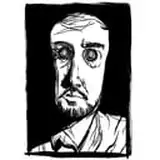
Lastly, let me show you what my artists sent to me. It turns out that without specific instructions, they're taking the character .psd files and "making sleep demons" by removing their hair and noses.
Idle thumbs and all that. I need to get them some more stuff to work on.

Jane Public
2025-08-07 20:34:46 +0000 UTCThe Ferret
2025-08-03 01:52:40 +0000 UTC