(Timelapse Videos)
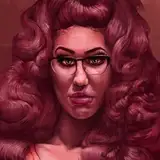
TG Ariana Grande (Timelapse) (Part 03)
In this Timelapse we start the coloring process on the TG Ari Piece. I love using the "Gradient Map" Adjustment Layer in Photoshop when taking a piece from Greyscale to color. Its a cool trick because it allows you to assign different colors to different shades of the piece. Not sure if I've mentioned this before but, having cool shadows and warm highlights / Midtones really gives a great vibrant feel to Colored Pieces. I highly recommend that u play around with the Gradient Map Adjustment Layer; it has the potential to really spice up your repertoire as a Digital Artist.
Music played during TimeLapse is from the Floating through Empty Space Mix by Ethereal Dreams. This 'lapse is best enjoyed with headphones on and full screen brightness. 💜