
HOW TO: Remove Your Personal Info From the Internet - PART 2 - MEDIUM DIFFICULTY
Added 2021-09-07 18:09:43 +0000 UTCSee part 1 before moving on to this step.. Here
Once you have received your email confirming your OPT-OUT was approved and information has been removed you can move on to removing the link from google. This is important because although the information is no longer on the website google still keep's it cached and will show partial information in the search results. To fix this you use googles request removal tool.
-----FROM GOOGLE-----
Remove outdated content
Important: If you've already made a change to a live page, you don't need to fill out the form.
If content was deleted from a site but still comes up in Google search results, the page description or cache might be outdated.
Request to remove outdated web pages
- Select Request removal below.
- Select New request.
- On the "Page" tab, enter the URL (web address) of the page that has the outdated content you want to remove.
- Select Submit.
Request to remove outdated images
Part 1: Copy the image link address
- Search for the image you want to remove at images.google.com.
- In search results, right click the image thumbnail and choose Copy link address.Note: Different browsers may have different names for copying link location.
Part 2: Request removal from Google search results
- Select Request removal below.
- Select New request
Image.
- Select Enter “Copy link address” URL from Image Search results.
- In the “Search results URL” box, paste the link address.
- Select Submit.
----END GOOGLE INSTRUCTIONS-----
If you need help with this please send us a message or bring it up in our weekly lives. We are here to help.
---BING--
WHAT ABOUT BING..... That's still a search engine right?
Goto: Report a Concern to Bing.
To report your concern to Bing Contact Support, you may follow the steps below:
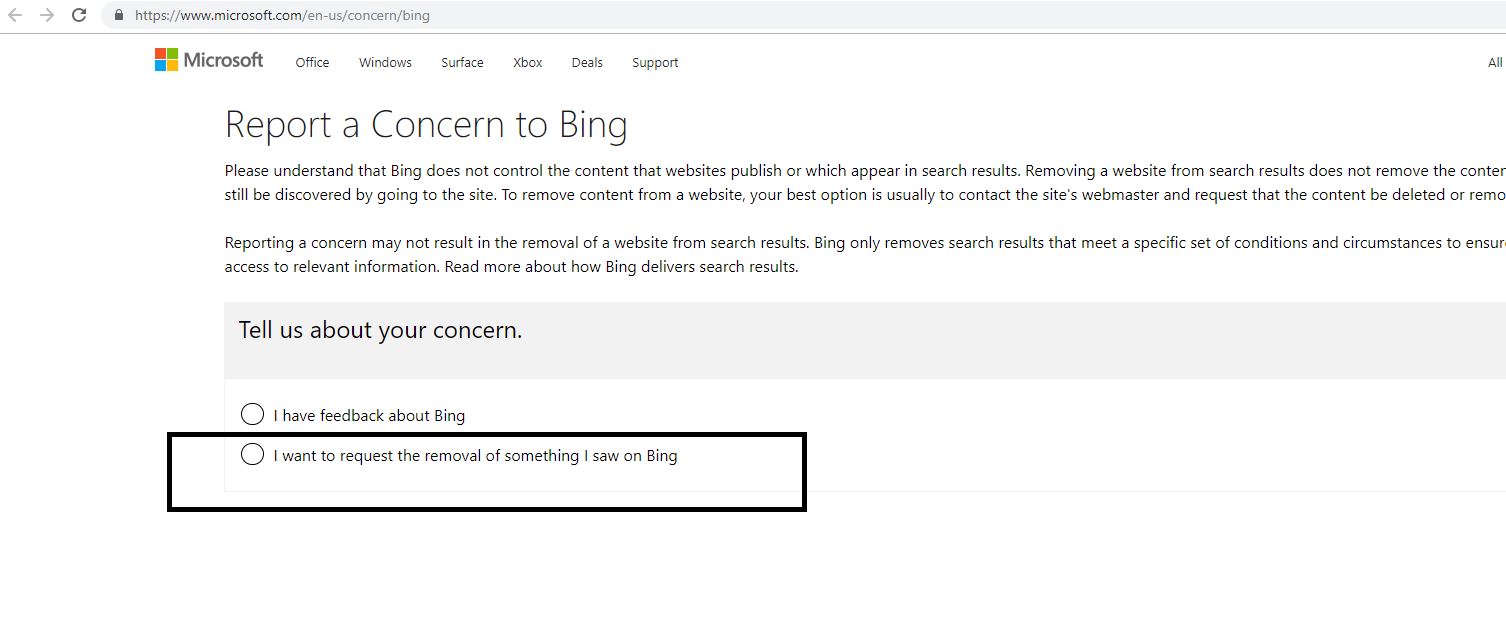
1. Select option for I want to request the removal of something I saw on Bing.
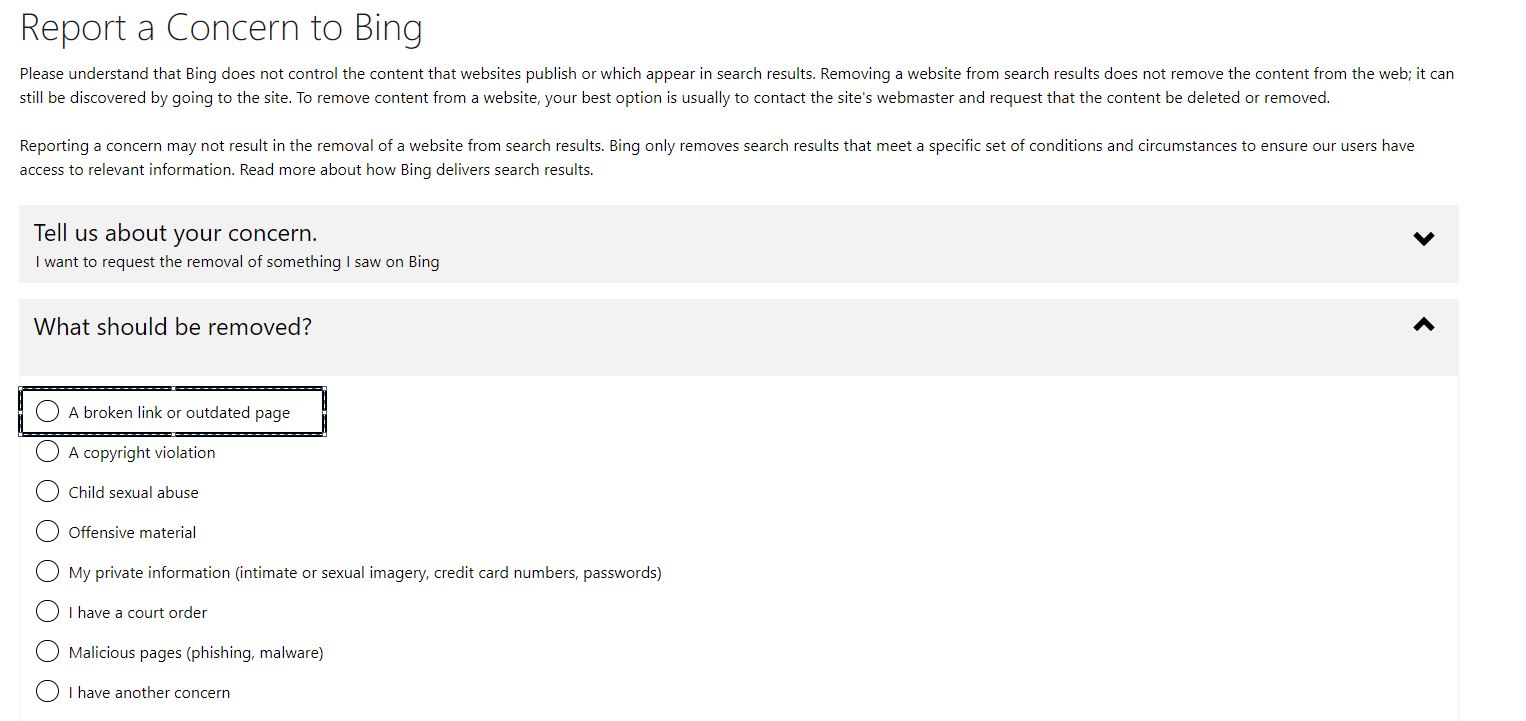
2. Click A broken link or outdated page.
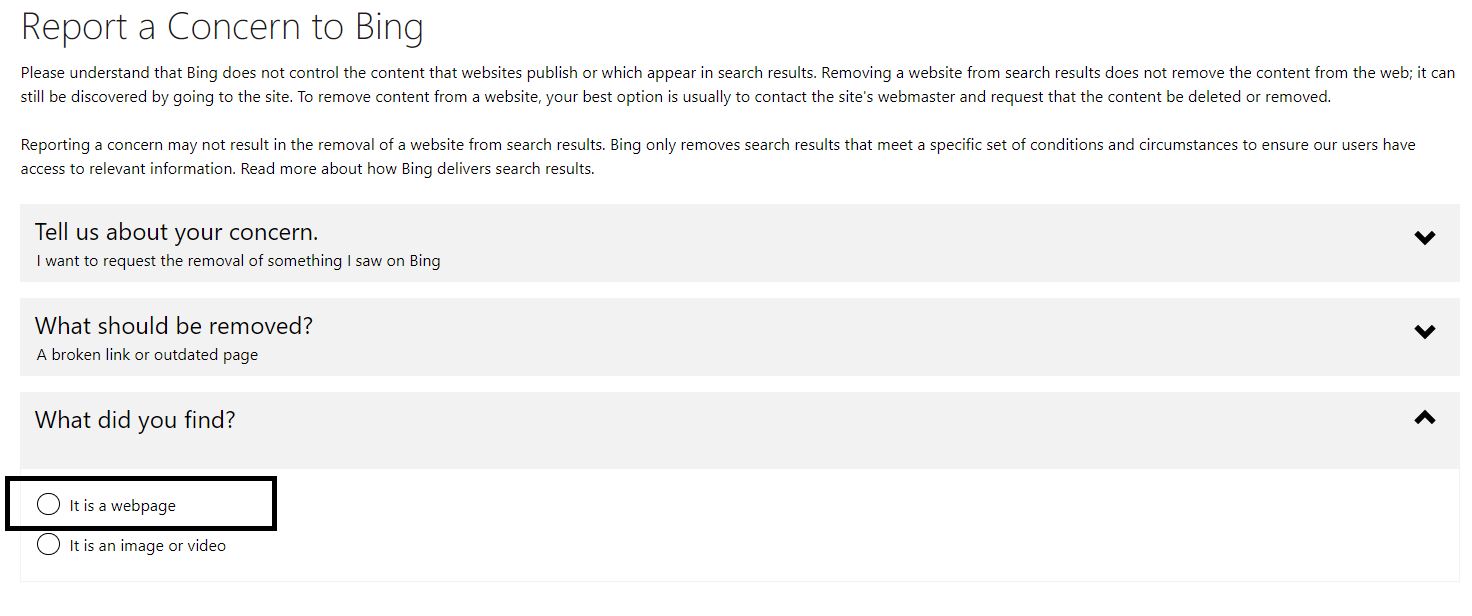
3. Then select It is a webpage.
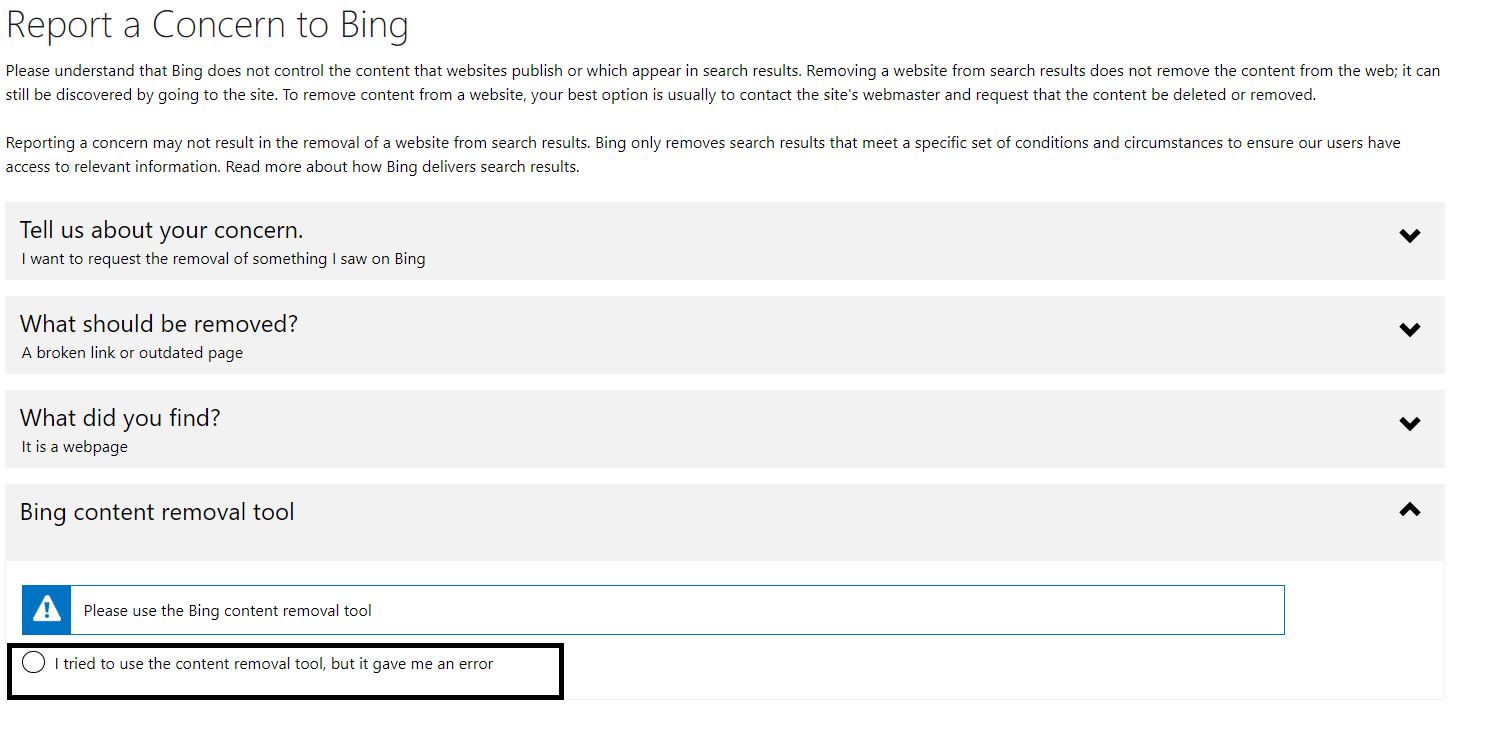
4. Now since you've already tried using the content removal tool, you have to select I tried to use the content removal tool, but it gave me an error.
5. Then, fill out the Bing content concern form. Once done, click Submit.

---END BING---
TIPS
- Setup a google alert to tell you when your name is posted to the web. Google Alerts
- BING has this but I wouldn't bother here
If you need help or have questions, we got you! Message us.
Comments
Thank you
Heidi Quinn-Miller
2022-03-06 22:15:34 +0000 UTC