Graphics Settings Launch Menu
Added 2017-10-29 22:49:52 +0000 UTCTo show the graphics settings menu, hold "SHIFT" then double-click PornflixAndChill.exe
You should see this menu:

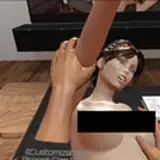
From there, you can select the graphics level depending on how fast your computer is. Here is an example of the fast setting:

Here is an example of the Fantastic setting:

If you want to eek out a little bit more speed, you can turn off the third person camera by pressing "0" on the keyboard.