Sharing a little art guide while I work on the comic and patreon art~
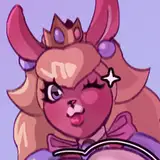
Here's how I drew raccoon girl!
It's a simple process but this is how I do most of my illustrations.
This was drawn in PaintTool Sai, with final editing and rendering in Photoshop.
----------------------------------------------------
1. Clean Sketch
I try to use thin lines for my clean sketch. This way you can make sense of what's going on before starting to lineart.
2. Lineart
Her long hair is missing because I wanted to draw it in a layer behind her. And because I like short haired Raphtalia <3
3. Colors
I always like to start with the skin color and block out the shape.
I draw every part on a new layer (hair, dress, metals, etc.) then I use "Clipping Group" to make all the colors stay within her shape.
I also make about 3 copies of the lineart layer and set them to "Overlay". This makes the lineart look colored and it blends in nicer.

4. Final Colors
After I color everything, I add bits of purple and grey (in the hair and dress).
I have no reasoning I just think it looks nice haha. Go with the flow.

5. Final Details (Overpainting and Effects)
Overpainting is my religion. This is how I fix tiny mistakes (ear fluff, dress shape, hair strands) and add more detail.
Add some "Iris Blur" in Photoshop and it's done. <3

Theo
2019-06-17 17:06:35 +0000 UTCkkomi
2019-06-16 17:16:53 +0000 UTC