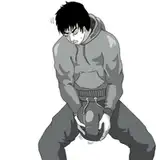
1. Sketch. Starting from John Millington's suggestion, I developed this sketch.
1b. I tried sketching a crown but it looked bad. So I switched out and created a quick 3D model of a fancy crown and then imported that model to Manga Studio as a new 3D material.
2. Ink. In Manga Studio, I used vector layers to draw the ink, using separate layers for each character and the environment. But then I exported it all as one image.
3. Color blocking. In Photoshop, I import the inked lines and fill in flat colors. I also added in some text on the sign, a texture on the wall, and some scribbles on the license.
4. Form shadow. The longest part of shading is the form shading. A lot of this I did by filling a section entirely with shadow and then erasing the places where the shadow should show through. I used a dark purple layer for shadows, set to Linear Burn.
5. Backlight. Next I added a little backlight to various parts, especially the rounder parts. I used a light pink layer set to Normal blending.
6. Cast shadow. I added the shadows for objects that cast shadows onto different objects. To give it a little more warmth, I used a gradient with orange at the top and dark blue at the bottom, set to Multiply.
7. Shine. I added white shine to various details, overlay shine to the hair, and a few shiny spots to the eyes. For hair shine, I scribble in a little highlight and then use the smudge tool to streak it up.
8. Colored linework. I changed the linework to colored lines for the flesh and hair. I used darker, more saturate versions of the colors I used to fill the flesh and hair areas.
9. Final details. I brushed in the eyelashes, added blush, added a few sparkles around the image, and filled in the mirror with a flipped copy of part of the image.
Dov Sherman
2015-08-20 13:20:53 +0000 UTCHina Yui
2015-08-18 09:15:59 +0000 UTC