1. In Manga Studio, I start with a very rough sketch with big fat pencils. The fat pencils force me to keep the sketch loose without getting too caught up in the details. I started with the couple's pose and then sketched a rough foreground and background around them.
2. Final sketch. Now I go back and do a more detailed sketch, working out the the bodies, clothing, hair, and props. I used a perspective ruler to rough in the table. The background is very abstract because I'm planning to keep it simple and blocky and then blur it heavily.
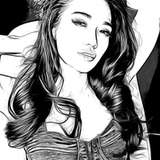
3. Inking. I use a variable-width inking brush for the characters and a constant-width brush for hard things on vector layers. I use lots of different layers for different parts, which makes it easier to overdraw and erase as needed. I also inked the shape for the eyelashes because the brush stablization in Manga Studio makes it a lot easier than doing it in Photoshop later.
4. In Photoshop, I convert the imported lines to a folder with a mask and put a solid black layer in the folder. (CTRL-click RGB in the Channels tab, invert the selection, create a mask from the selection.) This will come in handy later when I color the linework. Then I create another folder and start creating the basic color blocking. Because I plan to use different palettes on the table in the foreground and the couple behind the window, I separated the colors for each area into different folders and arranged my shading folders accordingly (table shade - table color - couple shade - couple color - backdrop). The backdrop is all blocky, unlined shapes with a few gradients mixed in.
5. Form shading. I create a dark brown solid color layer for the table and dark blue for the couple (both with linear burn) and start painting in the basic form shading with a soft airbrush. Except for the hair, which gets its own dark purple layer but with linear burn blending for more richness. I also use a smudge tool on the hair and various creases in clothing and skin to create detail.
6. Backlight. A very desaturate pale yellow, solid color layer (screen) for the table with saturate red and pale blue for two backlights on the couple. I wanted it to look like warm, intimate lighting in the restaurant and stark neon lights on the street. When I combined it with the form shading, backlighting really makes the characters pop. I used both a soft brush (for the shiniest parts) and a soft airbrush (for everything else). I don't use any backlight on non-reflective objects in the foreground but I do use them everywhere on the couple since their backlight is more about strong secondary lighting than reflected light. When it's done right, it should look like real lighting from a different angle. And again, smudge the edge of creases and hairs.
7. Cast shadows. I make a new desaturate brown layer for the table and a desaturate dark purple layer on the couple set to multiply and start painting in the cast shadows with soft brush, using a smaller brush in places where the object casting the shadow is closer to the thing the shadow is on. The shadows from the wine glasses are painted at just 50% opacity since they are mostly transparent.
8. Put them together and it's looking good!
9. Shiny. I used a solid white layer at for basic shine on lips, jewelry, silverware, and glasses, another solid white for shine in the eyes, and solid white set to overlay (which makes a richer shine) for the hair shine. Painting the hairshine, I use a variable width sharp brush, then go over it with an airbrush to give it a little glow. After painting all the shine, I use the cast shadow layer to make a selection and delete the shine from anywhere covered by shadow.
10. For the blush, I add in a light red layer, airbrushing just on the same area as the skin for the joints and face. I use the same technique for the eyeshadow. Then I added a simple repeating pattern of red lines and used an airbrush on a mask to add them just around the cheeks to suggest arousal.
11. Color shifting. To create stronger sense of separation, I added a color balance layer, pushing the highlight heavily toward yellow in the table area. Then I added a blue layer, set to color, copying the mask for the form shading on the couple.
12. Colored linework. Going back to the linework folder, I started adding new solid color layers, using the mask to paint the color of the linework. Since the new layers are inside a folder with a mask defining the linework, I don't have to be very precise when coloring the lines. I always add new color layers below the ones I already did so that I can be sloppy in the areas that are already covered by colored linework. Everything soft gets colored linework. Hard objects stay black. I also added a transparent white layer masked to the shape of the wine glasses so that linework behind them would appear lighter.
13. Eyelashes are done with a folder containing a solid grey layer and a solid black layer. Using the lashes I made earlier with a variable width brush, I add a few thin streaks on the grey layer mask to add depth to the lashes and soften the look with a few strokes of a soft airbrush.
14. I stamped a few small sparkles on the rhinestones in the choker.
15. For the spilled white wine, I used two white layers with the fill turned down just a little and add a layer effect with white inner glow set to 100%. Then I use a variable width brush in the mask to soften the edge of the second layer to blend it with the first. After, I add a new white layer to paint in the shiny highlights.
16. In between the couple and table, I added a few very transparent white bars for reflective streaks on the glass. I also added some wood texture to the table and applied distortion to match it to the perspective.
17. I added a pair of white shapes to the place where each breastform presses against the glass.
18. Finally, I added the name of the restaurant, flipped it backwards, and added a few fancy shapes for a border.