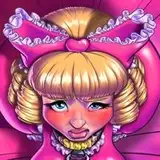
1. In Manga Studio, I start with a very rough sketch with big fat pencils. The fat pencils force me to keep the sketch loose without getting too caught up in the details.
2. Final sketch. Now I go back and do a more detailed sketch, working out the the body, clothing, and hair.
3. Inking. I use a variable-width inking brush for the characters and a constant-width brush for hard things (the buckles) on vector layers. I use lots of different layers for different parts, which makes it easier to overdraw and erase as needed. I also went ahead of inked the shape for the eyelashes because the brush stablization in Manga Studio makes it a lot easier than doing it in Photoshop later. I exported the inks in multiple layers for the characters and the chair.
4. Color blocking. In Photoshop, I convert the imported lines to a folder with a mask and put a solid black layer in the folder. (CTRL-click RGB in the Channels tab, invert the selection, create a mask from the selection.) This will come in handy later when I color the linework. Then I create another folder and start creating the basic color blocking.
5. Cast shadows. I make a new dark brown layer set to multiply and start painting in the cast shadows with soft brush, using a smaller brush in places where the object casting the shadow is closer to the thing the shadow is on.
6. Form shading. I create a dark brown solid color layer (linear burn) and start painting in the basic form shading with a soft airbrush. Except for the hair, which gets its own dark brown layer but with linear burn blending for more richness. I also use a smudge tool on the hair and various creases in clothing and skin to create detail.
7. Backlight. The backlight is a simple pale blue. When I combined it with the form shading, backlighting really makes the characters pop. I used both a soft brush (for the shiniest parts like the buckle and lips) and a soft airbrush (for everything else). I don't use any backlight on non-reflective objects. When it's done right, it should look like real lighting from a different angle. And again, smudge the edge of creases and hairs.
8. Shiny. I used a solid white layer at for basic shine on lips, ornaments, eyes, etc, and solid white set to overlay (which makes a richer shine) for the hair shine and hosiery. Painting the shine on the hair, I use a variable width sharp brush, then go over it with an airbrush to give it a little glow. After painting all the shine, I use the cast shadow layer to make a selection and delete the shine from anywhere covered by shadow.
9. Skin effects. For the blush, I add in a light red layer, airbrushing just on the same area as the skin for the joints and face. I use the same technique for the eyeshadow.
10. Velvet. For the glitter on the velvet, I created a grey layer and applied lots of gaussian noise to it. Then I trimmed a small section and scaled it up so that the pixels would be bigger. I set it to soft light and masked it to match the shape of the bows. Then I adjusted curves on the layer until it had the right feel.
11. Colored linework. Going back to the linework folder, I started adding new solid color layers, using the mask to paint the color of the linework. Since the new layers are inside a folder with a mask defining the linework, I don't have to be very precise when coloring the lines. I always add new color layers below the ones I already did so that I can be sloppy in the areas that are already covered by colored linework. Everything soft gets colored linework. Hard objects stay black.
12. Eyelashes. Eyelashes are done with a folder containing a solid grey layer and a solid black layer. Using the lashes I made earlier with a variable width brush, I add a few thin streaks on the grey layer mask to add depth to the lashes and soften the look with a few strokes of a soft airbrush.
13. For the backdrop, I made a small black-to-white gradient layer then applied a halftone filter to it and scaled it up. Then I switched to the channels panel to select it by brightness and used that to make a mask for a pink layer. Then I dropped in some text, added some color gradient and a stroke.