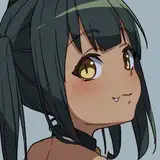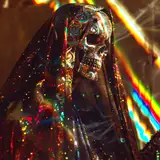
I was playing around with sketch to image within Comfy and figured I'd share this simple workflow with you.

Drag & drop the .json workflow (download in bottom) or above image into Comfy.
Go into the manager and install any missing custom nodes.
Load the model you prefer.
Set your subject prompt in the top box and your style prompts in the bottom box.
Negative prompts go in the red node.
Using an LCM lora to speed up the generations, this is optional. Feel free to disable this to increase quality, but remember to change the sampler.
8 Steps in the KSampler is because we're using LCM sampler. If you disable the LCM lora you need to change the sampler_name and scheduler to dpm2m karras (or sampler of your preference) and around 20 steps.
Make sure you have the scribble controlnet. You can download it from Manager -> Models -> Scribble
Adjust controlnet strength and end_percent value if you need the image to closer resemble your sketch.
Strength 0.5-1
End_percent 0.4-1
Draw!
Remember to adjust the fill value to 1 if you want to draw shapes. This workflow will only understand black and white as a mask and will not retain colours.
Have fun!
Luis Reyes
2024-06-03 06:35:19 +0000 UTCSebastian Kamph
2024-05-30 06:46:21 +0000 UTCE
2024-05-22 18:32:42 +0000 UTC