10% OFF WINTER SALE!! Use coupon code dd41bxh at checkout!
After years of developing 3D anime in Blender, DillonGoo Studios is FINALLY releasing its first fully featured Anime-style Rig. It comes with both Blender and Goo Engine variations of the file with a single purchase.
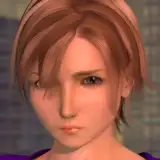
Introducing EMILY - A Professional 3D Anime Rig. Made for Blender. Created by DillonGoo Studios.
Included in your purchase:
Goo Engine and Blender comparison:
CREDITS:
Created by DillonGoo Studios LLC (@dillongoostudio)
Concept and Model by Ellie Swain (@rukikuri)
Rig by Antonio Garcia and AnimSebs (@soraninart and @animsebs)
LICENSE FOR USE
This license grants you the non-exclusive right to use the assets on a royalty-free basis for personal or educational use, provided those purposes do not violate any of the following:
In other words, the copyright for the character "Emily" belongs to DillonGoo Studios LLC. This means you cannot use the character "Emily" for your own commercial projects. However, you are free to use this rig for your own personal projects, such as demo reel pieces or school projects, with credit to DillonGoo Studios. The easiest way to do that is to simply tag @dillongoostudio or @dillongoo when posting on social media!
SUPPORT
Support is offered if you are experiencing technical issues or feel the product has been misrepresented in some way.
Support or refund requests can be made via support@dillongoostudios.com
Thanks for supporting DillonGoo Studios! We hope to share even more tools and assets with the community in the future with your help! Please make sure to tag @dillongoostudio or @dillongoo when posting Emily online for personal projects!
Here's the download for your files! EMILY - A Professional 3D Anime Rig by DillonGoo Studios
You'll receive two variations of the same file. One is for Goo Engine, which is a custom fork of Blender used by DillonGoo Studios. The other is for native Blender and can be used by anyone with Blender installed.
I personally recommend the Goo Engine version of the rig, as it has more control over the shading of the character that makes it feel more polished overall. To learn more about Goo Engine and how to use it, you can visit https://www.gooengine.org
And here's a few videos to get you started on using the rig! It should go over the ins and outs of how to use each feature. I also go over the difference between the Goo Engine and Blender versions of the rig!