Photoshop painting basics voice over tutorial
Added 2017-12-15 00:45:04 +0000 UTC
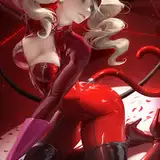
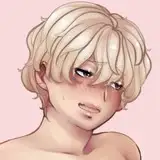
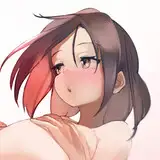
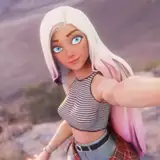
This term's voice over tutorial will be another beginner friendly voice over guide. This guide will be on the popular requested subjects: How to set up canvas/ Brush setting/ blending**( more specifically, with pen pressure vrs without pressure). I know some of you probably can't paint with pen pressure either it's because of the tablet or program issues, it's still possible to blend it'll just be a bit more work !Honestly painting without pressure can still create an interesting style.
► (This tutorial is part of term 66 reward sign up from December 1-18) ◄
Term 66 rewards will be send out 5th of January
Tier 3+
- High res jpg steps
- PSD
- voice over video tutorial
- 2 hr 6 min duration
Reward archive IIFAQII Tutorial Archive
I already subscribed, how do I download the tutorials?
Huver A
2020-09-20 16:01:39 +0000 UTC
please pm me. >_
Sakimi Chan
2018-12-06 16:48:04 +0000 UTC
hello. how can i buy this term?
aireealistic
2018-12-05 10:41:02 +0000 UTC
nevermind i just found you on gumroad :D
2018-04-16 22:48:37 +0000 UTC
can i still buy this ?
2018-04-16 22:38:24 +0000 UTC
Sadly this term already passed if you want I can take the payment for this term through paypal. :)
Sakimi Chan
2018-01-11 07:40:47 +0000 UTC
Excuse me, I reaaalllly love your art and I'm really excited that you are doing this tutorial ! I'm new here... Can you explain, please, how can I see how much is it and how to buy it ? :o Thanks ! ^^
2018-01-10 20:42:21 +0000 UTC
Thank you! do you want to pay through paypal for this tutorial? :)
Sakimi Chan
2018-01-08 10:57:24 +0000 UTC
uh i want this tutorial with term 66 if possible, what should i do? ur art and style is really good and i want to learn from you :D
2018-01-07 07:48:53 +0000 UTC
thank you. :)
Sakimi Chan
2017-12-31 07:26:27 +0000 UTC
I can't wait omg it's just so good <3
2017-12-31 06:40:11 +0000 UTC
Remind me again on the 5th and I can give you more info on how to get term 66. :)
Sakimi Chan
2017-12-22 06:58:41 +0000 UTC
I can't pledge now to get this tutorial and term right?
2017-12-21 18:29:04 +0000 UTC
Wireless Pen? *_*
Sakimi Chan
2017-12-21 06:55:05 +0000 UTC
My weakness: Sketch the eyes using wireless pen...
Lyle127A
2017-12-19 06:55:33 +0000 UTC
keep drawing and never give up. :)
Sakimi Chan
2017-12-18 04:04:24 +0000 UTC
Hmmm. I'll try to learn new techniques, If I can just stop being stuck in my ways.
Zantique
2017-12-16 23:33:40 +0000 UTC
*_*
Sakimi Chan
2017-12-16 20:35:28 +0000 UTC
yep. :)
Sakimi Chan
2017-12-16 20:35:14 +0000 UTC
*Martins pulls the trigger and aims at the cage where the awards are* Mine O_O
Mo.J.S.B.Ayakata Babalola
2017-12-16 15:16:13 +0000 UTC
This looks really good *_* I love you artworks. I would like to watch this tutorial. Is it available on gumroad too?
2017-12-16 14:21:55 +0000 UTC
thank you. :)
Sakimi Chan
2017-12-16 03:28:33 +0000 UTC
My pressure is on default. *_*
Sakimi Chan
2017-12-16 03:28:28 +0000 UTC
thank you. :)
Sakimi Chan
2017-12-16 03:28:09 +0000 UTC
thank you. :)
Sakimi Chan
2017-12-16 03:27:55 +0000 UTC
people always have questions, at the same time I am learning also. :)
Sakimi Chan
2017-12-16 03:27:49 +0000 UTC
thank you. :)
Sakimi Chan
2017-12-16 03:27:15 +0000 UTC
I would say if it's within your budget go for it. :)
Sakimi Chan
2017-12-16 03:27:09 +0000 UTC
I have something similar like that. :)
Sakimi Chan
2017-12-16 03:23:55 +0000 UTC
Thank you. :)
Sakimi Chan
2017-12-16 03:21:51 +0000 UTC
thanks. :)
Sakimi Chan
2017-12-16 03:19:58 +0000 UTC
thank you. :)
Sakimi Chan
2017-12-16 03:19:55 +0000 UTC
thank you. :)
Sakimi Chan
2017-12-16 03:19:29 +0000 UTC
Huzzah! Super excited to see this one!
Witcher Trash
2017-12-15 22:09:06 +0000 UTC
Ooooh, very excited for this!
I always keep wondering how people set up their brushes.
Do you use pressure to control opacity? Pressure to control size?
Pressure to control both?
Will the tutorial cover this as well?
Anton T
2017-12-15 16:31:03 +0000 UTC
yayayaya I voted for this!!! I'm so excited for it q w q
2017-12-15 14:48:41 +0000 UTC
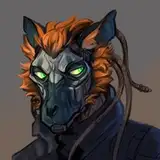
this brown haired elf looks gorgeous
Grace Ong
2017-12-15 13:54:07 +0000 UTC
I wonder... Don't you run out of Tutorials at some Point some day? Non the less it's amazing you do this. To bad I can't draw at all, so that I would've no use for this...
Kevin J-Side
2017-12-15 13:39:40 +0000 UTC
this is just what I needed! <3
2017-12-15 08:59:43 +0000 UTC
Cartoon and Reality, I would have loved such a tutorial of this kind made by our Sakimi Chan! <a href="https://serafleur.deviantart.com/art/Cartoon-and-Reality-Sarah-McDaniel-647257515" rel="nofollow noopener" target="_blank">https://serafleur.deviantart.com/art/Cartoon-and-Reality-Sarah-McDaniel-647257515</a>
Lunarah
2017-12-15 08:34:29 +0000 UTC
It is a very good idea this tutorial! 👍 It is clear that the pressure of the style plays a very important role. I currently own at Wacom Intuos Pro 4 and I would like to acquire a new "Wacom Cintiq Pro 16" graphics tablet! What do you think Sensei? 🤗
Lunarah
2017-12-15 07:54:16 +0000 UTC
YAAS!! Exactly what I need! Thank you!!! Can’t wait to try it
Three Muses Ink
2017-12-15 05:10:31 +0000 UTC
I’m really looking forward to this tutorial!
Syrena
2017-12-15 02:25:45 +0000 UTC
nice
Frank Leo
2017-12-15 01:33:53 +0000 UTC
Love it!!! I want it
bigdaddy
2017-12-15 00:59:42 +0000 UTC
Save Net Neutrality <a href="https://act.freepress.net/donate/internet_nn_wake_up/?source=share" rel="nofollow noopener" target="_blank">https://act.freepress.net/donate/internet_nn_wake_up/?source=share</a>
Justin
2017-12-15 00:48:49 +0000 UTC