Weird website glitch. (Solved! It was a cache issue.)
Added 2020-07-24 04:00:08 +0000 UTCI was just updating www.bigclive.com with a new page for the merchandise logos.
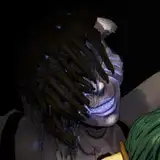
The idea is that you can choose a logo, save the image and then get an item made with it.
Strange glitch though. I edited the merchandise page on a Windows laptop and it rendered perfectly in Chrome. But when uploaded to my website space it shows the first image (the bare channel logo bcdc.png) but then when it's supposed to display the second wider image with text (bcdc1.png) it displays the first image again, but squished to the declared size.
Then the following images are fine.
I was tearing my hair out trying to workout what was wrong in a REALLY simple HTML page then decided to try the page on my Chromebook and it rendered perfectly.
Then I tried Explorer on the Windows laptop and it rendered perfectly there too.
I haven't a clue what would cause the image glitch in Chrome on the laptop. Especially as it doesn't happen if the HTML file is accessed directly from the disk.
Let me know if it's happening to you on this page:- http://www.bigclive.com/merch.htm
Note that the "gangsta" images are probably going to be modified with a glowing end to the "doober".
Comments
https://shouldiblamecaching.com/
Zachary Faragher
2020-07-25 07:44:04 +0000 UTCI was going to say Shift-F5, but I see you have already solved it.
2020-07-25 03:52:42 +0000 UTCI don't think I've ever used the alt tag. My HTML goes back a long way.
Big Clive
2020-07-25 00:39:32 +0000 UTCAh, I may have accidentally fixed that while adding the actual embroidery files.
Big Clive
2020-07-25 00:36:56 +0000 UTCOh darn, I'll have to go and hunt that down. I'll probably be working on the page tonight anyway.
Big Clive
2020-07-24 22:09:23 +0000 UTCLooking gewddd
2020-07-24 19:48:30 +0000 UTCThose are great logos
Kevin Hardisty
2020-07-24 18:12:47 +0000 UTCNice logo"s thank you
William Nimmo
2020-07-24 17:22:38 +0000 UTCWorks fine for me. My guess is that somehow you once loaded the "no text" image as bcdc1.png (perhaps you had uploaded bcdc.png as bcdc1.png by mistake). After that, your browser was simply displaying the cached version for you. Clearing your cache as others suggested probably would have fixed it for you.
Davin Desborough
2020-07-24 14:54:39 +0000 UTCWorks fine on my pcs / win 10/ linux/ all browsers
2020-07-24 14:44:11 +0000 UTCNot bad, you have a typo.
2020-07-24 14:03:46 +0000 UTCLooks fine in Firefox on Android
Jeremy Impson
2020-07-24 13:12:45 +0000 UTCLooks fine here on Win 8 using Firefox and Brave
2020-07-24 09:41:55 +0000 UTCFine for me, chrome and Edge on win 10, chrome on android, chromebook, and chrome and mozilla on Linux Mint
2020-07-24 09:16:59 +0000 UTCIt's fine here on a Windows 10 PC, on Edge, Chrome and Firefox. Also on Netsurf under RISC OS.
2020-07-24 08:43:18 +0000 UTCCould be that you needed to clear your cache in browser - sometimes can effect the page if it’s been uploaded in different stages. Just needs a clean run to reload the images and content.
2020-07-24 08:38:13 +0000 UTCDisplays fine for me on Safari, Chrome and Edge
2020-07-24 08:37:02 +0000 UTCYeah, I'm on Chromium 83 on Manjaro Linux (i use Arch did you know? etc) and it looks just fine. But what Adam said, I was wondering if line endings might be an issue - it seems unlikely, but Notepad++ could help find if that's a problem. I've had this problem before with *nix boxes processing text files saved on Windows boxes.
Steven Raith
2020-07-24 08:31:49 +0000 UTCLooks okay here, Pi 4b, using the Chrome browser..., too many dark 'n stormies...
2020-07-24 08:05:40 +0000 UTCLooks fine to me... Chrome 84 on Linux. CTRL+R will force a cache refresh (depending on your settings), I'd also recommend a text editor like Atom/Sublime/Notepad++ which can handle different line endings (CR/CRLF) just in case that does anything weird, also " in if copied and pasted could become something else too.
2020-07-24 08:03:13 +0000 UTCLooks correct on Chrome Version 84.0; on MacOS. I don't have a Windows box to check on.
Auctoris
2020-07-24 08:02:44 +0000 UTCNice, clean, uncluttered HTML. I would probably use VS Code with a beautifier/formatter to keep tags and colour names consistent (upper/lower case). Checked it also in a validator: https://validator.w3.org/ - yes, it complains a lot about CSS, but you don't really need it for such a small page. However, ALT tags for images are not only vital for the blind (yes, they cannot see your logo (until printed or embroidered), but crawlers like Google also use them to show your images in an image search. It might well be worthwhile to add these tags. Oh... that gray thing is a tongue? Did not realize it. I thought it's some candy. Maybe I should eat something... ;-)
Hagen
2020-07-24 08:00:26 +0000 UTCLooks fine for me android , will try on chrome book and Windows too
2020-07-24 07:53:11 +0000 UTCLooking good on Win10's Opera, Chrome, Firefox, Edge. Typo 'emroidery'.
Hagen
2020-07-24 07:51:24 +0000 UTCLooking good on Safari and Chrome on a Mac
2020-07-24 07:46:40 +0000 UTCWorking fine with firefox on android
2020-07-24 07:38:51 +0000 UTCLooked pretty cool to me but what do I know?
Michael Thompson
2020-07-24 07:27:40 +0000 UTCWorking OK on Opera, Chrome, Chrome for Android and Edge Chromium. Tongue sticky outy angle was off maybe?
Anita Davis
2020-07-24 07:00:34 +0000 UTCWorks fine Samsung Note 8 - Android 9 - Chrome Browser - Image here >> https://bit.ly/BC-WS If you or anyone else wants hosting with free https then can do a special deal for you and your patreons, also can host WP with CDN & backups, stable, reliable, UK zero carbon host :-)
Robert
2020-07-24 06:52:01 +0000 UTCThat would be a massive keytag. You could put your coffee cup on it.
Big Clive
2020-07-24 05:37:42 +0000 UTCThe browser cache catches everyone from time to time. BTW, looks great on both the Linux and Windows flavours of Chrome.
Howard Simons
2020-07-24 05:25:16 +0000 UTCLooks fine on Chrome on iOS 14.
Shira Wolven
2020-07-24 05:23:24 +0000 UTCI did a pcb keytag. Order from China in black I suggest. https://oshpark.com/shared_projects/XtG8zkxF
2020-07-24 05:07:38 +0000 UTCLooks fine on Edge, Opera, Chrome and Firefox, from Desktop PC.
2020-07-24 05:00:10 +0000 UTCI was about to say a cache problem, but others have beat me to it. As a web developer, you get used to pressing Ctrl-F5 to reload the page, which auto clears the cache.
2020-07-24 04:38:58 +0000 UTCWorks fine on my iPhone. I see a vinyl cut Big Clive appearing on my Tesla soon :)
The Griffiths Family
2020-07-24 04:35:24 +0000 UTCIt turned out to be a local cache issue. I've never experienced it before, so it caused a lot of frustration.
Big Clive
2020-07-24 04:29:48 +0000 UTCSeems ok on my phone.
Neil Tonks
2020-07-24 04:25:32 +0000 UTClooks fine on chrome and explorer for me..
Richard Boyce
2020-07-24 04:24:19 +0000 UTCLooks fine from down under in Chrome and Firefox
Kean
2020-07-24 04:23:17 +0000 UTCThat's actually my favourite. All it needs is that glowing end to the spliff. Although, ironically I don't actually smoke herbaceous extracts.
Big Clive
2020-07-24 04:20:11 +0000 UTCIt looks fine for me in Chrome on a Mac, and I took at your HTML and the HTTP headers sent from your server and everything looks fine to me. It's probably a glitch in caching logic somewhere. One other possibility is that your ISP is messing with the requests. Some ISPs have been caught converting images or videos to lower quality, or even inserting their own ads. Here's a paper about that: https://taejoong.github.io/pubs/publications/chung-2016-middlebox.pdf The solution is to encrypt your site with SSL/TLS so they can't mess with the data sent between browsers and your server. Certificates are free through Let's Encrypt, so you might consider setting that up.
John Hiesey
2020-07-24 04:17:22 +0000 UTCSpot on - it was a cache issue. And when I tried clearing the cache Chrome hung, so it might be time to do a fresh clean install. I like the clean bare HTML. It results in ultra fast loading pages.
Big Clive
2020-07-24 04:16:00 +0000 UTCLooks fine in Chrome CustomTabs, also love the skip of the baseball cap on the last one.
NightshadeLenar
2020-07-24 04:12:14 +0000 UTCThat sounds like a caching problem. Press Ctrl+F5 or hold Shift while clicking Reload to reload the page from the server and bypass the cache.
Michael Dunn
2020-07-24 04:11:33 +0000 UTCLooks fine on Android using both the unbranded browser, and Chrome.
Mike Cowen
2020-07-24 04:11:10 +0000 UTCLooks fine here.
Myrk
2020-07-24 04:08:49 +0000 UTCSeems to be fine here. Using the latest build of Chrome on Win10.
Ross Robertson
2020-07-24 04:08:15 +0000 UTCLooks fine on Firefox on Win10.
2020-07-24 04:08:09 +0000 UTCLooks fine to me, win 10 laptop chrome.
Mark Trombley
2020-07-24 04:07:46 +0000 UTCWorks fine for me. Try a shift-f5 or ctrl-shift-f5 with the page loaded on the misbehaving browser.
2020-07-24 04:07:30 +0000 UTCRenders fine on Chromium on a Raspberry Pi.
Phil Moyer
2020-07-24 04:06:17 +0000 UTCWorks fine on my win 10 laptop chrome. Images are as you said they should be, not the first one doubled and stretched. Gotta be some weird caching issue no?
Greg Bell
2020-07-24 04:05:59 +0000 UTCLooks correct on my iPad, and also on Safari on my Mac. Your HTML looks OK too - albeit it looks like HTML from the 90s. ;) It's not wrong though. Try clearing your Chrome cache: https://support.google.com/accounts/answer/32050?co=GENIE.Platform%3DDesktop&hl=en
David Glover-Aoki
2020-07-24 04:03:40 +0000 UTC