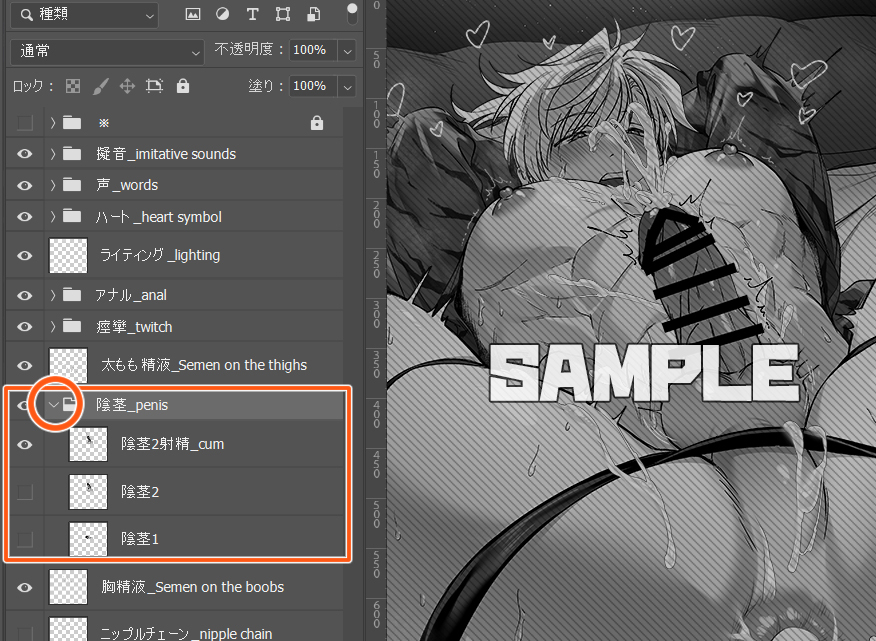
こちらのイラストの差分を自分の好きな組み合わせで作って遊べるPSDデータです。
This is PSD data that allows you to create and play with the differences in this illustration in any combination you like.
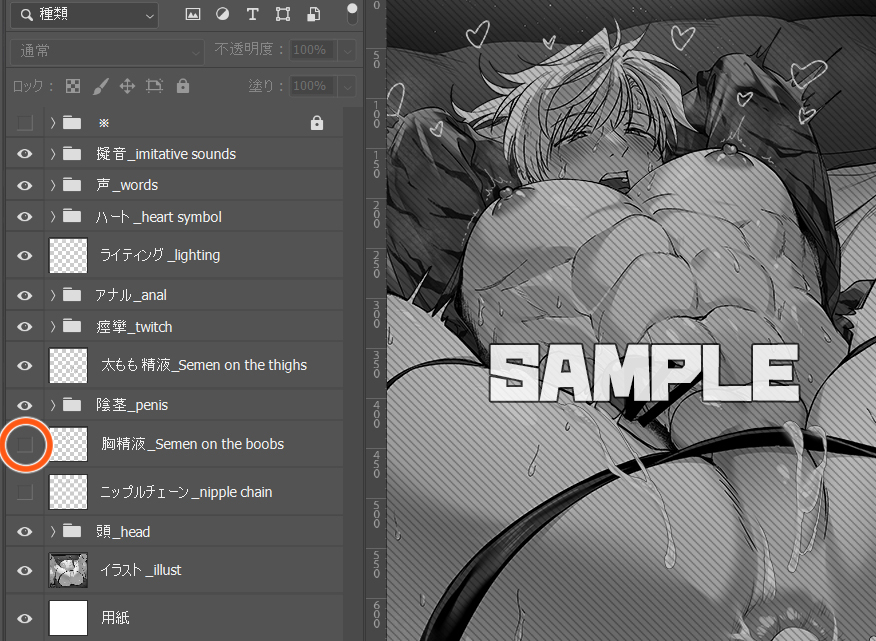
レイヤーツールバーの左側にある目玉のマークを操作することでレイヤーのオン・オフを切り替えます。
Toggle the layer on and off by manipulating the eyeball symbol on the left side of the layer tool bar.
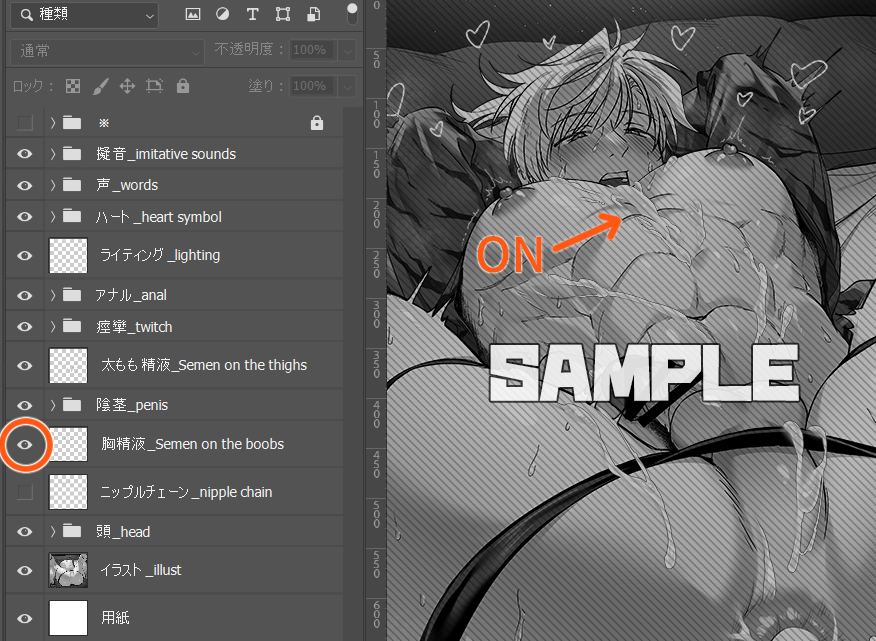
目玉を表示したので、イラストに精液描写が反映されました。
I made the eyeball symbol appear, so the semen was reflected in the illustration.
同類カテゴリのものはフォルダに格納しています。
フォルダマークの左にある矢印をクリックすると中を見ることができます。
先ほどと同様にレイヤーのオン・オフを切り替えてどれをイラストに反映させるか選んでください。
Items in the same category are stored in folders.
Click on the arrow to the left of the folder symbol to look inside.
As before, toggle the layers on and off and choose which ones you want to reflect in your illustration.
-----
好きな組み合わせを見つけて楽しく遊んでください!
Find your favorite combination and have fun playing!
用户7741487006
2022-02-25 13:49:52 +0000 UTC用户7741487006
2022-02-24 16:22:19 +0000 UTC用户7741487006
2022-02-24 16:19:33 +0000 UTC用户7741487006
2022-02-24 13:36:18 +0000 UTC