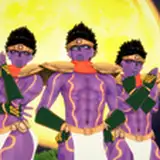
This part of the platformer series is going to be focused on setting up a simple menu screen. Just the basics can get a little heavy if you want to do it right so it's going to be a pretty straightforward end result for this video (you can see it in the GIF more or less in its entirety!).
However, I'm planning to expand on it a bit in the videos to follow. I think this kind of stuff is what a lot of people need to really finish their games and make them feel presentable.
I want to really tick all the boxes with this series when it comes to essentials. There might not be as much in the way of specific mechanics (wall jumping and moving platforms and all that jazz I covered in my older 1.x series) but hopefully a diverse and thorough spread of important, required-to-ship features.
I've been distracting myself with some shader fun which you might have seen on twitter earlier in the week:

I'm hoping to also bring this stuff to a tutorial and marketplace / itch.io / free-for-patrons asset for you all to use. Stay tuned for more on that.
Thanks all as always for your support. Any questions or ideas about what I'm doing and planning are welcome below as always. Don't forget to vote in the most recent Topic Poll if you haven't already!






















![HỘI ĐỒNG CỪU (THE COUNCIL OF SHEEP[S])](https://samsuka.com/istorage/44429.jpg)