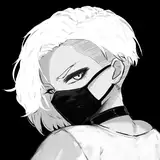
This image of a consenting role play scenario can be found in the January 2019 Dropboxes:
Standard: https://www.patreon.com/posts/dropbox-link-res-23856853
High: https://www.patreon.com/posts/dropbox-link-res-23856855
---
PSD file attached and in January 2019's High Res dropbox for May.
You can play with May's catsuit and gear by keeping the Transparency locked on the "CATSUIT" and "CUFFS" layers in the "col" folder, then drawing over it with a large brush of any colour of your choice (or even just go into tonal correction and change the hue slider). The highlights have been configured to work with most colour combinations (though I suggest you go on the darker end of things (if you use the hue slider this probably becomes a nonissue) for the catsuit/cuff bases so that the highlights don't get washed out to pure white), but you can also mess with the layer types and colours of the "shiny", "reflec" and other layers around that area to get the exact effect you want.
The above might not have made much sense if you've never used a graphics program before - if that's the case and you're having trouble, just pop me a message and I'll be happy to help!
If you don't have Photoshop, you can download https://www.gimp.org/ for free.