Hoo-ee! Only took me a year to get this thing cleaned up for general consumption, huh? ;)
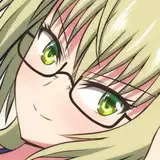
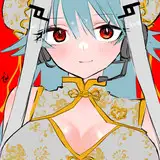
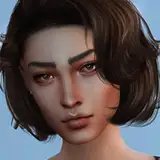
Attached to this post and in the September dropboxes ('cuz I'd promised this file back then and don't want people who'd cancelled pledges before Oct to miss out) ( low: https://www.patreon.com/posts/dropbox-link-low-41543147 high: https://www.patreon.com/posts/dropbox-link-res-41543148 ) is a PSD file containing both the Bunny Base and Straitjacket Base, along with all currently drawn runner-up heads. Still waiting on Nessa, Momo, Rin and an extra gäg for Daphne, plus October's runner-ups will be known in a few days. Every time I do a new head, I'll update the PSD file and relink this post or make a featured tag for it (ah, it can sit in the Dropbox Master Lists. That'd prolly be best, right?).
PSDs are usually a $7-10 reward but there have been a lot of requests for a blank version of this base, and I think it'll be fun to see how other people use it, so this will also be posted publicly someday soon-ish. Remind me to sort a clear version of that Xmas mummy base someday, too...
I'll come back to this post later to give more detailed instructions, but it's super late and I gotta get to bed, but wanted to get this posted now 'cuz I did say "tomorrow" yesterday, sooo... :p
So for now, the tl;dr version is:
> Open "Heads" directory
> Find the character you want. If their folder is "Character_Front", you'll also need to go and find their corresponding "Character_Back" folder inside the "Hair Behinds" directory.
> Bunny / Straitjacket
> Once you've picked one of the two currently available bodies (I think the next will be the crazy getup Mel had in "Melgate", or just a Mummy. Probably standing up, too, 'cuz Mummies don't really look as good on their knees, right?), you have a few options to tinker with.
The Buns have 4 different breast sizes, while the SJ is only one-size-fits-all (but has a couple of cleavage options to create the illusion of different chests). You'll also notice when you toggle a head, that a small palette layer is also included - this is my personal suggestion for a colour scheme to be used for the BunBase. From bottom up, it's "tights / corset / rope / skin".
So, to set your own colour schemes, you simply "lock transparency" on the relevant Cols (flats) layers. For the BunBase it's in Bunny->Cols->"Tights","Upper Skin","Corset","Collar","Ropes". You'll also need to do this for the "Corset" layer in your chosen Chest folder. In the SJ, it's Straitjacket->Cols->pretty much all of the layers in there, really.
When a layer has transparency locked, you can then use a giant brush to draw over it, but the layer will ensure that your recolouring will stay within the premade area that the layer currently contains. I probably didn't word that too well... I'll make some short webm/mp4 videos to demonstrate tomorrow! Sorry to leave you high and dry tonight!
Mega tl;dr: Toggle heads (or even paste in your own from other sources for your own enjoyment), and make your own colour schemes! Demonstration tutorials/videos coming soon. If you don't have Photoshop or Clip Studio Paint, you can download https://www.gimp.org/, https://krita.org/en/ or any other free Photoshop alternative.
Trevor Bond
2020-10-23 07:39:08 +0000 UTC