Hello again! Here is the finished textless page for your enjoyment! I really want to get this knocked out so I'm gonna be quick with the explanation tonight so I can get back to work.
I mentioned before how I wanted to animate that second panel, but in this preview it isn't animated. The reason I didn't get that going yet is because I want to put the dialog balloons in first before I start rigging the animation. The reason for this is, when I animate in Photoshop I use a filmstrip mode and adjust things frame by frame, and when I add new layers to a piece with animation frames my layers get a bit screwy, so I am gonna make sure I don't need to add anything new when I start setting that up.
I do, however, have my animation assets all prepped for that phase. I have them all neatly packed in a folder of their own in my Photoshop document:

Top to bottom:
- I apply a layer mask to my animation folder. What this means is if any of my animation pieces moves outside the comic panel I have masked out those pixels just turn invisible. This means I don't need to worry about trimming assets or anything, I can just move them and expand them and it will all crop to that one panel square.
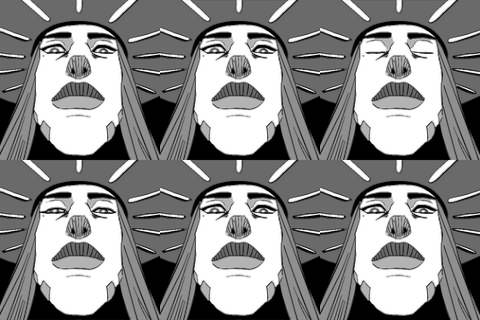
- I made duplicates of Lizzie and expanded them one by one to create my zooming haze effect, those are all packed up in their own subfolder. This is the main reason I have this panel masked, since these assets are just Big Lizzies they extend beyond the panel border, but thanks to the mask I don't have to worry about any messy details overlapping into neighboring panels.
- To apply a flickering X-ray effect for Lizzie's busted rib I made a Shirt layer, which is just a paintover of her ribs to look like her regular chest. I'll be adjusting the opacity on this to make the rib pain look painful.
- "liz" is Lizzie. I compressed my outline, red bandana and paint layers, made a copy and then undid my layer compressions, and pasted the copied compressed Lizzie into my animation folder. When I do these kinds of things I like to keep backups of my source art, so the animated Lizzie is going to be a duplicate on top of all my source art layers.
- I forgot to add the glow behind Lizzie before I made the duplicate, since I usually add glow as the second-to-last step of my process, so I just added a glow for her in the animation folder.
- The pain lines have three different variants, designed to be nice and wiggly. You better believe I'm gonna alternate these layers to make the pain lines squirm.
- I've said before but I try to avoid copy-paste art as much as possible. One of the things I'll do when I want to cheat and shortcut a copy-paste is I'll do a soft paintover of some notable rough painting layers- it's the sameness of the chaotic organic variations in art that really give away the copy-paste, so if you scrumble some of those variations even a little bit you can cover your tracks. I applied this method to my blotchy background to make three very subtley-different background panes, just copying the source one and scrumbling the brushstroke variables to make it look like I painted a duplicate, near-identical background.
These are all the pieces I need to achieve the effect I'm looking to create, and in a little bit you'll be able to see that effect live on the main site. I'm gonna get back to work now. Thanks for reading!