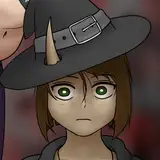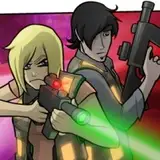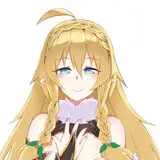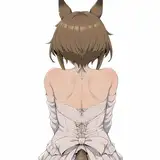
Dynamic Loading Screen (DLS) is a mod that reconfigures the loading screen to your liking, and replaces the default "blue screen" with your backgrounds or backgrounds from ready-made packs.
The mod doesn't require any third party libraries or script files. Everything is embedded into a single .package file, backgrounds are provided separately.
Standalone mod features:
- Multiple backgrounds. You can install from 1 to all available backgrounds from the mod, or create your own according to the guide.
- Randomization. The mod plays backgrounds in random order and randomizes their horizontal flip.
- Backgrounds switching. You can interact with backgrounds on a mouse click (Previous/Next/Pause).*
- Backgrounds zoom animation. Backgrounds are animated by zooming in and out.
- Adjustable scale, positions, colors of loading screen elements. You can adjust the scale, positions and colors of the plumbob or tips in the mod settings. Also you can adjust the background color if there are no backgrounds installed.
You can find more features in the Patreon Early-Access version.
All the main features of the mod are available to configure or disable.
A short guide about it - Mod Configuration Guide.
Installation:
- Move the NISANE.DynamicLoadingScreen.CORE.Public.package file from .zip to your Mods folder.
(if this is your first time using mods for The Sims 4, please make sure you have enabled the option in "Settings - Other - Enable Custom Content and Mods")
- Select backgrounds you like (previews below) and according to the index and category, move the .package files from .zip to The Sims 4 Mods folder.
Along with the backgrounds, install the PackDefinition file, which is necessary to initialize the installed pack.
Also, you can easily disable the entire pack by deleting the PackDefinition without the need to delete the backgrounds.
* Switching between backgrounds with a mouse click. Click on the left side of the screen to move to the previous background, on the right side - to the next background (these areas are 20 pixels from the sides). Click in the center of the screen to pause playback, click again to resume.

What's New in Version 1.7d
- Improved backgrounds randomization with multiple packs installed
NISANE
2025-01-15 13:43:17 +0000 UTCroro9261
2025-01-15 07:25:47 +0000 UTCNISANE
2024-10-23 17:53:02 +0000 UTCroro9261
2024-10-23 12:49:22 +0000 UTC