WTDL Patreon Devlog #13
Added 2023-06-24 00:20:46 +0000 UTCWTDL V 0.10 comes with a big change to the UI, so this is a great chance for us to talk about some of the functions that the game has. Some of these may be basic Renpy function, but it's handy that we show everything.
First and foremost, this new UI is made possible thanks to these incredible individuals. Cody for the guidance in the UI planning, Compymomo for designing the UI assets, and Wattson for programming the UI to its functioning state. It was not easy.
Second, as there is still time, we'd like to let everyone know again that WTDL is part of this year's Queer Games Bundle which will come to an end at the end of June 2023. Included are 467 games made by people from the queer community. Supporting this bundle is a great way to support your favourite developers, and you may even find new games that you never knew you'd love. So, take a look, spread the news, and get the bundle if you want to support queer developers!
Now, onwards with the UI guide!
PREFERENCES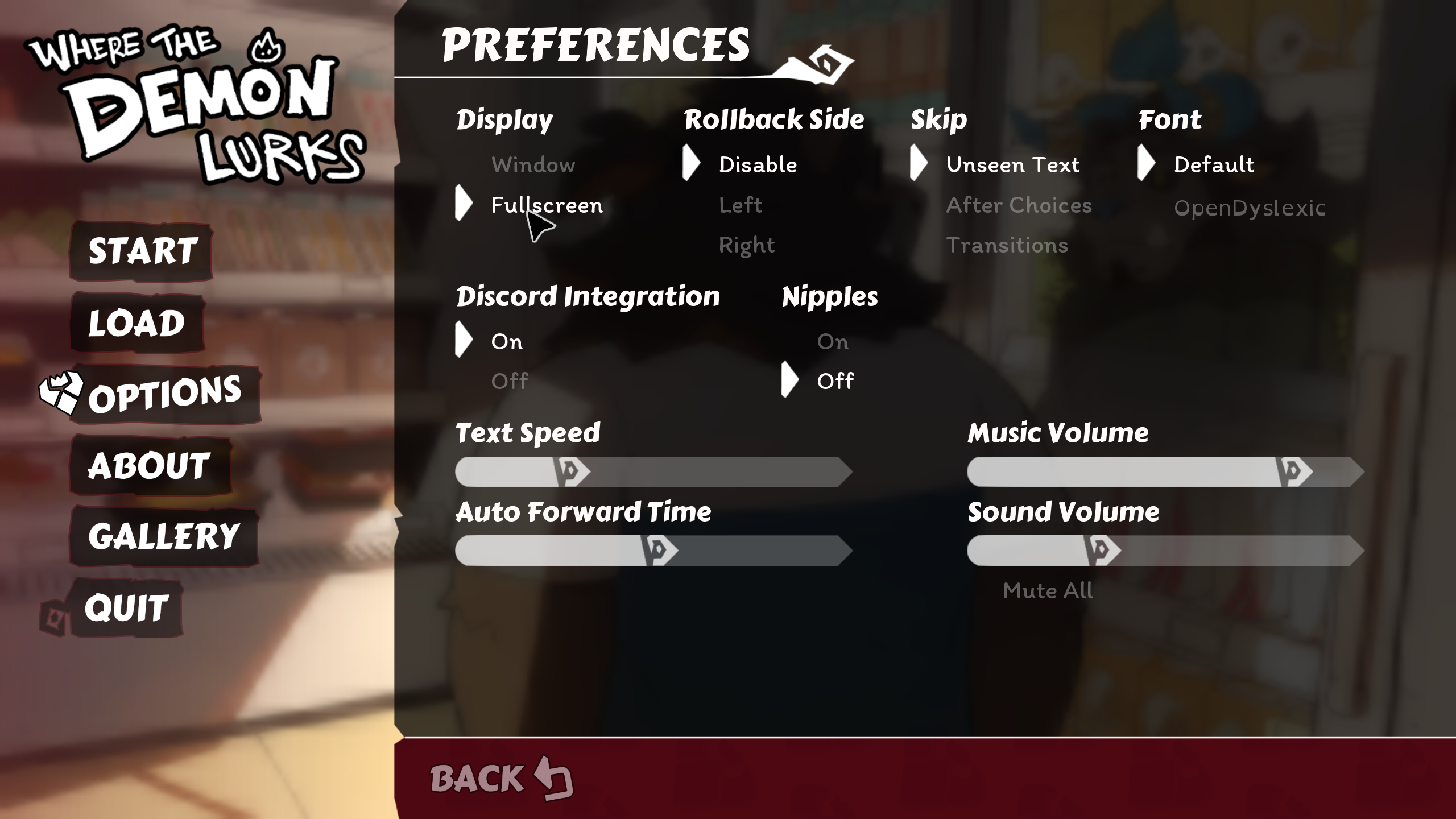
- Players can change the type of text font. Use OpenDyslexic for fonts that are larger and have more space. This will change the in game and UI text.
- The new "Nipple" button, use it to determine whether you want to see the characters' nipples or not.
- Discord Integration when set to On, displays in your Discord that you are playing WTDL. When set to Off it will not display what you are playing.
THE LOADING/ SAVING SCREEN
- The save/load screen functions just like before but with a new look! Don't forget you can rename each page by clicking on the page text. It's really handy when you're exploring multiple story routes.
- To delete a save file, simple move cursor to the file and click delete.
GALLERY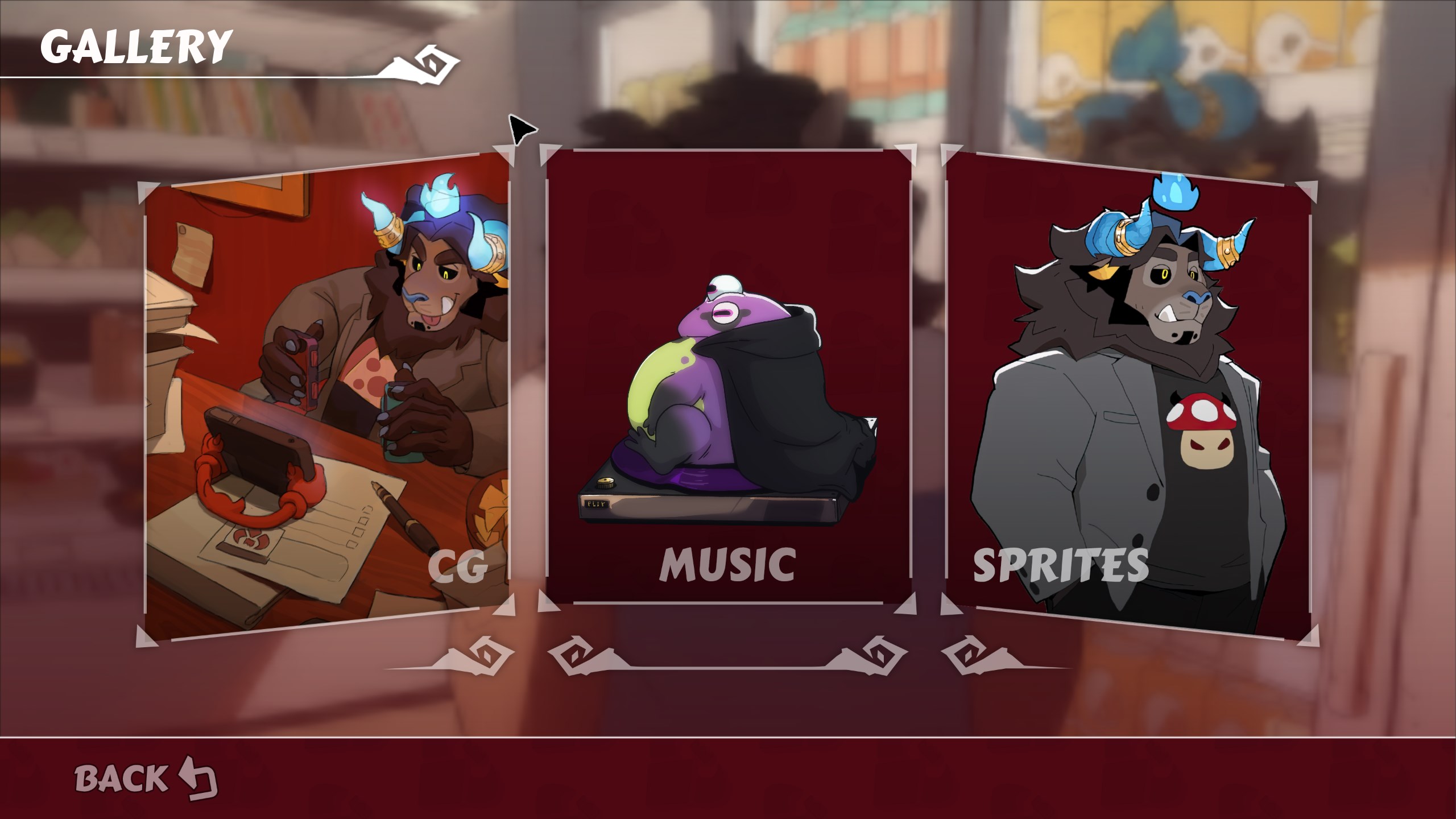
- Players can look at the CGs they have collected in the CG gallery. Some CGs are locked behind specific routes, so do try to find them all. You can also switch your Main Menu picture with the CG in the CG gallery.
- Replay your favourite WTDL music in the Music Gallery. When players change the music in the Music Gallery it will also change the Main Menu music temporarily. After players return to the Main Menu from the Game section, the music will revert back to its default version.
TEXTBOX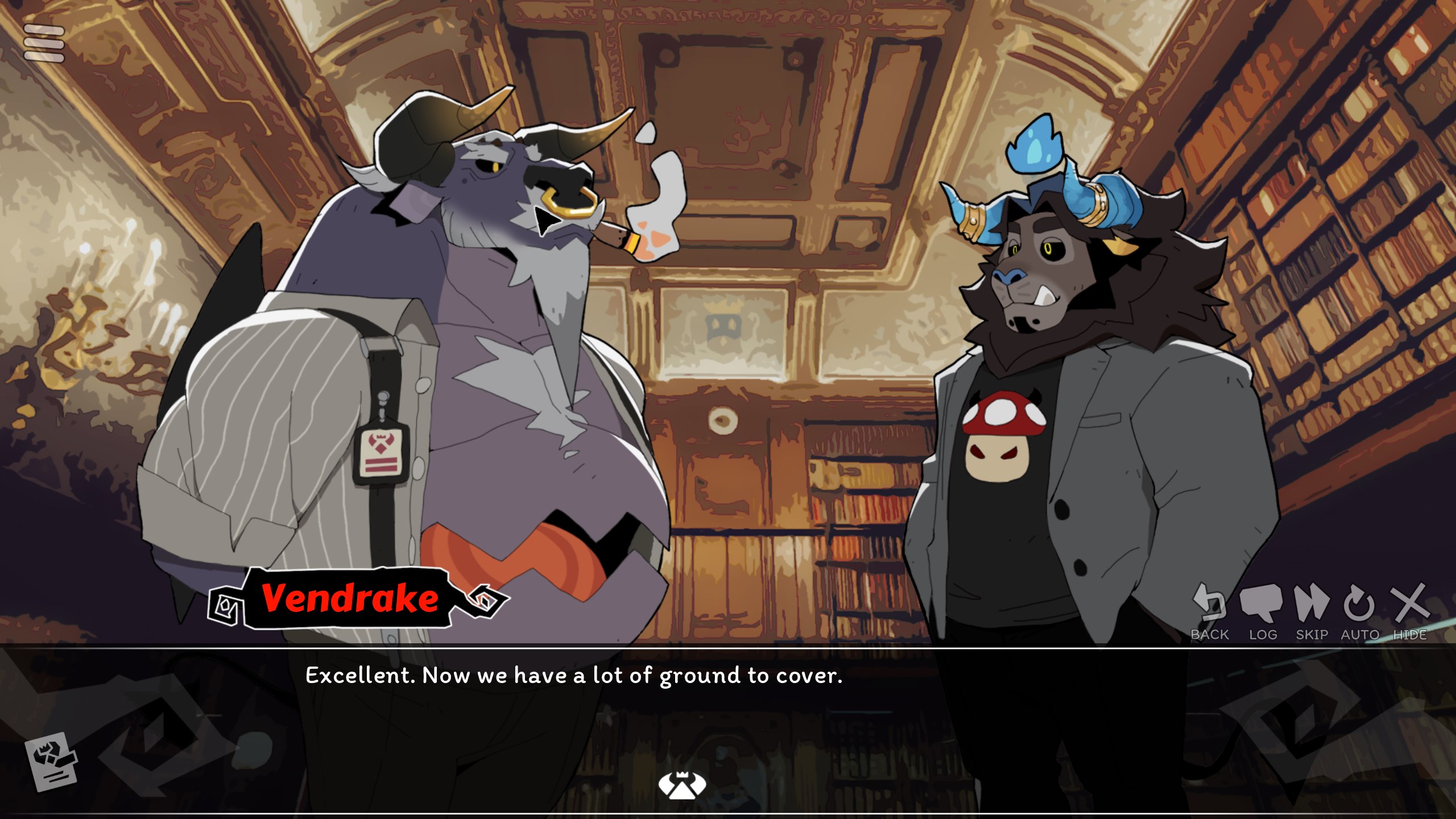
- Here's one tip for the textbox. By default, you can make the textbox disappear by clicking H and resummon it by clicking H again. Alternatively, you can click the Hide icon to perform the same function. Then click anywhere on the screen to bring back the textbox again.
And that's the end of the UI guide, we hope players will have fun navigating through the new WTDL. If you want to help us continue to grow this game, join our Patreon, and leave us a review on itchio so more people can experience this game! Every player counts.