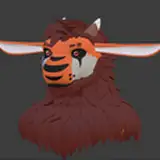
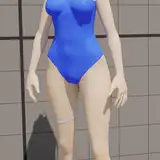
Getting the basics of image generation down is one of the most exciting steps in your creative journey with AI. But what if you could have even more control over the details of your outputs? That’s where ControlNet comes in, and today we’ll explore how to use it with SDForge, specifically focusing on two key models: Canny and OpenPose.
The Canny model is perfect for generating clear, well-defined outlines, giving you the ability to guide your AI-generated images with precision. OpenPose, on the other hand, lets you control human poses, making it ideal for artists who want detailed control over body positions in their creations.
In this video, I’ll break down how each model works, how to set them up in SDForge, and how you can use these tools to take your image generation to the next level. Let’s get started!"
Repos Used: https://huggingface.co/lllyasviel/sd_control_collection
https://huggingface.co/lllyasviel/ControlNet-v1-1
**************
LinkedIn: https://www.linkedin.com/in/gjnave
Patreon: https://www.patreon.com/cognibuild
Reddit: https://www.reddit.com/user/Heavy-Organization58/
Website: https://www.cognibuild.ai
Personal Music: www.daysinging.com
Spotify: https://open.spotify.com/artist/0oH5qisu13DpnT7DucnV9d
------ Helpful Video Tutorials -----
VS Build Tools 2019 - Cleanest / Easiest Install Ever: https://youtu.be/TUS4A-XsAPo
Installing Cuda: https://youtu.be/_GpyoEbs3Hs
Installing CuDNN: https://youtu.be/RY2mEbi7PJc
Fresh AI Setup (Windows): https://youtu.be/4aCtOVcvcj4
Installing Miniconda: https://youtu.be/ULAVtKBOKXE
Installing Python: https://youtu.be/1CdeBbk9A2k
Insalling Git: https://youtu.be/xxVOm3ndeSU
Installing WSL: https://youtu.be/3GNqg3GdEKA
Installing Llama.cpp: https://youtu.be/r-05yuXTEPE