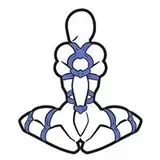
In this video, we show you how to effectively use ControlNet with Depth, Canny, and OpenPose models to enhance your creative projects. We walk you through each step of how to set up each model, apply them in your workflow, and get the most out of your Stable Diffusion setup.
Whether you're working on illustrations, animations, or other visuals, this tutorial will guide you through the process step by step. Perfect for both beginners and advanced users looking to refine their ControlNet techniques!
Model Original Repos:
https://huggingface.co/lllyasviel/sd_control_collection
https://huggingface.co/lllyasviel/ControlNet-v1-1
You can also download an ease-of-use installer of all models here:
https://www.patreon.com/posts/controlnet-for-5-112403623
Full Pose Packs can be purchased from here:
https://www.patreon.com/cognibuild/shop
*********************************
LinkedIn: https://www.linkedin.com/in/gjnave
Patreon: https://www.patreon.com/cognibuild
Reddit: https://www.reddit.com/user/Heavy-Organization58/
Website: https://www.cognibuild.ai
Personal Music: www.daysinging.com
Spotify: https://open.spotify.com/artist/0oH5qisu13DpnT7DucnV9d
------ Helpful Video Tutorials -----
VS Build Tools 2019 - Cleanest / Easiest Install Ever: https://youtu.be/TUS4A-XsAPo
Installing Cuda: https://youtu.be/_GpyoEbs3Hs
Installing CuDNN: https://youtu.be/RY2mEbi7PJc
Fresh AI Setup (Windows): https://youtu.be/4aCtOVcvcj4
Installing Miniconda: https://youtu.be/ULAVtKBOKXE
Installing Python: https://youtu.be/1CdeBbk9A2k
Insalling Git: https://youtu.be/xxVOm3ndeSU
Installing WSL: https://youtu.be/3GNqg3GdEKA
Installing Llama.cpp: https://youtu.be/r-05yuXTEPE