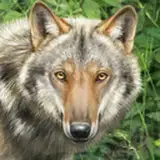
Welcome to one of the best open-source software tools I've encountered: LivePortrait! This innovative program animates still images based on an input image, allowing you to bring your photos to life. Whether it's a picture of yourself captured on webcam or, excitingly, an animal portrait, LivePortrait adds a dynamic touch that's truly impressive.
In this video, I’ll guide you through the step-by-step installation process, ensuring you get the most out of this powerful software.
If you would prefer an ease-of-use installer script, one can be found here:
https://www.patreon.com/posts/107862591
Don't forget to like, subscribe, and hit the notification bell for more amazing content!
********************************
Discord: https://discord.gg/jRYeUbBt6P
LinkedIn: https://www.linkedin.com/in/gjnave
Patreon: https://www.patreon.com/cognibuild
Reddit: https://www.reddit.com/user/FitContribution2946/
Website: https://www.cognibuild.ai
Personal Music: www.daysinging.com
Spotify: https://open.spotify.com/artist/0oH5qisu13DpnT7DucnV9d
------ Helpful Video Tutorials -----
VS Build Tools 2019 - Cleanest / Easiest Install Ever: https://youtu.be/TUS4A-XsAPo
Installing Cuda: https://youtu.be/_GpyoEbs3Hs
Installing CuDNN: https://youtu.be/RY2mEbi7PJc
Fresh AI Setup (Windows): https://youtu.be/4aCtOVcvcj4
Installing Miniconda: https://youtu.be/ULAVtKBOKXE
Installing Python: https://youtu.be/1CdeBbk9A2k
Insalling Git: https://youtu.be/xxVOm3ndeSU
Installing WSL: https://youtu.be/3GNqg3GdEKA
Installing Llama.cpp: https://youtu.be/r-05yuXTEPE