いつもご支援ありがとうございます。
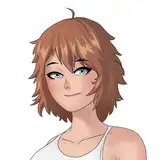
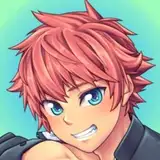
今回、キャラクターイラストの新しいワークフローを構築したので、報告します。
従来はほぼフォトショップを使用して作業をしていたのですが、新しい方法としてクリスタの3Dデッサン人形でポーズを決め、そのポーズをAdobe Frescoに取り込み、線画を描く流れを取り入れました。
両ツールの使用感については、イラストをサクサクと仕上げることができ、リアルでざっくりしたタッチの作品にとても向いていると感じています。
今までの絵のタッチとは異なるかもしれませんが、この新しいワークフローにより、作品のアップロードペースを速めることができそうです。
新しいイラストのスタイルも楽しんでいただけると嬉しいです。今後ともどうぞよろしく!
Thank you always for your support.
I am excited to share with you a new workflow I've developed for creating character illustrations. Traditionally, I almost exclusively used Photoshop for my artwork. However, I've now incorporated a new method where I create poses using the 3D drawing dolls in Clip Studio Paint, and then import these poses into Adobe Fresco to draw the line art. This change has significantly sped up the process of illustrating characters.
Both tools have proven to be excellent for quickly finishing illustrations and are particularly suited for creating artwork with a realistic and rough touch. While the style may differ from my usual artwork, this new process should allow me to upload new illustrations at a faster pace.
I hope you enjoy the new style as well. Thank you very much for your continued support.
クリスタの3Dデッサン人形。ユーザーさんがポーズを配布されていて、どれもかなり実用的。かつクリスタ上で操作もしやすかったです。
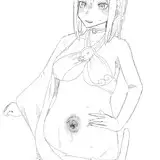
Frescoの線画。線の補正機能が優れているようで、タブレットではなく紙の上に鉛筆で描いているようにサクサクかけます。
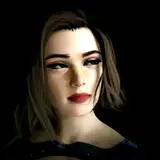
Photoshopで仕上げていきます。(右下はVroidStudioで作った3Dモデルの表情です。)
「昔付き合っていた彼氏に無理やりクリピアスを入れられた女の子」みたいな感じにしようと思っています(笑)