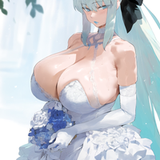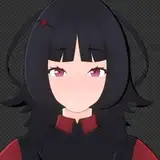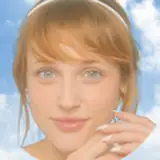
コメにてご質問があったため。
まず、キャラLoraを、そのLra作成時の設定絵柄以外で出すとなると、相性は良くないです。
例えば、ほわほわ二次元絵で作ったLoraをリアル系モデルで出そうとすると、強度にもよりますが、うまく出来ないことが多いです。
推測なんですが、Loraの作成方法、主にタネ絵とキャプションと、モデルによって、そのあたりの幅は変わってくると思います。
細分化すると、いわゆる「絵柄まで再現のキャラLora」はやりにくく、「衣装や特徴のみ反映」のコスプレLora、着替えLoraだとやりやすいです。
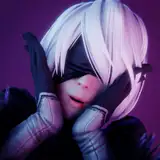
で、前者「キャラLora」でどうしてもリアルにしたいとか、2.5次化させたい場合の方法をいくつかご紹介します。
相性のいいモデルを使いつつ、リアルに寄せるプロンプトを強度を強めて使用する方法です。どれくらいリアルになってくれるかはモデルによります。
私がよく使うのは、
realistic photorealistic raw real〇〇(skinとかfaceとか)
手軽ではあるんですが、思った効果が得られるかどうかは、モデル次第といったところ。
ベチャついたりするのが難点ですが、うまく噛み合ったら効果は高いです。
相性のいいリアル化Loraを探してくるのが面倒ですが。
リアル化とは違いますが、書き込みを増やしてくれる系もリアル寄りにするに効果的だと思います。
二段階に分けてリアル化させる方法です。
まず相性のいいモデルで目当てのキャラ・シチュを生成してから、i2iでモデルを変えて画風を変更させつつアップスケールします。
ベストな設定を探るのに手間がかかりますし、絵によってもうまくいったりうまくいかなかったりします。
少ない枚数や、一点ものを作る分には、一番きれいにできる方法かなと思います。
コツとしては、CNタイルを使い、キャラLoraは極端に低くするようにしています。
コントロールネットのIPアダプターや、フリーUなどを使って絵柄調整することで、2.5次っぽくすることもできます。
それぞれの拡張機能の使い方に慣れてないといけないので、手軽ではありませんが、上記の他の方法と組み合わせやすいのが強みでしょうか。
とはいえ、あまりリアル寄りにするとpixivバンがあるので、上げづらく、好きで2.5化しているのではなく「せざる得ないから」というところが大きいですね。
本日はこの辺で。
-----------------------------------------------
EN by DeepL
First of all, if a character Lora is to be produced with a pattern other than the one that was set when the Lora was created, it is not a good match.
For example, if you try to produce Lora with a realistic model, it may depend on the strength of the model, but it often does not work well.
My guess is that the way Lora is created, mainly the seed picture and caption, and the model, will change the range in that area.
If we break it down into smaller pieces, so-called “character Lora” that reproduces the entire picture is difficult to do, while “cosplay Lora” or “changeable Lora” that reflects only the costume and features is easier to do.
If you want to make the former “character Lora” more realistic, or if you want to make it 2.5th level, here are a few methods.
1. prompt
This is a method of using a compatible model, but using prompts that bring the model closer to realism with increased intensity. How realistic they are depends on the model.
I often use,
realistic photorealistic raw real00 (skin, face, etc.)
It is easy to use, but it depends on the model whether the desired effect can be obtained or not.
2. realistic Lora and write Lora
The drawback is that it can be sticky, but if it works well, it is very effective.
It is a pain to find a compatible realizing Lora, though.
Although it is not the same as realization, I think that the system that increases the number of posts is also effective in making it more realistic.
3. i2i
This is a method of realizing the model in two stages.
First, create the character and situation you are looking for with a model that is a good match, and then use i2i to change the model and upscale it while changing the style of the image.
It takes a lot of time and effort to find the best settings, and it may or may not work well for different pictures.
I think it is the most beautiful way to create a small number of pieces or a one-of-a-kind piece.
The trick is to use CN tiles and keep the character Lora extremely low.
4. extensions
You can also use Control Net's IP adapter or Free U to adjust the picture to make it look more like a 2.5 degree.
This is not easy, as it requires familiarity with the use of each extension, but its strength is that it can be easily combined with the other methods described above.
However, if you make it too realistic, it will be difficult to raise it because of the pixivan, and I am not making it 2.5 because I like it, but more because I have to.
That's about all for today.