ARIA_MK1_AdvancedFX
Added 2022-05-08 21:06:45 +0000 UTC
Advanced FX Package for ARIA_MK1
MODEL IS NOT INCLUDED PLEASE GO TO: (https://skullyhellfire.gumroad.com/l/skullysaria) To purchase the model first.
Hia! Been think about it for a bit, i've decided to make the price lower than what it was a few months ago. It now has been updated for physbones too. Hopefully everything is alright, I still plan to change a few things on it possibly, ill see when I have time.
Don't forget to rate my package and give feedback on my discord! Thanks a million!!!
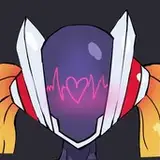
This is the animation and FX package for ARIA_MK1 by Skully Hellfire.
There is a public version that will be available for you to try and test here: https://vrchat.com/home/world/wrld_3127528f-9f2c-4f0c-a9e4-6fa6e4db359a
What to expect from the package:
- 3 Point landing, fly down from the sky with impact destroying the ground, manifesting and revealing yourself; A.R.I.A is ready for action. (Quest Compatibility: 3 Point landing will not exist but there will still be destruction in the ground and a more optimized impact landing)
- Palm laser blasts, fire short and strong beams from A.R.I.A´s palms bursting on contact. (Quest Compatible)
- After Image: (Scratched concept as the new unity has disabled some features from previous versions for some reason. Although a clone effect has been put in place that is locked to world floor space, this will not be quest compatible.)
- Final light, A.R.I.A Prepares for their final attack, their rotors begin to glow even brighter, a long and powerful charge-up begins, you know that this is the end and- (I guess you will just have to wait and see...) (Quest Compatibility: There will be no A.R.I.A in the center of the explosion)
- Battle mode, A.R.I.A switches into their attack stance, bursting into flames their gears go into overdrive, eyes begin to glow and everything is heated up to their max. (Quest Compatible)
- Energy Ball, A.R.I.A generates a ball of energy to defend specific areas that A.R.I.A chooses, A.R.I.A may also launch the energy ball at A.R.I.A's chosen target location of which it will stay in place. (Quest Compatibility: PC will have spring joints for smooth action, although for Quest users the energy ball will be in a fixed position but still able to launch and keep in chosen places.)
- Energy Shield, A.R.I.A protects themselves with a shield made from strong energy pulses. (Quest Compatible)
- Energy Sword, A.R.I.A manifests a sword within their hand, if A.R.I.A decideds to manifest two swords A.R.I.A's hands will be replaced by them and the swords become an extention of A.R.I.A's arms. (Quest Compatible)
- These are a few of the many things to expect from the package!!! Right now the first version of the package is out and I hope to add more and update it in the future!
- QUEST COMPATIBILITY: All sounds and some particles will not be avaliable for quest users.
HOW TO IMPORT:
- Download Unity 2019.4.31f1 and open a new 3D project.Unity
- Download the VRChat 3.0 SDK, drag and drop the unity package into 'Assets' (Click 'Import')VRCSDK
- Download Poiyomi Toon Shader, drag and drop the unity package into 'Assets' (Click 'Import')Poiyomi
- Download HirozuARIA, drag and drop the unity package into 'Assets' (Click 'Import')HirozuARIA
5.5. If you also have the croptop for ARIA download HirozuARIASweatshirt, drag and drop the unity package into 'Assets' (Click 'Import')HirozuARIASweatshirt
- Download AriaMK1Advanced, drag and drop the unity package into 'Assets' (Click 'Import')AriaMK1Advanced
- Double Click 'Click Me!' in assets.
- You are now able to upload everything! Click on VRChat SDK -> Show control pannel -> login -> builder -> build & publish for windows (Here it should say 17 materials need to be locked, press 'OK')
HOW TO IMPORT QUEST:
- Download Unity 2019.4.31f1 and open a new 3D project.Unity
- Download VRChat 3.0 SDK, drag and drop the unity package into 'Assets' (Click 'Import')VRCSDK
- Download HirozuAria_Quest, drag and drop the unity package into 'Assets'(Click 'Import')HirozuAria_Quest
3.5. If you also have the croptop for ARIA download HirozuARIASweatshirt, drag and drop the unity package into 'Assets' (Click 'Import')HirozuARIASweatshirt
- Download ARIA_MK1_Advanced_Quest, drag and drop the unity package into 'Assets' (Click 'Import')ARIA_MK1_Advanced_Quest
- Double Click 'Click Me!' in assets.
- Click VRChat SDK -> Show control panel -> Login -> Builder -> Switch Build Target to Android -> Confirm
- You are now able to upload everything! Click on build & publish for android
DONT FORGET: If you are uploading a quest version for your pc version of aria (and vice versa) make sure they both have the same upload ID.
HOW TO USE (In game):
For Special gestures use the following:
- Rock & Roll: Spawn hand Sword
- Two handed Rock & Roll: Spawn arm swords
- Fist: Shield
- Open hand: Energy Blast
- Point: Draw Pen
For Energy Ball use the following:
- Point: Ball in hand
- Peace: Throw Ball
- Any other gesture to freeze ball in place
TERMS OF USE
Do not:
Re-sell
Use commercially
Give out package to other people who do not own the ARIA_MK1_AdvancedFX
Use on a public avatar
You are not allowed to remove the credits from inside ARIA's Chest
Do:
Edit your textures, animations and meshes!
If added in a commission both parties must have purchased ARIA_MK1_AdvancedFX
If adding onto the ARIA_MK1 base make sure you follow the original Terms on SkullyHelfire's packages
You are allowed to remove the credits from the avatar menu
Refund policy:
Due to the nature of the product being digital and not physical once you have purchased the model even if I refund you, you will still have been able to download and keep the products. Thus there will be no refunds after purchase.
Contact:
DISCORDTWITTERThank you so so much for your support! I hope to keep making and creating more for you!