Speed Draw Commentary Compilation.
Added 2022-12-09 12:26:30 +0000 UTCSo I debated whether or not I should release these all in a single post, or separate posts for each piece. In the end, because it's late, and it seems like it's unnecessary, I decided one single post with all the content is a better option. So here they are, surprise! A return to timelapse commentaries with gusto. I've got four different ones for you here, some of which include the PSD files along side them to allow you to dissect my settings and options used to create a lot of these pictures. Granted I drew these in clip studio, and had to convert them to the more common PSD, so some of the effects in file may be a bit...off. Still I hope you are able to get value out of these anyway. If not the PSDs, than the quick, off the cuff commentaries.
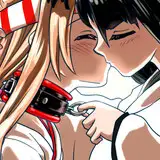
First I have a copy of the timelapse for the recent Legoshi X Juno Commission done for DoctorPortal. I have also included the PSD file along side it so you can see how I applied the flats and layering and so forth.
Next I have the commentary for the "Villians of the Bellhunterverse" comic page I dumped...waaaay too much effort into for the ask blog. Still, it was really fun, and it turned out pretty solid. I have also included the PSD file with this one so you can dissect how everything is positioned and stacked, and I believe the initial sketches are still there.
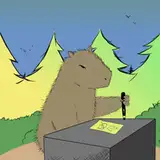
Next, I have a timelapse of my recent Dawn B- Secretary Ewe sticker drop from a few weeks back. Basically, I do a brief run down of how I do stickers, and discuss changing my shading method to one I picked up in a youtube tutorial. I didn't include a PSD because well...I mean I have to protect my ability to sell these. But worry not, I will give you an opportunity to inspect the new shading method in our next set.
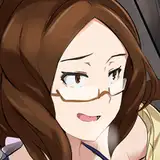
Last but not least, I've done a timelapse commentary on the Dierdre Black Late Late LAAAATE Halloween pinup. I have also included the PSD file for this one so you can actually get a look at the shading method I used and how it works and so forth.
I'd like to also note down here that I brought up two specific things across the commentaries; one being the program "Design Doll", a tool I use for setting up poses for some pics. The other is various Art tutorials by Marc Burnett. So I'm just gonna link to both of those if you want to check them out.
Design Doll Website
https://terawell.net/index.php
Marc Burnett's Channel
https://www.youtube.com/@YTartschool