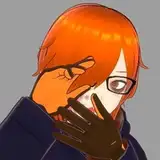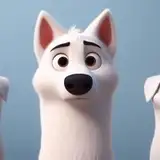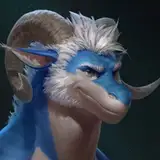
Hey guys! One more update on this guy before the end of the month!
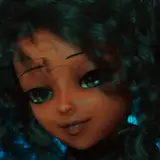
So after the last update, I'd gotten some advice from Nicolò and Kuro on adjusting the surface so that it wouldn't seem as "plastic" looking. Also, some of the advice from Nico also lead to me figuring something else, which I'll get into later.
So my initial try involved porting one of the brush alphas from Procreate, specifically the large Flicks one. On a new layer I used this brush to make a more mottled skin tone, that used lights and dark speckles to break up the larger smooth values. This first step already made a bid difference. but I decided to go further. This is where Nico's advice came in handy for another area.
He'd had been explaining that the paint brush has several settings (roughness, metalness, and opacity) the important one here, being the "roughness." If you adjust the value to 1, the paint will be rough, meaning that it's totally matte and won't reflect any light. However at 0, it's very reflective, almost as if the surface is wet. (I'm probably butchering this, but that's my surface level understanding 😂 The cool part about that though, is I found that you can also just turn off the actual paint pigment, and paint that reflective value directly onto the surface. THAT is how I was able to selectively make his nose and the area around his eyes wet 😂 Funny how such a minor thing can make such a huge difference in making something appear more life-like lol.
So anyways, the main point of knowing this about the roughness setting, was to adjust that setting for all of the paint I'd already applied. Then after that, I did what Kuro and Nico both suggested which was to change the material setting to "Subsurface Scattering" (basically when light passes through the surface of an object and gives it a slight glow effect. Think skin, wax or even clouds) This would ultimately make the surface more waxy looking, until I'd adjusted the depth setting to make it appear more like skin.
This was only the first stage though, because after that, I took their advice again, and went over every surface adding texture to break up that plastic like smoothness even more. (Including the hair) This was a long process 😂. In the end though, it was worth it. because although still quite stylized, he looks much more life-like than he did before. 👍
Also, unfortunately no turntable for this update. With all the added detail, the animation is getting quite laggy and is more distracting than anything. 😅 I'm not sure if moving the file to a different app to get a better video, will help or not, but if I figure something out by the next post for this guy, then I'll let you all know! In the meantime, I'll just try to take more photos 😂
So that's it for this update! Thank you guys again for all the comments and support on the last post, as well as the advice from a few of you! Really appreciate it, and I hope everyone has a great end of the month and Weekend!
Enjoy! 😊🙏💙
Nicolò Piccinini
2025-02-04 00:47:36 +0000 UTCEren Yanno
2025-02-03 19:07:19 +0000 UTCTaran
2025-02-03 18:00:17 +0000 UTCTaran
2025-02-03 17:57:58 +0000 UTCTaran
2025-02-03 17:50:30 +0000 UTCTaran
2025-02-03 17:48:44 +0000 UTCTaran
2025-02-03 17:47:14 +0000 UTCTaran
2025-02-03 17:46:51 +0000 UTCTaran
2025-02-03 17:46:05 +0000 UTCTaran
2025-02-03 17:44:05 +0000 UTCTaran
2025-02-03 17:43:30 +0000 UTCAstrazel
2025-02-03 01:31:25 +0000 UTCNicolò Piccinini
2025-02-02 00:12:09 +0000 UTCPo
2025-02-01 19:21:21 +0000 UTCMani Skaldulfn
2025-02-01 13:23:20 +0000 UTCDragore Skywing
2025-02-01 02:13:13 +0000 UTCAsher Tail
2025-02-01 01:19:45 +0000 UTCTreeknocker
2025-02-01 00:31:30 +0000 UTCkuroson
2025-01-31 23:14:07 +0000 UTCDerpyDrake
2025-01-31 21:21:30 +0000 UTCTurTheBull
2025-01-31 21:08:37 +0000 UTCHakawne
2025-01-31 21:04:34 +0000 UTCLDM
2025-01-31 21:03:04 +0000 UTCPseudo Leopard
2025-01-31 21:02:36 +0000 UTCBuru
2025-01-31 21:02:17 +0000 UTCHash
2025-01-31 20:59:58 +0000 UTCSoul
2025-01-31 20:59:01 +0000 UTC