What awaits you in the update:
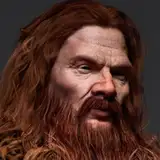
main Dran quest;
the conclusion of Episode Three;
an event with Chiso;
a drunken man event;
a healer mini-event;
+ several new dialogues.
If the chief has already led you to Dran's house - act on what you have available: you have to either wait, or go upstairs. If you've ran away from the chief, there will be a ladder by Dran's house. Climb it and find the scientist.
Improvements:
- fixed the game not opening fullscreen on Android;
- migration to Episode Three expanded with random generation of minor decisions;
- the board of keys at the inn now works;
- Difret can now take the empty bottle in one circumstance;
- fixed waypoints being dependent on the vegetables in your inventory... don't be surprised... and don't ask;
- and other small fixes.
Changes:
- a few new dialogues with Dran;
- images of Rikka have been added.
Windows versions:
ToD RLA windows ver. 0.02.60 ENG
ToD RLA windows ver. 0.02.60 RUS
Android versions:
ToD RLA android ver. 0.02.60 ENG
ToD RLA android ver. 0.02.60 RUS
Mac OS X versions:
ToD RLA mac os x ver. 0.02.60 ENG
ToD RLA mac os x ver. 0.02.60 RUS
Linux versions:
ToD RLA linux ver. 0.02.60 ENG
ToD RLA linux ver. 0.02.60 RUS
If you see the message "Sorry, you can't view or download this file at this time."
You can open your own google drive ( https://drive.google.com/drive/my-drive ) there you will see an "opened today" file in the "quick access" menu, click on it with the right mouse button and pick "make a copy", then just download a file from your own google drive.
or download the game from MEGA:
Windows versions:
ToD RLA windows ver. 0.02.60 ENG
ToD RLA windows ver. 0.02.60 RUS
Android versions:
ToD RLA android ver. 0.02.60 ENG
ToD RLA android ver. 0.02.60 RUS
Mac OS X versions:
ToD RLA mac os x ver. 0.02.60 ENG
ToD RLA mac os x ver. 0.02.60 RUS
Linux versions:
ToD RLA linux ver. 0.02.60 ENG
ToD RLA linux ver. 0.02.60 RUS
Just extract/unzip the game archive.
Android users should just install or reinstall the game.
Mac users need to save the game in the Mac applications and insert the administrator password for this operation.
If you can't run RPGM games on Mac because you are running Big Sur OS then make a backup copy of the game.
1 - Open terminal
2 - Write this command
chmod -R 755
3 - Press Space after the command and drag in the game and press Enter
4 - Write your password and press Enter
5 - Now open the game as per normal (a big thank you to wfuzzypup, who wrote this manual).
Linux users should download nwjs from https://nwjs.io/downloads/ (NORMAL, either x64 or x32 depending on their system), extract nwjs archive into ToD: RLA directory (confirm overwrites), then launch by nw executable (it should already have execution permissions), either by ./nw or double clicking the file (a big thank you to Gryxx, who wrote this manual).
In case you want to continue the game from your last save, you need to move the "save" folder from the previous build into the the present one. You can find your "save" folder
for Windows and Linux users: just in the "www" folder
for Mac users: Game. app / Contents / Resources / app.nw, you have to open the two app.nw folders (previous and the new one) of the two games simultaneously from the Finder, then drag the save folder from previous build directly to new one's app.nw.
for Android users: just reinstall the game (without deleting the previous version), your saves must not disappear.

Don't forget you can leave all your proposals, questions, tricks and all the issues, typos and errors you’ve found on