Here's a peek into my process in Procreate for February's König set! Every month, I'm planning to share WIP images as well as musings about my process + skills that I'm currently developing, etc etc... So here goes! (If listening to a porn artist with ADHD ramble sounds like fun to you, then you're in luck 😉)
This month, I'll run down my process basics:
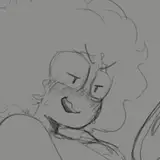
Like always, I started this piece with a rough sketch - separating the body, clothing/gear and other major "areas" by color to make it all easier to look at. Since König's mask obscures his face shape, I double checked the head anatomy to make sure his eyes were in the right place. As a general rule of thumb, I keep parts of the sketch on different layers. It saves me a headache and makes adjustments easier, just in case something looks a little whack. (Which, at this stage, is virtually a guarantee.)
Moving on to the clean linework: Lately, I've been more intentional about line weight, specifically using thinner lines than I'm used to. Thinner lines leave more wiggle room re: creating emphasis by thickening some outlines and key areas. The final shading also helps re-emphasize some of the lightest lines that might get lost during the coloring stage, and the end result looks sooo much better IMO. I'm still not quite where I'd like to be with my linework technique, but this one little principle has made a big difference already. This is also the stage where I worked out the general values of the piece - I knew I want the wall to recede into space and for him to come forward, so I stuck with a darker grey base for his figure and let the wall fade into the lighter background.
For the flat color stage, all my colors are clipping masks over the initial dark grey base, which makes it easier to color without worrying about going 'outside the lines'. Since I knew his body was going to be mostly in shadow, I kept most colors in the lower-middle of the value scale, and desaturated them a little bit as I went. Using gradients on flat colors i.e. a dark-to-light gradient on his mask helped to separate the different clothing items and gear, and give them a bit more life or dimension. I also slap a noise layer over the top of everything to add texture.
For the lighting effects, I used an Add mask layer with gaussian blur over the background color on the right hand side to create a "glow" from beyond the wall. I knew I wanted a sort of golden hour/sunset vibe, so I kept the background an off-white color and used an orange color for the mask. I also created a Color Dodge mask over his body, and hit his right side with a soft brush with that same orange. For the shadows, I used a Multiply layer at around 50% opacity. Lighting is usually where color theory comes in handy - since my glow color was orange, I chose a complementary dark blue for the shadows to make the general palette feel harmonious.
If you made it this far, thanks for reading! There's so much more I could talk about, but this is long AF already. (God. 😅) That aside, this is a pretty solid summary of how I'd approach any full color piece. I definitely want to zero in on specific techniques, how I work from reference, what tools/brushes I use, etc in future posts, so stay tuned! And if you have questions about this particular image set, feel free to ask in the comments! <3