( 日本語版→ https://tsukimaru.fanbox.cc/posts/9338426 )
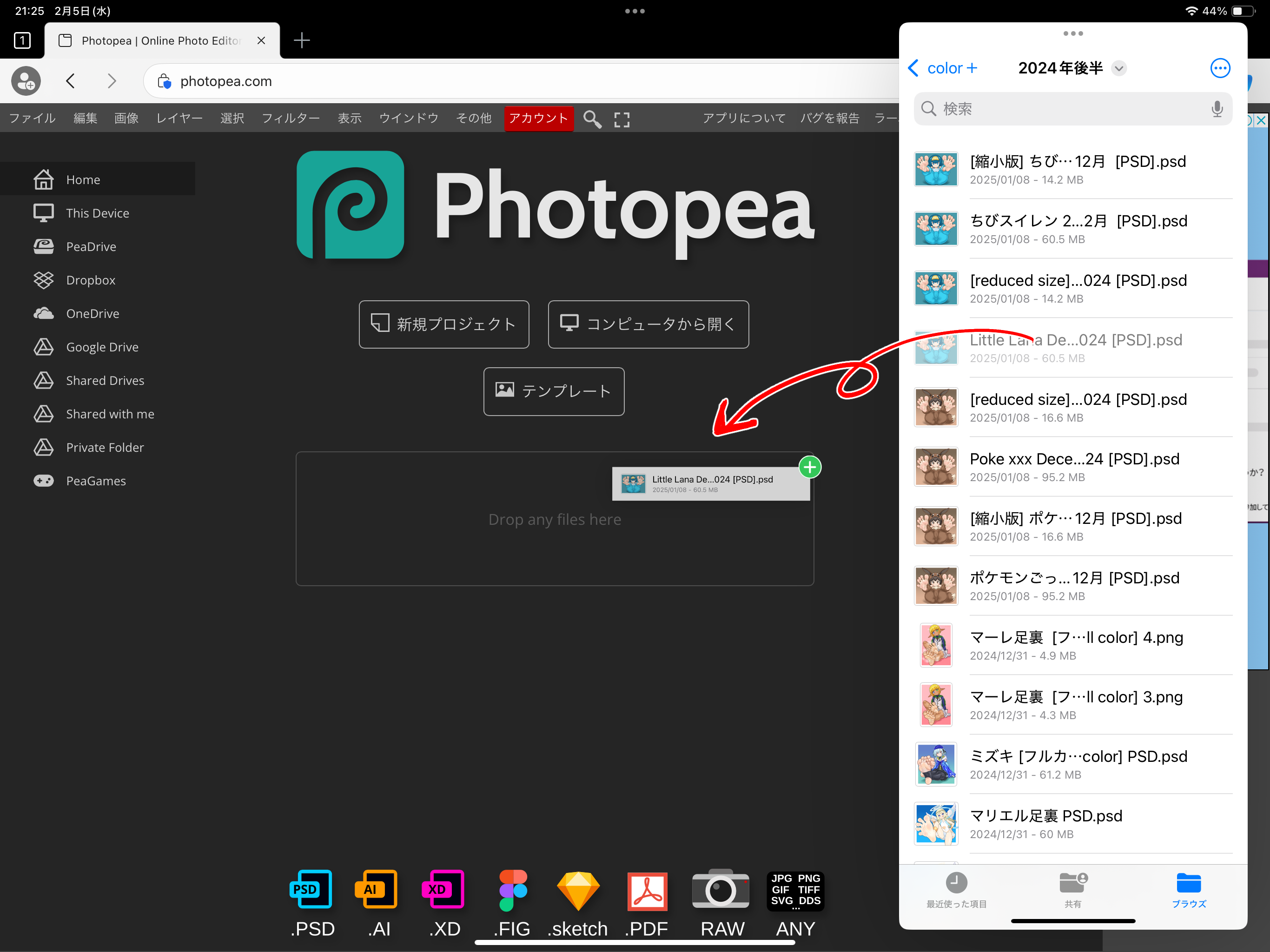
1. First, visit the Photopea website. → https://www.photopea.com
2. Drag and drop the PSD file into the box marked [Drop any files here].
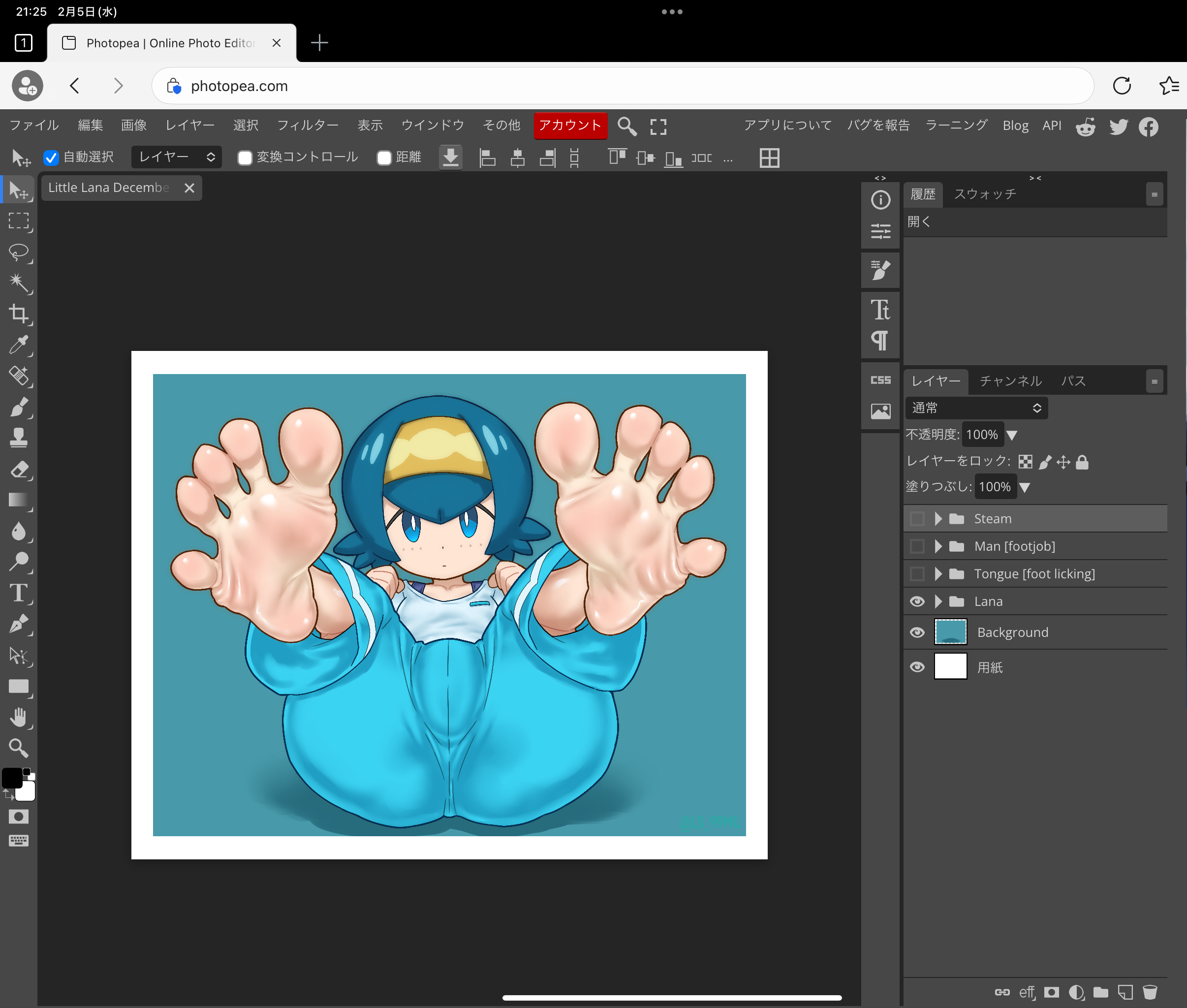
3. If the file is opened successfully, you will see a screen like this.
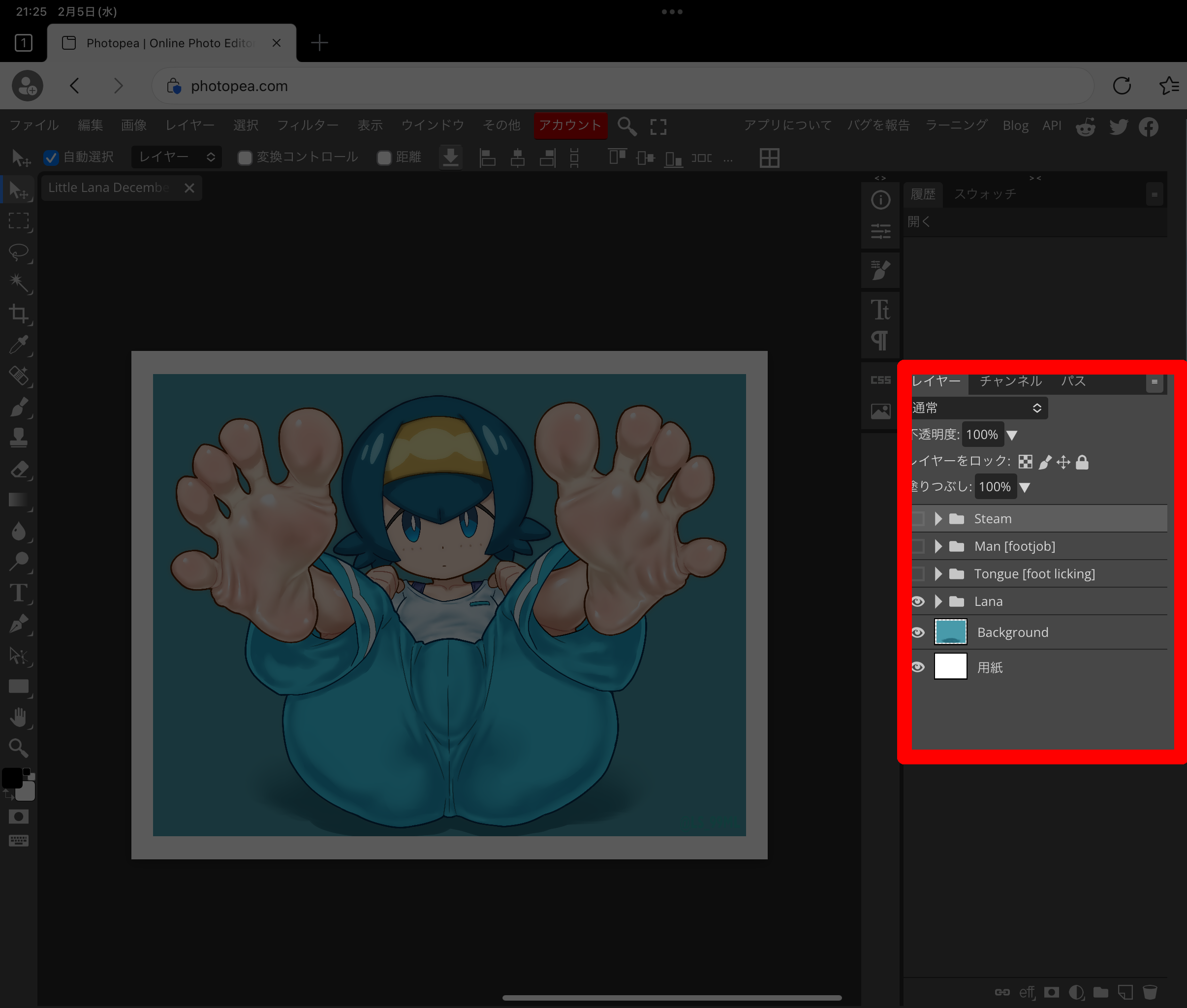
4. Look at the panel framed in red on the right. This is basically the only place where it is used.
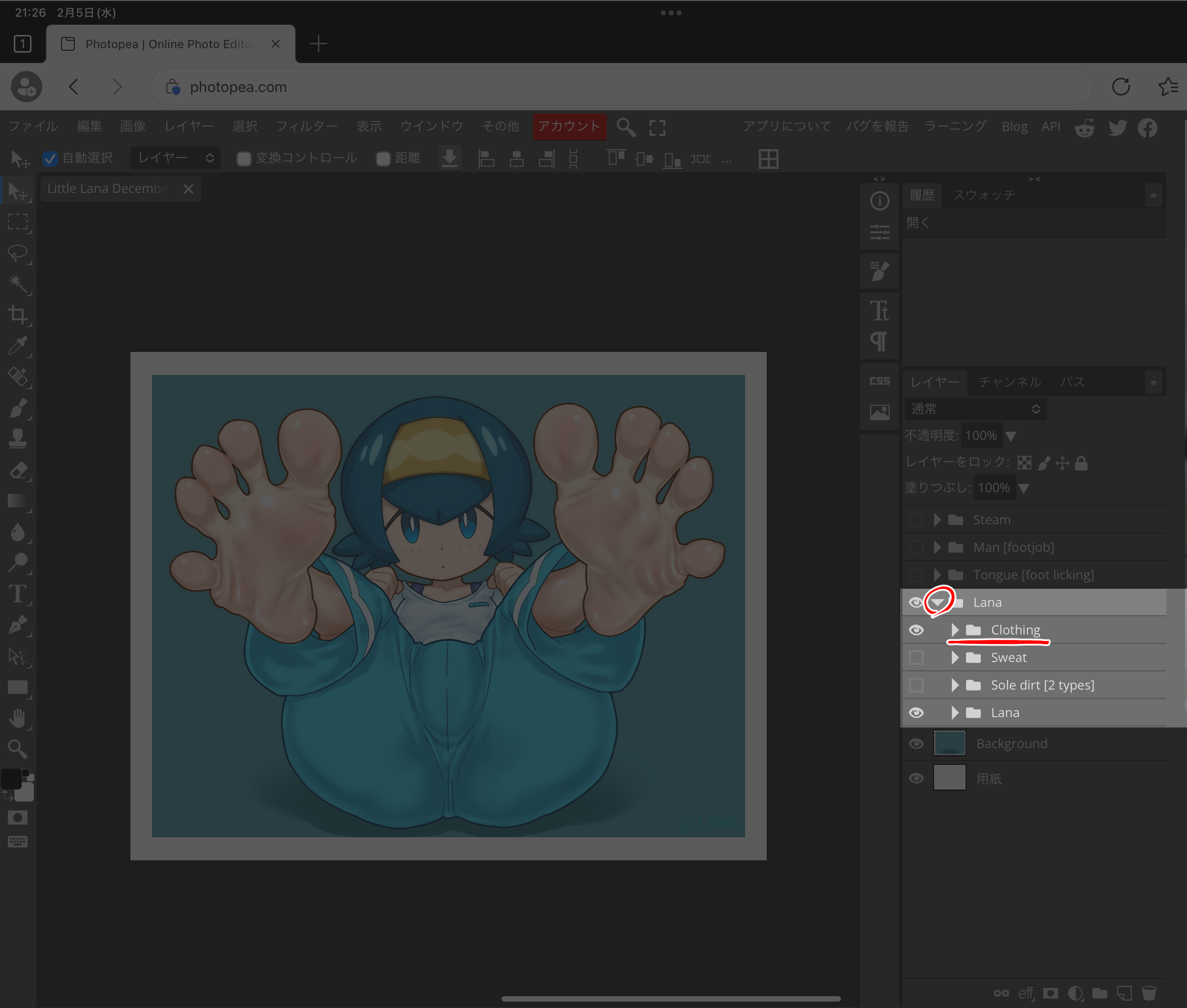
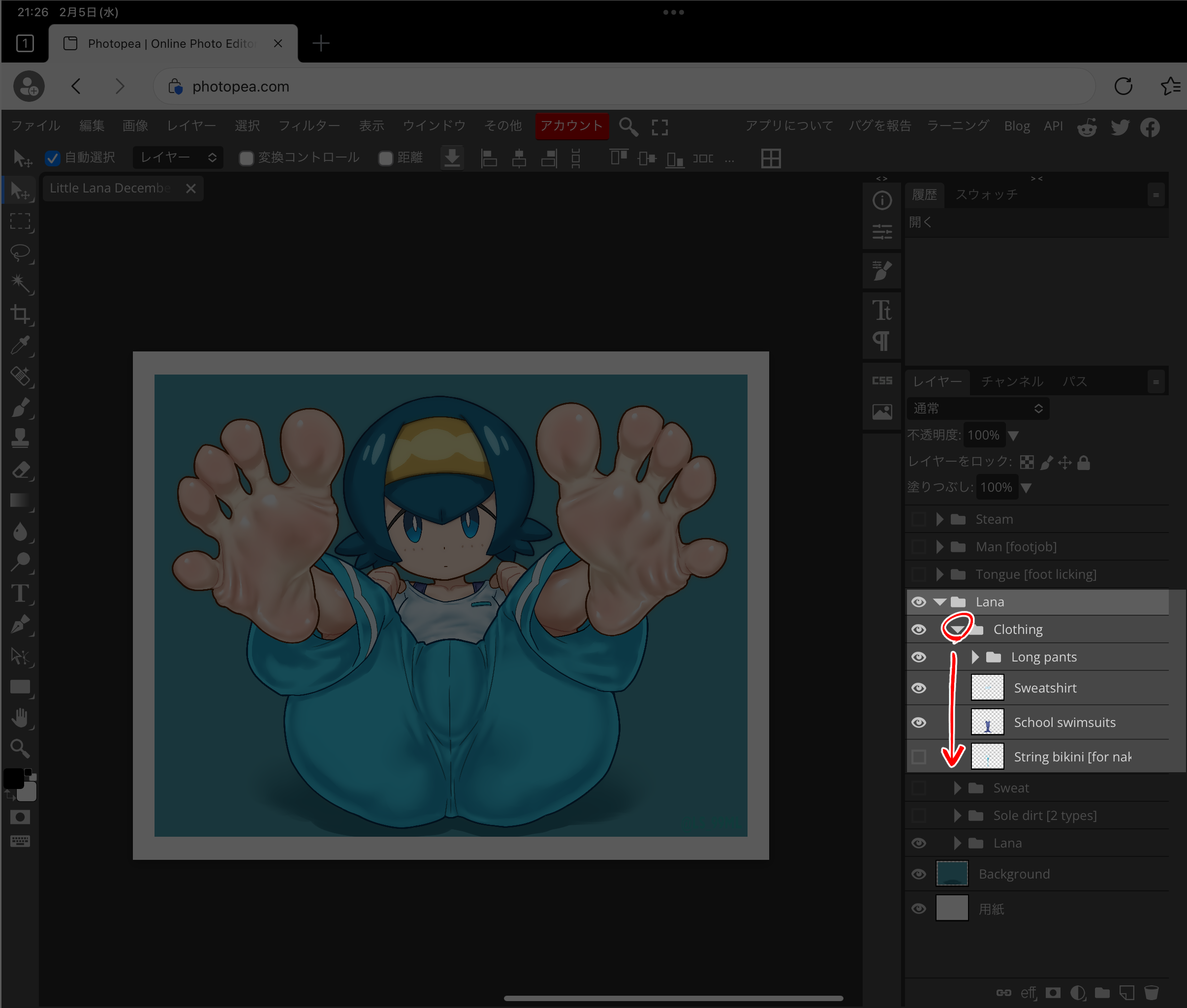
5. Press the triangle in front of the folder icon labeled [Lana]. The symbol will change to face downwards and a folder called [Clothing] will appear. This is where the costumes are stored.
6. Press the triangle icon in front of the [Clothing] folder. The clothes inside will appear individually.
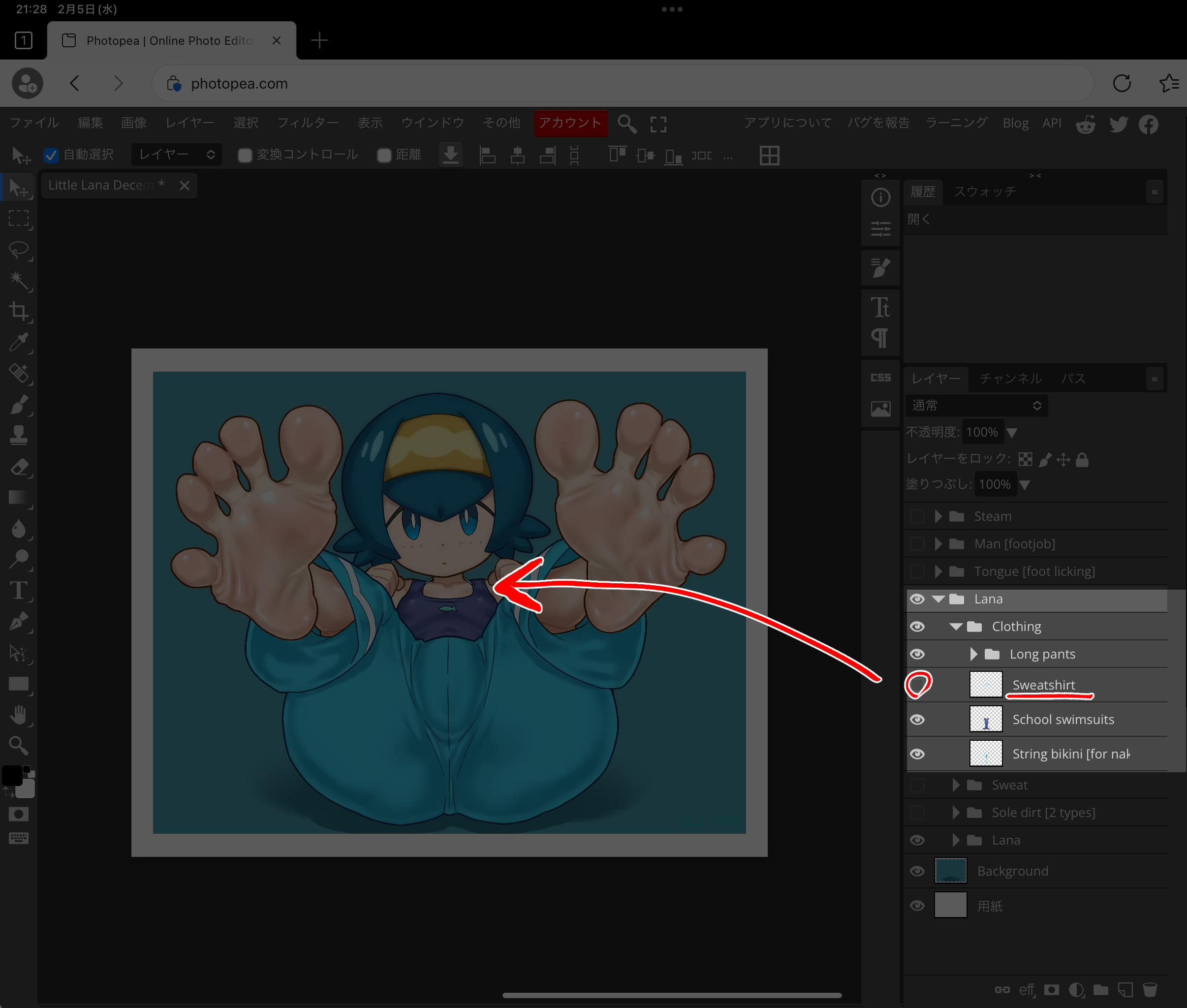
7. The rest is easy. Press the eye icon in front of the panel with the name of the costume you want to take off (this is called the Layer), and the state in which the costume is taken off will be reflected in Lana on the left side.
All operations of the PSD files distributed here are completed by pressing the triangle and pupil icons.
ツキマル
2025-02-05 16:00:23 +0000 UTCLucaPC
2025-02-05 15:52:23 +0000 UTCBiosism
2025-02-05 15:35:56 +0000 UTCツキマル
2025-02-05 13:18:39 +0000 UTCすごいきもちいい
2025-02-05 13:10:56 +0000 UTC