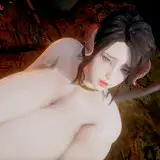
Scene+Material(KK PPPPU SDv1+vZ+2) ① Use the linked scene data (set) and play your favorite background music using another software or the sound player in KK. ② Record one scene data with VideoExport and play it with the included 4PUPlayer. (Please make sure the background music is in ogg format.) ③ Use video editing software to link the output mp4 files to create a video. As a bonus, we have listed the support URLs for three PPPPU-related content such as Xi, MMD, and 4PU, as well as the URLs for free MODs. Thank you to the pioneers. Some of the materials are borrowed and modified from the SDs of the pioneers. And we also include a large number of sound sources that can be used for video production. The sound sources used in the ejaculation scene are also included (in addition to a single sound source, we also include a sound source consisting of multiple patterns of 4 seconds each. You can express the ejaculation scene just by arranging them according to the output scene) 【遊び方】 基本的な手順は3つです。 ①リンクされたシーンデータ(セット)を使用し、別のソフトやKK内のサウンドプレーヤーを使用して、お気に入りのBGMを再生します。 ②VideoExportで1シーンデータを録画し、付属の4PUPlayerで再生します。(BGMはogg形式にしてください。) ③動画編集ソフトを使用して、出力されたmp4ファイルを連結し、動画を作成します。 おまけとして、Xi、MMD、4PUなど3つのPPPPUに関連するコンテンツのサポートURLと、無料MODのURLを記載しています。 先駆者たちに感謝します。素材の一部は先駆者たちのSDから拝借・改造しています。 そして動画制作に使える音源も多数同梱しています。 射精シーンで使用している音源も同梱しています(単一の音源に加え、4秒ずつの複数パターンで構成された音源も同梱しています。出力シーンに合わせて並べるだけで射精シーンを表現できます) If you have any questions or concerns about this scene, please feel free to contact us. For character cards with special features such as MODs, the shadows may look strange, so we recommend you tweak the shadow filters and screen effects. このシーンについてご質問やご不明な点がございましたら、お気軽にご連絡ください。 MODなどの特殊機能を備えたキャラクターカードの場合は、影がおかしく見える場合がありますので、影のフィルターや画面効果を微調整することをお勧めします。 Thank you for your continued support. 今後ともよろしくお願いいたします。 DL https://mega.nz/folder/pY4llDoZ
Tester
2025-10-01 08:04:57 +0000 UTCjerald
2025-10-01 07:53:49 +0000 UTCTester
2024-11-03 14:20:49 +0000 UTCHaroldayy
2024-11-03 13:50:34 +0000 UTC