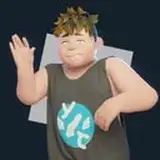
Ok so this is what I’ve been doing this past week, I’ve been trying to reduce the clipping of the shirt, that armpit area is very hard to get right, I managed to squeeze a bit more of good deformation with weight painting alone, compared to the last version that I uploaded, but I still felt unsatisfied with the results, the improvement was marginal at best, so I had to focus in the most evident problem, people just don’t like to use twist bones when they are making animations and that was the main source of the clipping in the motions I’ve been using, people twist the arms and not so often the shoulder bones too, in Izumi’s case for both bones that would mean people twist them in the X local axis and that is what causes the most hideous clipping I’ve seen, it is no problem to just untwist the bones in the local X axis to get rid of the clipping, or animate Izumi in that way, the problem is that it takes time to do that and people would consider it a chore, it would be easy to solve this problem in blender, just transfer the weight from the arm to a different bone and set a constrain to counter the twisting in that bone, but in MMD that is not possible, it is true that you can set bones to copy the rotation from other bones, either positively or negatively, but it does with all axis at the same time and I think it only does that in global axis not so sure about this last part, but still I only needed to cope the rotation negatively in one axis, only MMM2 can handle the rotation of individual axis for animation, so the challenge was to find a way to automatically counter the twisting of the shirt when Izumi’s arms get twisted, and I found a way, I had to use a trick I saw once on youtube but never had the chance to use, and in the original source it wasn’t even used this way, this method does not counter the rotation in the local X axis in Izumi’s body, it just ignores it, plain and simple, now the sleeve of the shirt follows the arm perfectly and the twisting is ignored, reducing clipping even more, there is still a bit of clipping on some cases but hey everything will clip if you twist it enough there is no exception to this, the difference is very perceptible, and if you get annoyed with the clipping that is still left, it will require small adjustments, compared to the last version, this method will be very useful for future outfits since it can also be used for the legs in shorts for example, and high collars, getting rid of the twist on the leg and or neck bones, you’ll see what I mean once you download the new version, also added more riggid bodies to the lower body in the school uniform, this allowed me to have the skirt closer to the body without clipping, and that was until this last Friday, I also had to make a small change to the Izumi’s bikini, I changed the name of some bones and relocate 2 of them, more smoothing to Izumi’s fingers and some texture work on the new uniform, the uniform also required 6 new bones for that new fancy method for deformation I used, all of them are hidden bones so there should be no hassle for the user, the change of the bones in the bikini was necessary because I cleaned the blend file a bit and, sorting stuff in different layers and stuff, the bikini shared some bones with the idol outfit so for the sake of good organization I had to give the bikini it’s unique set of bones, named properly, this created the need to give duplicate bones a new name, there is still a shared set of bones between the idol and classic outfits, and those would be the panties bones but those are easy enough to understand and use as they are now so I saw no need to make any changes there, after that I’ve been working on a small animation for the release of the new outfit, the dance of choice is Pink Cat, but I want to add a little something to it, a parody of Quick Silver’s scene from the X-men first class movie, involving panties theft, it should be at least interesting and a bit different from the bunch of time stop videos there are already, should be fun, also eager to test a new version of PMXe that is out, and english version of course, a much better translation and a more up to date editor than I am using now, now if you are wondering why I am cleaning and organizing the original blend file, well, you’ll see soon enough, give the new version a try and let me know what you think, sorry for the wall of text and thanks for the support.
***Updated link
http://www.mediafire.com/file/dzcxugrdoxyne6h/Izumi_Shimizu_2.0.15.rar
Welp, been working on this for a while and it's 2am now so I think I'm gonna rest for a bit, I'll be in touch guys.