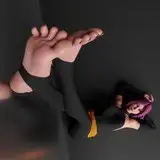
Before leaving on a short 1,5 week vaccation break we worked hard to release this MoCap for you! Its pretty slow, sensual, somehow wierd and also sexy in a mystical way! Meet our first non-human Model "Fareya, 21" in the woods. This model is supposed to be a young deamoness we hope you like! To be honest we are not really into that "non human thingy" but damn....she is HOT :P
Next topic!
Thanks to one talented team member from "ClubJulze" we were also able to solve the VAR packaging problem. So from now on all our scenes come in the VAR format. After vaccation we will package the "best of" MoCaps in the var format too and make a special release. Seems like we need to tidy up a bit after so many releases and stuff we did in over one year C&G-STUDIO huh? :P
Oh dear and we have soooo many many many many ideas what do do after vaccation. It almost feels like we haven´t really started yet! Be surprised, be stunned and like always
stay tuned!
BIG THANKS
Gato, Chrizzy, Nathalie
INSTALLATION
1.) Download the following .var files if you don´t already have them and place them into your "AddonPackages" Folder
- VaMChan - Lightning Hairstyle 1
- SupaRioAmateur - Tifa Cloth Pack 1
- YameteOuji - BootsA
- Hunting-Succubus - EyeBall Shadow, Tear WetLine, Reflection! (DOWNLOAD ALL 3 VAR FILES!)
2.) Download the MoCap and drop the CG-STUDIO folder where your CG-STUDIO folder is located. More information in the "Installation + var Info" readme file.
DOWNLOAD MOCAP
3.) Open "Infinite Woods" VAR file and enjoy!
This MoCaps Key features
Rating: Level-A MoCap (tending to B)
Rating in detail: (Cons) hand tracking bug near the end / ground control ( feet )
(pros) mystical atmosphere, good tracking / hand control / expressions authentic
Performer: Chrizzy
Genre: Slow and sensual / Focus on Dancing
Light: Simple / Atmospheric
Restart: YES
Specials:
R-Line Model Fareya, 21
2 Versions ( STANDART & CAMRIDE )
Mirror ON / OFF
Triggered clothing drop
Technical information & limitations
* Make sure to have at least 35-45 FPS in order to stay synced with the audio
* Freeze motion before scene load & let everything load up first
* Disable soft body physics if you notice big FPS drops or crashes
* Use the RESTART button with caution ( only push if model is in a similar position to the start position eg. not backwards)
CAMRIDE instruction
Basically there are two working ways to watch the CAMRIDE version
1.) Desktop
2.) VR
1.) Desktop-Version
Position the camera short distanced front facing the "head front" sign and enjoy.
2.) VR-Version
-> Load scene up STANDING
-> Look around if you see the model
-> Audjust on the Platform and make sure to feel confortable
-> The head is supposed to be front facing the "head front sign" in short distance!
-> Enjoy
BE AWARE OF MOTION SICKNESS DUE SOMETIME RAPID CAMERA MOVEMENT!
DO NOT PLAY THIS CAMRIDE VERSION STANDING IF YOU SUFFER FROM MOTION SICKNESS EASILY
Daygrah
2020-07-29 17:40:35 +0000 UTCdabido
2020-07-26 02:17:09 +0000 UTCKamiGato
2020-07-24 20:55:23 +0000 UTCgeo_gan
2020-07-24 12:00:30 +0000 UTCKamiGato
2020-07-24 11:47:10 +0000 UTCidolking
2020-07-24 11:06:03 +0000 UTC