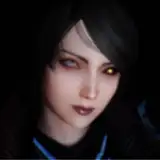
We had a lot of fun with this "focus on dancing " Mocap. Especially Nathalie was pretty sad when the recording was done. We loved this song and the whole setting fits perfectly into the overall crazy, colourful atmosphere! We hope you enjoy your stay today on " sugar planet" ;)
Best wishes and a great day!
Gato
Ps. Be aware of the camride version. This time there are some reeeeally rapid cam movements!
INSTALLATION
1.)Download all relevant .var files from the list below and drop them into your AddonPackages folder ( only if you don´t already have the var files below! )
2.) Inside VaM just open up the .var file located in the C&G-STUDIO folder (stored in AddonPackages)
ATTENTION
-> BY OPENING THE SCENE INSIDE VAM IN ORDER TO FIND THE VAR FILE ALWAYS CHECK ON THE LEFT SIDE TAB AND SEE "LATEST"!
-> In order to get the full experience it is recommended to have all the var files listed below
LINKS TO RELEVANT VAR FILES
HAIR
Miki - Kunoichi Hair 3
CLOTHING
SupaRioAmateur - Tifa Cloth Pack 1
YameteOuji - Egregious Sneakers
VL_13 - Soks_1.0
Hunting-Succubus - EyeBall Shadow, Tear WetLine, Reflection! (version:4)
ASSETS
Xstatic - Xstatic Particle Pack #9 Motion dots
Xstatic - Xstatic particle pack #8 Fog 1
This MoCaps Key features
Rating: Level-A MoCap
Rating in detail: (Cons) rare hand to head clipping
Great atmosphere and immersion, crazy camride and lightning, good tracking
Performer: Nathalie
Genre: Focus on Dancing
Light: Atmospheric, show
Restart: YES
Specials:
2 Versions ( STANDART & CAMRIDE )
Triggered clothing drop
Technical information & limitations
* Make sure to have at least 35-45 FPS in order to stay synced with the audio
* Freeze motion before scene load & let everything load up first
* Disable soft body physics if you notice big FPS drops or crashes
* Use the RESTART button with caution ( only push if model is in a similar position to the start position eg. not backwards)
CAMRIDE instruction
Basically there are two working ways to watch the CAMRIDE version
1.) Desktop
2.) VR
1.) Desktop-Version
Position the camera short distanced front facing the "head front" sign and enjoy.
2.) VR-Version
-> Load scene up STANDING
-> Look around if you see the model
-> Audjust on the Platform and make sure to feel confortable
-> The head is supposed to be front facing the "head front sign" in short distance!
-> Enjoy
BE AWARE OF MOTION SICKNESS DUE SOMETIME RAPID CAMERA MOVEMENT!
DO NOT PLAY THIS CAMRIDE VERSION STANDING IF YOU SUFFER FROM MOTION SICKNESS EASILY
KamiGato
2021-08-12 08:57:38 +0000 UTCchumbachill
2021-08-12 03:07:39 +0000 UTCDaniel Rond
2021-02-08 00:24:44 +0000 UTCKamiGato
2020-08-28 07:46:52 +0000 UTCKamiGato
2020-08-28 07:46:31 +0000 UTCMarco Luker
2020-08-28 03:01:41 +0000 UTCgeo_gan
2020-08-27 19:07:01 +0000 UTCtdog
2020-08-27 18:56:36 +0000 UTCKamiGato
2020-08-27 18:37:28 +0000 UTCKamiGato
2020-08-27 18:34:57 +0000 UTCDaygrah
2020-08-27 18:15:55 +0000 UTCDaygrah
2020-08-27 18:15:29 +0000 UTCHellowWorld1021
2020-08-27 11:48:53 +0000 UTCKamiGato
2020-08-27 05:56:42 +0000 UTCHellowWorld1021
2020-08-26 21:36:04 +0000 UTCToOreosOneCup
2020-08-26 19:30:08 +0000 UTC