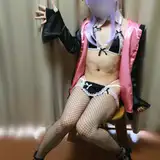
Here you go with this first release in our possible now cathegory "Sexy Show Dance". What do you guys think? Is it worth opening up a new cathegory and extend our self created genre rages? Your opinion will be crucial. By the way the post procession was made as a first cooperation between GATO and JEFF.
We hope you enjoy!
Edit: Download via attachment due mega issues. Will be deleted soon and added to mega.
INSTALLATION
1.) Download / Unzip & Drop the C&G-Studio folder inside your AddonPackages folder. Drop the custom folder into your VaM Root directoy.
2.) Download all relevant .var files from the list below and drop them into your AddonPackages folder ( only if you don´t already have the var files below! )
3.) Inside VaM just open up the .var file located in the C&G-STUDIO folder (stored in AddonPackages)
4.) Ready to go!
ATTENTION
-> BY OPENING THE SCENE INSIDE VAM IN ORDER TO FIND THE VAR FILE ALWAYS CHECK ON THE LEFT SIDE TAB AND SEE "LATEST"!
-> In order to get the full experience it is recommended to have all the var files listed below
MOCAP FILE -> ATTACHMENT!
******LINKS TO RELEVANT VAR FILES*******
PERSON ( MIGHT BE NEEDED)
Dub - Lucille
HAIR
NoStage3 - Long Wavy 9
CLOTHING
SupaRioAmateur - Tifa Cloth Pack 1
Hunting-Succubus - EyeBall Shadow, Tear WetLine, Reflection! (version:4)
ASSETS
Xstatic - Xstatic particle pack #8 Fog 1
This MoCaps Key features
Rating: Level-A MoCap
Rating in detail: (Cons) nothing at all
believable atmosphere, great lightshow and immersion, good tracking & overall movement
Performer: Chrizzy
Genre: Pole / Strip / Dance / SHOW
Light: Atmospheric, show
Restart: YES
Specials:
2 Versions ( STANDART & CAMRIDE )
Triggered clothing drop
Technical information & limitations
* Make sure to have at least 35-45 FPS in order to stay synced with the audio
* Freeze motion before scene load & let everything load up first
* Disable soft body physics if you notice big FPS drops or crashes
* Use the RESTART button with caution ( only push if model is in a similar position to the start position eg. not backwards)
CAMRIDE instruction
Basically there are two working ways to watch the CAMRIDE version
1.) Desktop
2.) VR
1.) Desktop-Version
Position the camera short distanced front facing the "head front" sign and enjoy.
2.) VR-Version
-> Load scene up STANDING
-> Look around if you see the model
-> Audjust on the Platform and make sure to feel confortable
-> The head is supposed to be front facing the "head front sign" in short distance!
-> Enjoy
BE AWARE OF MOTION SICKNESS DUE SOMETIME RAPID CAMERA MOVEMENT!
DO NOT PLAY THIS CAMRIDE VERSION STANDING IF YOU SUFFER FROM MOTION SICKNESS EASILY
Toshie27
2021-11-01 02:30:21 +0000 UTCKamiGato
2021-01-25 09:17:48 +0000 UTCNiscort
2021-01-25 02:24:37 +0000 UTCKamiGato
2020-10-08 18:26:41 +0000 UTCLFE
2020-10-07 22:51:50 +0000 UTCKamiGato
2020-09-27 09:47:26 +0000 UTCKamiGato
2020-09-27 09:45:41 +0000 UTCKamiGato
2020-09-27 09:42:24 +0000 UTCKamiGato
2020-09-27 09:39:01 +0000 UTCKamiGato
2020-09-27 09:38:25 +0000 UTCKamiGato
2020-09-27 09:36:47 +0000 UTCKamiGato
2020-09-27 09:35:11 +0000 UTCgeo_gan
2020-09-22 22:13:10 +0000 UTCtdog
2020-09-22 13:27:51 +0000 UTCnath
2020-09-19 19:02:17 +0000 UTCidolking
2020-09-18 09:51:37 +0000 UTCDaygrah
2020-09-18 09:24:31 +0000 UTCsam
2020-09-18 05:17:40 +0000 UTCsam
2020-09-18 04:50:24 +0000 UTCMarco Luker
2020-09-18 03:26:18 +0000 UTCSpideyman
2020-09-18 03:05:25 +0000 UTCGoodBoy2030
2020-09-17 21:56:42 +0000 UTC