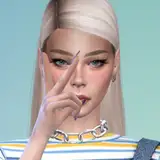
Photorealistic Mountains Are My Throne X | A Reshade Preset
Added 2023-02-21 16:30:00 +0000 UTC
Looks like here we go again- WOOO!!!! After reverting back to Reshade and long hours of trying to get the shaders and mxao work again, here's an alternative version of 'Mountains are my throne' preset, but for reshade this time.
What changed?
Well, for starters, the software changed! 'Mountains are my throne' was a gshade preset made by me. However, as i switched back to Reshade, i recreated the preset and improved it a bit. Other difference is, there was 4 different version of this preset. I tried to find a middle-ground for different skin-tones and different times of the day and worlds. It's not perfect but i believe it's a cool preset. So yeah, for the moment, here's just one and only version of the 'Mountains are my throne' reshade preset. But this time, it's called "Photorealistic". Well, not just called so, but also looking a bit better!
What do i need for this to work?
/!\ The things you need to download, not all of them goes directly to your mods folder. Please read the details before you download/install them.
- ReShade 5.6.0 (If you prefer to use an older version, you still need to downlaod shaders below) (Also, this step by step guide can be helpful if you want to revert from gshade to reshade. If you have gshade atm or you already deleted gshade and will install reshade freshly, ignore this guide)
- Required Shaders & Textures (As i don't know what shaders & textures are essential, i uploaded them too - This will go to: PC > Sims' Installed Drive > Origin or EAGames (depending on the app you're using) > The Sims 4 > Game > Bin (paste it there after you install reshade first. After that, paste it and say yes and overwrite existing ones) - Download from the attachments at the bottom)
- "Photorealistic Mountains Are My Throne X" reshade preset (Download from the attachments at the bottom)
- NoBlu By Luumia (I use V2 Darkest but it's your choice, atleast 1 of them recommended) (Check this guide)
- NoGlo v2 By Luumia (Check this guide)
- K-Project by Tech-Hippie (I linked the post for installation guide made by me. You can also see how to install NoBlu and NoGlo)
- Milk Thistle by Softerhaze (See this step by step guide for how to intall this, pretty simple)
How to install Reshade?
Well, there are tons of guide on youtube to how to install Reshade so i'm skipping this part. It's fairly easy to install if you are familiar with Gshade or Reshade.
Reshade preset tips:
- If you are experiencing heavy lags, you can turn off MXAO. It should give you some boost of FPS!
- Vibrance has no huge impact on world/interiors but still, it makes little changes on the colors. But on skins, it can make wonders! So, try to turn vibrance on and off, and see the results and use it to your liking :)
Some Additional Notes
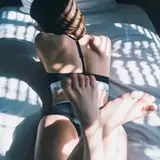
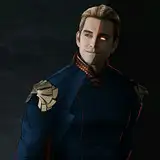
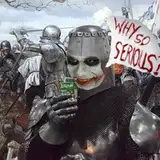
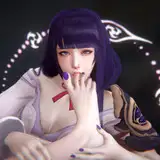
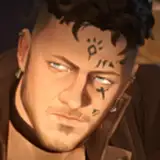
- This preset is fun to use. However, remember that the look of your game differs from in game time to time, the weather and the world you are in. But yeah, the main idea of how it looks can be found at the photos part of this post (above).
- It's half gameplay friendly. But if you have decent graphics card and processor, it should be working fine. I have rx580 and i5-9400 processor with 16 gb of ram and the game is on SSD. For me, the game runs around 70-85 fps when this reshade preset is on and 160+ when this reshade preset is off.
- MXAO can be problematic at times regardless of the preset you are using. If the MXAO shadows causing extreme darkness on the world/objects/sims, it means your mxao is causing a problem. However, there's a 3 click solution. You need to do this just 1 time and you'll be good. First, you'll see a shader list on the window above when you open reshade menu (ingame). And then, you'll see the second window right below the shader list. You'll see a bar named "Global Preprocessor Settings". Click to it. Second, after you click to that bar, find the "reshade_depth_input_is_reversed" line. Third, if it's 1, delete 1 and type 0. Third, hit enter after you type 0 and click to "reload" button at the very bottom of the Reshade menu. All done! If it's already 0, it probably means you might've installed reshade or it's textures/shaders wrong. You may want to re-install it.
Even though my knowledge is limited on the reshade software, i'll try to help out if you have any questions :)
Hope you have fun! ♥