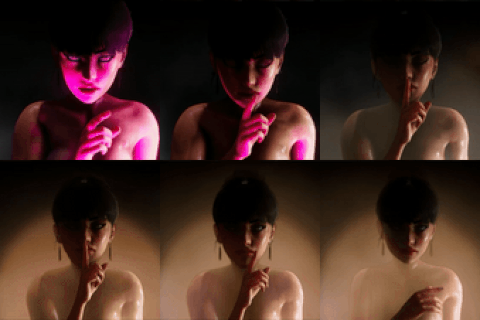
Ho ho ho, Dream Team! Sooo, we finally find out what Tifa's most cherished Christmas wish was! Who could have doubted her choice?! hehehe))
-If you have low FPS in the scene - Try to uncheck SSS ( in F5 menu ), it can give 25-30 FPS, also you can delete extra characters, switch off some lighting (switch ON or OFF Extra lighting folders), or disable some parts of the map.
吼吼,夢之隊!我們終於知道 Tifa 最珍貴的聖誕願望是什麼了!誰會懷疑她的選擇呢!嘿嘿)) -如果您在場景中的 FPS 很低 - 嘗試取消勾選 SSS(在 F5 功能表中),它可以提供 25-30 FPS,您也可以刪除額外的角色、關閉某些照明(開啟或關閉 Extra lighting 資料夾),或停用地圖的某些部分。
ホーホーホー、ドリームチーム!ティファのクリスマスの願いが何だったのか、ついに判明しました!また、余分なキャラクターを削除したり、一部の照明をオフにしたり(Extra lighting foldersのON/OFF)、マップの一部を無効にすることもできます。
!!! Warning !!!
BR16 (Better repack 16) may not work with my scenes as they did something wrong with the plugins there. I added a plugins folder to replace the plugins from BR16 to BR15, this will allow you to avoid animation issues. You can find the plugins in a recent post with a link, or BETTER DOWNLOAD BR15.
!!! 警告!
BR16 (Better repack 16) 可能無法與我的場景搭配使用,因為他們對那裡的外掛程式做了一些錯誤的處理。我新增了一個外掛資料夾,將 BR16 的外掛更換為 BR15 的外掛,這樣就可以避免動畫問題。您可以在最近的一篇文章中找到這些外掛程式的連結。
!!! 警告!
BR16(ベター・リパック16)は、私のシーンでは動かないかもしれません。私はBR16からBR15にプラグインを置き換えるためにプラグインフォルダを追加しました、これでアニメーションの問題を避けることができます。プラグインは最近の投稿にリンクがあります。
!!!!!!!!!!! DON'T FORGET !!!!!!!!!!! : you can change the character size, breast size (SOFTNESS), and other stuff in the studio by pressing SHIFT+D.
不要忘記:您可以在工作室中按 SHIFT+D 來改變角色大小、胸部大小(柔軟度)和其他東西。
忘れずに:SHIFT+Dを押すことで、スタジオでキャラクターサイズやバストサイズ(柔らかさ)などを変更できる。
If you have any questions besides the password - PLEASE message me on Discord- chatting there is much easier than here.
Your Brutalisk👾
VERY IMPORTANT - do not open timeline menu while your character in workspace is selected, otherwise scene will lose many FPS and you must reload it again to have smooth animation ( its because i use million bones animated in scenes )
SCENE CAN LOAD 1-3 min depending on ur PC. Full timeline scenes with thousands of frames always load like this, but the work is smooth.
🔴STUDIO BUG FIXES:🔴 when u load my scenes - first u must - PRESS F5( to enter the graphic mod menu) and go to PostProcessing on the top of it, after this ull have proper Depth of Field in the scene. If u using another scene with another field of view set - better reload the studio and do it again. It's studio issues, so don't blame me pls)
For my scenes I use GRAPHIC MOD and TIMELINE (to bring the best quality for you), so be sure you have "timeline" in your studio. To start the scene - press the "play" button in the timeline menu and it will start cycling. You can change the light by pressing F5 and going to Light in the graphic mode options - there you can switch it on/off. My scenes can load like 30 sec- 1 min the first time, the next one will load faster.
💥💥💥Important!💥💥💥 ----->☢️☢️☢️☢️☢️SHARING (!!!USING IN YOUR PROJECTS!!!) my scenes, animations, or characters is PROHIBITED, even if they are MODIFIED, resulting in a Patreon ban if discovered.☢️☢️☢️☢️☢️
Brutalisk Entertainment
2025-04-23 08:39:45 +0000 UTCJuger Nautt
2025-04-23 04:59:04 +0000 UTCBrutalisk Entertainment
2025-02-13 01:23:52 +0000 UTCkanaon
2025-02-13 01:16:05 +0000 UTCBrutalisk Entertainment
2024-12-29 08:42:24 +0000 UTCliquidus snake
2024-12-29 05:01:36 +0000 UTCBrutalisk Entertainment
2024-12-23 19:16:18 +0000 UTCyan
2024-12-23 18:43:45 +0000 UTCBrutalisk Entertainment
2024-12-23 16:10:05 +0000 UTCBrutalisk Entertainment
2024-12-23 16:09:24 +0000 UTCBleakheart Trickster
2024-12-23 16:06:12 +0000 UTCBrutalisk Entertainment
2024-12-23 16:01:39 +0000 UTCSilver
2024-12-23 15:58:07 +0000 UTC