Hello friends! ✨
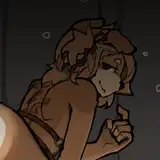
I’m happy to share with you the second-to-last animation in the “Short way” series!
As always, Tifa asked her question in such a way that it could be understood ambiguously — and, of course, she got exactly the result she wanted ^_^
I hope these animations bring you joy! 🌸
P.S. Today I noticed that the folder with the Scene data hadn’t been displaying since 25.11.2025, and I’ve fixed it.
If anyone was affected by this issue — it’s already resolved.
大家好!✨
今天为大家带来《Short way》系列的倒数第二个动画!
蒂法一如既往地把问题问得有点暧昧,而她也像往常一样顺利得到了自己想要的结果 ^_^
希望这些动画能让你们开心!🌸
附注:今天我发现 Scene 数据文件夹自 2025 年 11 月 25 日起一直没有显示,现在我已经修复了。
如果有人受到这个问题的影响——现在已经解决了。
みなさん、こんにちは!✨
「Short way」シリーズの最後から2番目のアニメーションをお届けします!
ティファは今回も、ちょっと誤解を招くような聞き方をして、そしていつものように思った通りの結果を手に入れました ^_^
このアニメーションを楽しんでいただけたら嬉しいです!🌸
追伸:本日、Scene データのフォルダが 2025年11月25日から表示されていなかったことに気づき、修正しました。
もしこの問題でご不便をおかけしていた方がいれば、すでに解決済みです。
!!!!!!!!!! DON'T FORGET !!!!!!!!!!! : you can change the character size, breast size (SOFTNESS), and other stuff in the studio by pressing SHIFT+D.
不要忘記:您可以在工作室中按 SHIFT+D 來改變角色大小、胸部大小(柔軟度)和其他東西。
忘れずに:SHIFT+Dを押すことで、スタジオでキャラクターサイズやバストサイズ(柔らかさ)などを変更できる。
If you have any questions besides the password - PLEASE message me on Discord- chatting there is much easier than here.
Your Brutalisk👾
VERY IMPORTANT - do not open timeline menu while your character in workspace is selected, otherwise scene will lose many FPS and you must reload it again to have smooth animation ( its because i use million bones animated in scenes )
SCENE CAN LOAD 1-3 min depending on ur PC. Full timeline scenes with thousands of frames always load like this, but the work is smooth.
🔴STUDIO BUG FIXES:🔴 when u load my scenes - first u must - PRESS F5( to enter the graphic mod menu) and go to PostProcessing on the top of it, after this ull have proper Depth of Field in the scene. If u using another scene with another field of view set - better reload the studio and do it again. It's studio issues, so don't blame me pls)
For my scenes I use GRAPHIC MOD and TIMELINE (to bring the best quality for you), so be sure you have "timeline" in your studio. To start the scene - press the "play" button in the timeline menu and it will start cycling. You can change the light by pressing F5 and going to Light in the graphic mode options - there you can switch it on/off. My scenes can load like 30 sec- 1 min the first time, the next one will load faster.
💥💥💥Important!💥💥💥 ----->☢️☢️☢️☢️☢️SHARING (!!!USING IN YOUR PROJECTS!!!) my scenes, animations, or characters is PROHIBITED, even if they are MODIFIED, resulting in a Patreon ban if discovered.☢️☢️☢️☢️☢️
Brutalisk Entertainment
2026-02-06 14:39:39 +0000 UTCTuu Yuu
2026-02-06 14:38:06 +0000 UTCBrutalisk Entertainment
2026-01-23 09:10:26 +0000 UTCk
2026-01-23 03:39:14 +0000 UTCBrutalisk Entertainment
2026-01-22 09:49:02 +0000 UTC光年外的 一
2026-01-22 03:47:59 +0000 UTCBrutalisk Entertainment
2026-01-12 09:08:22 +0000 UTCBarles Charkley
2026-01-12 07:52:17 +0000 UTCBrutalisk Entertainment
2025-12-27 09:55:51 +0000 UTCxyq015122
2025-12-27 09:38:06 +0000 UTCBrutalisk Entertainment
2025-12-19 08:41:55 +0000 UTCCNN aas
2025-12-19 05:50:38 +0000 UTCBrutalisk Entertainment
2025-12-17 09:38:22 +0000 UTC明然 周
2025-12-17 08:01:28 +0000 UTCBrutalisk Entertainment
2025-11-30 08:57:27 +0000 UTCBrutalisk Entertainment
2025-11-30 08:57:24 +0000 UTCkacim
2025-11-30 08:08:04 +0000 UTCJoe
2025-11-30 03:08:16 +0000 UTCBrutalisk Entertainment
2025-11-29 21:22:52 +0000 UTCjack
2025-11-28 14:15:04 +0000 UTC